Discover why the filemaker database is at the heart of the digital transformation sweeping businesses in 2026. Companies everywhere are unlocking new levels of efficiency, speed, and adaptability.
This guide brings you expert insights, hands-on best practices, and future-focused strategies to help you maximize your results. Explore the latest FileMaker features, learn how to design scalable solutions, integrate with APIs and AI, secure your data, and optimize your workflows.
Ready to transform your business? Dive in and see what your organization can achieve with the right approach.
FileMaker Database Evolution: 2026 Trends and Innovations
The filemaker database landscape is rapidly evolving in 2026, setting the pace for business innovation and digital transformation. From empowering non-programmers to integrating advanced AI, the filemaker database continues to lead the way for organizations seeking agility and competitive advantage.
The Rise of Low-Code/No-Code Platforms
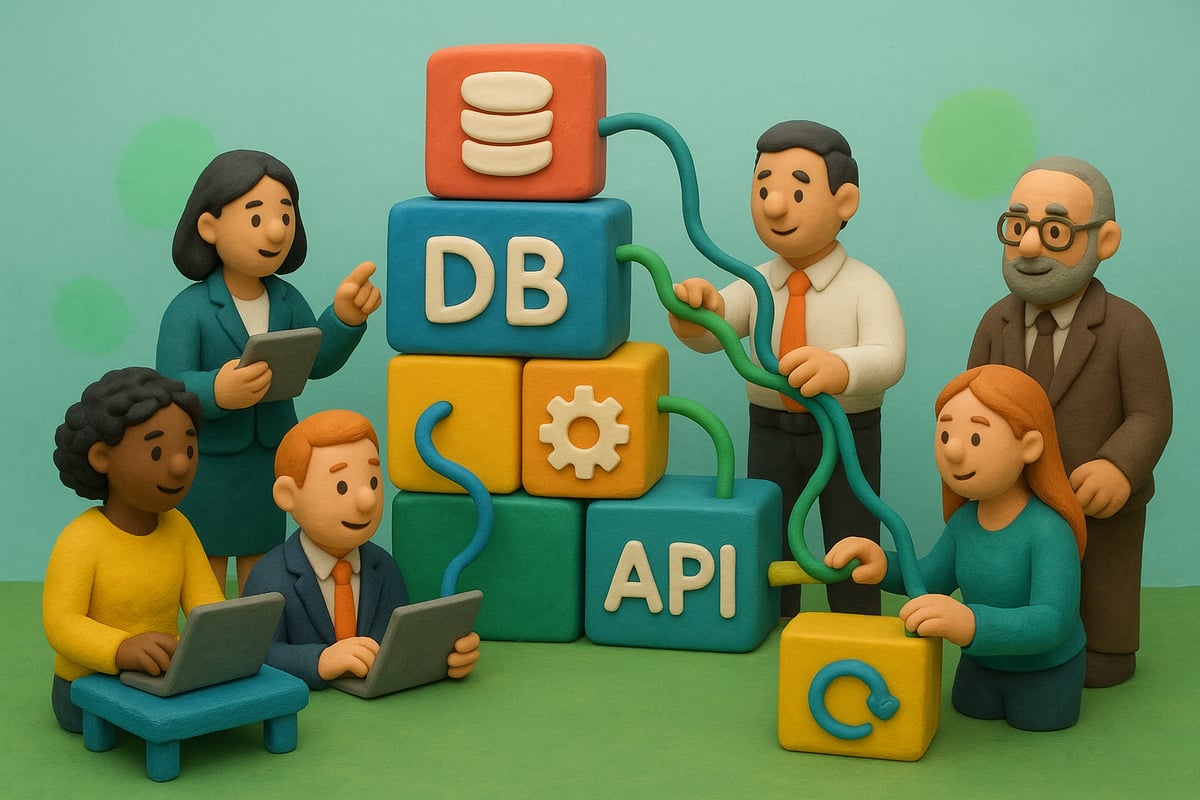
Low-code and no-code platforms are transforming the way businesses develop software. Filemaker database solutions have emerged as a leader in this movement, giving organizations the power to create complex apps without extensive coding knowledge.
According to Gartner, low-code tools are expected to see a 23% CAGR through 2026, underscoring the growing demand for fast, flexible development. Filemaker database technology democratizes app creation, enabling business users, not just IT professionals, to build and adapt solutions quickly.
Healthcare clinics now rapidly deploy patient management apps, while small businesses design custom inventory systems. This shift reduces costs and accelerates digital transformation, putting innovation in the hands of everyday users.
Key Features Introduced in FileMaker 2025/2026
The latest filemaker database releases bring native AI integration, smarter automation, and improved API connectivity. Enhanced mobile and cloud deployment options make it easier to support a distributed workforce. Advanced reporting and analytics modules turn raw data into actionable insights.
A standout example is a logistics company automating inventory tracking and real-time reporting using FileMaker AI. These innovations are reshaping operations and decision-making. For a comprehensive summary, see the FileMaker 2025 New Features Overview.
These advances empower businesses to connect with other platforms, streamline workflows, and future-proof their technology investments. The filemaker database now serves as a central hub for data, intelligence, and automation.
Market Adoption and Industry Use Cases
Adoption of filemaker database solutions is soaring across healthcare, manufacturing, and service industries. Clinics leverage digital patient records for faster appointments and compliance, while manufacturing firms optimize supply chains for efficiency.
Case studies reveal digital transformation at every level. One industrial firm replaced paper-based systems with a filemaker database, reducing errors and boosting productivity. In remote and hybrid work environments, filemaker database platforms enable seamless collaboration and secure access from anywhere.
This flexibility and adaptability make filemaker database technology a preferred choice for organizations navigating rapid change.
Expert Insights: What Sets FileMaker Apart in 2026
Certified developers highlight the filemaker database for its speed, flexibility, and deep customization. Compared to Microsoft PowerApps and Salesforce, FileMaker stands out in several key areas:
| Feature | FileMaker Database | PowerApps | Salesforce |
|---|---|---|---|
| Customization | High | Moderate | Moderate |
| Learning Curve | Low | Moderate | Steep |
| AI Integration | Native (2025+) | Limited | Yes |
| Cost Efficiency | High | Varies | Varies |
Experts note that filemaker database platforms allow rapid prototyping, easy integration, and lower total cost of ownership. Testimonials from industry leaders confirm that FileMaker delivers measurable results in both speed and user satisfaction.
Future Outlook: Where FileMaker is Headed
Looking ahead, experts predict filemaker database technology will further integrate with IoT, machine learning, and blockchain for even greater capabilities. The focus will be on creating smarter workflows, automating complex tasks, and enhancing security.
Organizations are preparing for the next digital transformation wave by investing in filemaker database solutions that are modular, scalable, and AI-ready. Staying ahead means leveraging ongoing innovation and being ready to adapt as new technologies emerge.
The future of the filemaker database is bright, and forward-thinking businesses are seizing the opportunity to lead in their industries.
Planning and Designing a Modern FileMaker Database
Designing a modern filemaker database in 2026 starts with a strategic approach. Success hinges on understanding business needs, mapping data relationships, and planning for future growth. Let’s break down the essential steps every organization should follow.
Needs Assessment and Requirements Gathering
Begin by identifying your organization’s business goals and workflow challenges. A filemaker database should solve real problems, not just store data.
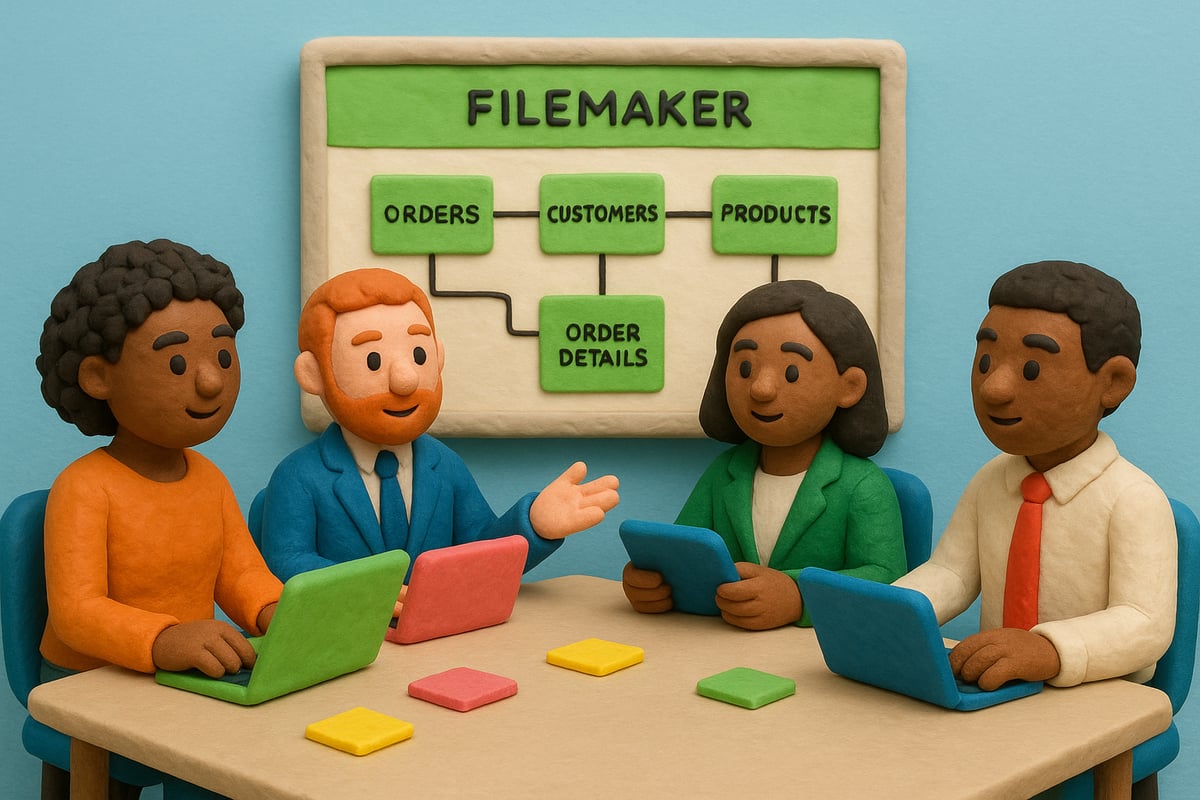
Start with stakeholder interviews to capture detailed requirements. Use process mapping to visualize how data flows through your operations. For example, a manufacturing firm can map inventory management processes directly to filemaker database modules, ensuring every aspect is covered.
Key steps:
- Interview all key stakeholders
- Document pain points and workflow bottlenecks
- Map current workflows to potential database modules
This groundwork helps ensure your solution is aligned with actual business needs.
Data Modeling Best Practices for 2026
Effective data modeling is the backbone of any scalable filemaker database. Use entity-relationship diagrams to map out tables, fields, and connections.
With complex data sets, leverage FileMaker’s visual schema tools for clarity. Prioritize flexibility, allowing for adjustments as your business grows. For organizations integrating ERP or CRM features, see how FileMaker, ERP, and CRM solutions enables unified data structures across departments.
Best practices include:
- Normalize data to reduce duplication
- Use clear naming conventions for tables and fields
- Plan for future integrations and reporting needs
A well-modeled filemaker database supports both current and future requirements.
User Experience and Interface Design
User experience is critical for adoption. Design filemaker database layouts that are intuitive on desktop, web, and mobile.
Prioritize accessibility with readable fonts, clear navigation, and logical grouping of fields. For example, a service company can boost field team productivity by creating mobile-optimized layouts, allowing staff to access and update records in real time.
Consider:
- Responsive design for all device types
- User-centric navigation and workflows
- Accessibility standards for all users
A strong interface ensures your filemaker database is easy and enjoyable to use.
Scalability and Future-Proofing Strategies
A modern filemaker database must handle growth and change. Use modular architecture so you can add or update features without disrupting existing workflows.
Anticipate data growth by planning for user concurrency and storage needs. Incorporate AI-ready and API-ready design patterns, so your database can integrate new technologies as they emerge.
Scalability checklist:
- Modular design for easy updates
- Planning for increased data volume
- Built-in API and AI integration capabilities
This approach keeps your filemaker database adaptable and robust.
Prototyping and Stakeholder Feedback Loops
Rapid prototyping accelerates development and minimizes costly missteps. Use FileMaker’s built-in tools to create quick prototypes of your filemaker database modules.
Engage stakeholders early and often, gathering feedback through iterative cycles. For instance, a healthcare provider can refine patient management modules based on real-time user input, ensuring the final solution meets all needs.
Steps to follow:
- Build initial prototypes quickly
- Collect feedback from end users
- Iterate design based on real-world input
A continuous feedback loop guarantees your filemaker database evolves with your business.
Building, Integrating, and Automating with FileMaker
Unlocking the full power of a filemaker database means building solutions that are agile, integrated, and automated from the ground up. Let’s walk through the essential steps to deploy, connect, and optimize your filemaker database for modern business needs.
Step 1: Setting Up Your FileMaker Environment
Choosing the right environment is the foundation for any filemaker database project. FileMaker Pro is ideal for individual users and small teams, offering local development. FileMaker Server suits organizations needing centralized hosting and robust performance. FileMaker Cloud is perfect for businesses prioritizing scalability, remote access, and minimal IT overhead.
| Version | Best For | Key Features |
|---|---|---|
| Pro | Individuals/SMBs | Local use, rapid prototyping |
| Server | SMBs/Enterprises | Centralized, high user concurrency |
| Cloud | Remote/Hybrid Teams | Scalable, managed hosting |
After picking your platform, configure security settings, schedule regular backups, and define user roles. Licensing models are flexible, so you can scale your filemaker database as your business grows.
Step 2: Creating Core Tables, Fields, and Relationships
Designing the data structure is critical for a high-performing filemaker database. Start by identifying all entities and relationships, using FileMaker’s visual schema tools. Define core tables such as Customers, Orders, or Inventory, and ensure each field is typed correctly for data integrity.
Leverage calculation fields for real-time insights, lookups for referencing related data, and summary fields for dashboards. For example, a CRM built on a filemaker database can use automated lead scoring via calculated fields that update as new information arrives.
Keep table relationships clean and normalize data where possible. This approach ensures your filemaker database remains flexible for future growth and reporting needs.
Step 3: Developing Scripts and Automating Workflows
Automation is where a filemaker database truly shines. Use the Script Workspace to create routines for repetitive tasks, like sending notifications or updating statuses. Scheduling scripts and applying triggers—such as OnRecordLoad or OnObjectSave—lets your system respond instantly to user actions.
Conditional logic in scripts can streamline processes, while AI-powered automation can extract data from PDFs or emails directly into your filemaker database. For a deep dive into these capabilities, explore the Claris FileMaker 2025 AI Integration, which showcases how the latest features are transforming workflow automation.
Test scripts thoroughly, and document each automation for future reference. This ensures your filemaker database remains reliable as complexity increases.
Step 4: Integrating with External Systems via API
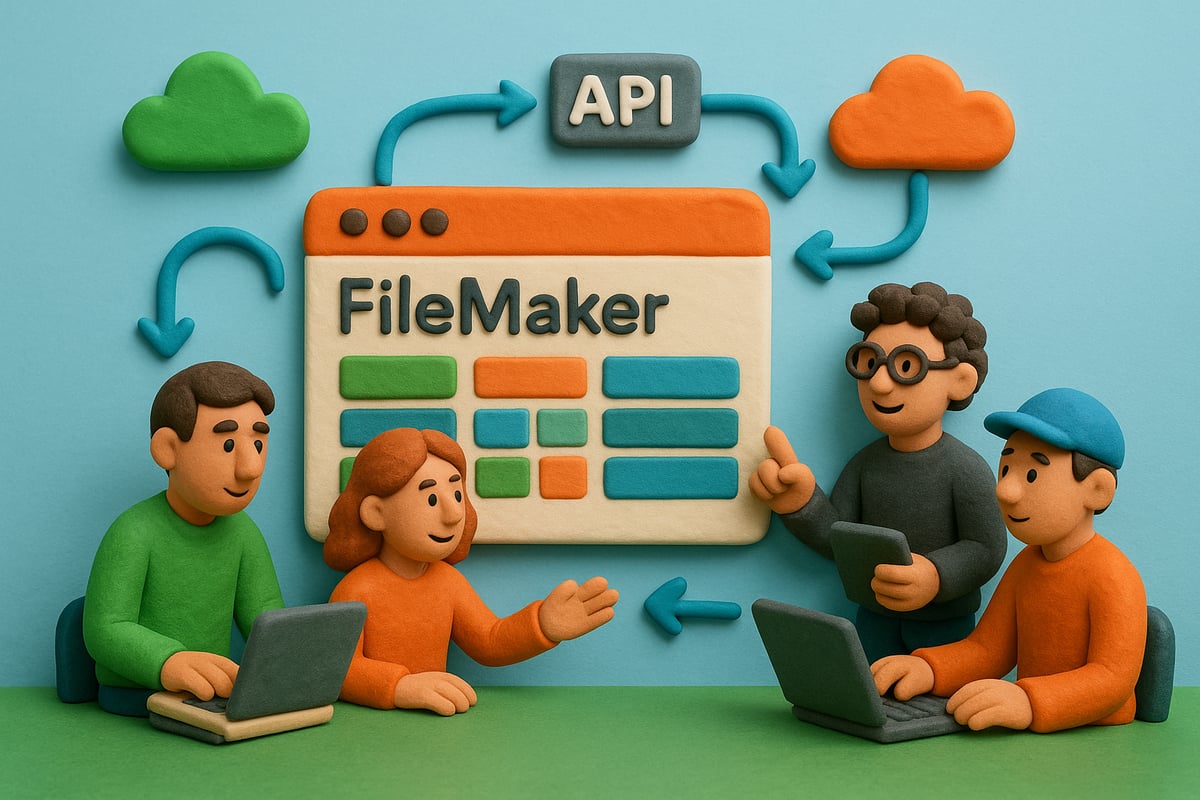
Modern business demands that your filemaker database connects seamlessly with other platforms. Use FileMaker’s RESTful APIs for integration with ERP, eCommerce, and cloud services. Begin by setting up authentication, then map endpoints to synchronize data in real time.
For example, syncing orders between your filemaker database and Shopify or Salesforce keeps all teams aligned without manual intervention. Use code snippets like Insert from URL or Perform Script on Server to handle data exchanges.
Prioritize security and test integrations thoroughly. Proper API setup transforms your filemaker database into a true digital hub.
Step 5: Mobile and Web Publishing
Empowering users on the go is essential for any modern filemaker database deployment. FileMaker WebDirect delivers browser-based access, while FileMaker Go brings native mobile experiences to iOS devices.
Design layouts with responsive elements to support tablets and smartphones. For field teams, a filemaker database can enable real-time job management, location tracking, and instant data capture, boosting productivity wherever work happens.
Always test mobile interfaces for usability and speed. As your user base grows, a well-optimized filemaker database ensures a seamless experience across all devices.
Security, Compliance, and Data Governance in FileMaker
Protecting sensitive data is essential for any filemaker database, especially as businesses face growing threats in 2026. Modern deployments rely on robust security fundamentals to shield information from unauthorized access and breaches.

Security Fundamentals for FileMaker Databases
A secure filemaker database begins with encryption. FileMaker offers AES-256 encryption for data at rest, while SSL/TLS protects data in transit. Role-based access controls ensure only authorized users can view or modify records.
Key security features include:
- Custom privilege sets and authentication layers
- Regular system patching to address vulnerabilities
- Automated backups for rapid recovery
The latest FileMaker 2025 Security Enhancements have raised the bar, introducing even tighter controls and streamlined compliance support. With these measures, your filemaker database is better equipped to withstand emerging threats.
Compliance Considerations for 2026
Meeting compliance requirements is non-negotiable for any filemaker database, especially in regulated industries like healthcare or finance. Regulations such as GDPR and HIPAA demand strict data handling, audit logging, and user accountability.
To support compliance:
- Enable audit trails for tracking access and changes
- Implement logging mechanisms for regulatory reporting
- Use built-in tools to enforce user consent and data retention policies
For instance, a healthcare provider can demonstrate HIPAA compliance by leveraging FileMaker’s logging and access controls, ensuring patient data remains confidential and auditable.
Data Governance and Best Practices
Strong data governance keeps your filemaker database accurate, reliable, and resilient. Start with data validation routines to prevent entry errors and maintain integrity.
Best practices include:
- Routine data integrity checks
- Automated error handling scripts
- Comprehensive backup and disaster recovery planning
Choose between centralized or distributed data management based on your organization’s scale and needs. Clear governance policies help reduce risk and keep your filemaker database compliant and efficient.
Expert Tips for Proactive Security
Even with advanced technology, human error remains a top risk. IBM reports that 60% of breaches originate from mistakes or poor training. Proactive security for your filemaker database means regular penetration testing, vulnerability scanning, and ongoing user education.
Tips to stay ahead:
- Schedule security awareness sessions for all users
- Test your system with simulated attacks
- Monitor and update access privileges frequently
A vigilant approach ensures your filemaker database remains secure, compliant, and future-proof.
Advanced Optimization, Maintenance, and Future-Proofing
Unlocking the full potential of your filemaker database requires more than just deployment. Advanced optimization, proactive maintenance, and future-proofing strategies will guarantee your database remains fast, reliable, and ready for tomorrow’s challenges.
Performance Tuning and Troubleshooting
To keep your filemaker database running at peak speed, focus on smart performance tuning. Start by indexing fields that are frequently searched or sorted. This speeds up queries and reduces load times.
Optimize scripts by minimizing unnecessary loops and using efficient calculation methods. Consider using summary fields and filtered relationships instead of complex scripts. Monitoring tools, such as built-in performance stats and custom logging scripts, help you quickly spot bottlenecks.
If ( Get ( LastError ) ≠ 0 )
   Show Custom Dialog [ "Error detected in process." ]
End If
Regularly review your filemaker database for slow layouts, excessive calculations, or outdated scripts. Address issues early to maintain reliable, snappy performance.
Maintenance and Lifecycle Management
Routine maintenance is vital for a healthy filemaker database. Schedule automated backups to prevent data loss and set up health checks to catch issues before they escalate. Maintain thorough documentation of your database structure, scripts, and workflows to support future upgrades and troubleshooting.
Version control is essential. Use clear naming conventions and keep a change log for every major update. Partnering with certified experts, like those recognized through FileMaker Business Alliance membership, ensures your filemaker database receives best-in-class care.
Typical maintenance checklist:
- Nightly backups
- Weekly performance reviews
- Quarterly documentation updates
A disciplined approach extends the life and reliability of your solution.
Migrating and Upgrading FileMaker Solutions
Migration and upgrades can be seamless with the right plan. Start by assessing your current filemaker database, noting schema changes and dependencies. Back up everything before making changes.
Here’s a simple upgrade process:
| Step | Action |
|---|---|
| 1. Backup | Save current data and schema |
| 2. Analyze Changes | Review new version requirements |
| 3. Test Migration | Run in a safe, test environment |
| 4. Deploy | Move to production, monitor |
Handle schema changes with caution and validate all data post-migration. Follow best practices, such as incremental rollouts and user training, to ensure your filemaker database upgrade is smooth and risk-free.
Preparing for Emerging Technologies
Stay ahead by designing your filemaker database to adapt to emerging tech. Integrate AI modules for predictive analytics, connect IoT devices for real-time data, or use machine learning for smarter automation.
Tap into the growing developer community and leverage modular design patterns, making it easy to add new features as technology evolves. For more on forward-thinking approaches, explore workplace innovation with FileMaker, which details how future-ready platforms can transform your workflows.
By future-proofing your filemaker database, you ensure it remains a powerful asset as digital trends shift.
Real-World Case Studies and Expert Recommendations
Unlocking the true power of a filemaker database often starts with learning from real-world deployments. Organizations across industries are leveraging these platforms to drive digital transformation, boost productivity, and maximize returns.
Cross-Industry Success Stories
Healthcare providers are rapidly adopting filemaker database solutions to streamline patient records, automate appointment scheduling, and ensure compliance. For instance, Italian clinics have transformed their operations using tailored platforms, as highlighted in this FileMaker adoption in healthcare case study.
Manufacturing firms report improved inventory tracking and supply chain visibility, reducing bottlenecks and errors. Service companies build custom CRMs, empowering teams to manage client interactions and field operations efficiently.
Lessons Learned from 2026 Deployments
Recent deployments of filemaker database systems reveal common pitfalls and winning strategies. Key lessons include:
- Underestimating data migration complexity
- Skipping thorough user training
- Overlooking mobile workflow needs
Firms that prioritize stakeholder feedback and iterative prototyping see faster user adoption and fewer post-launch issues. Early investment in change management and clear communication pays off with higher ROI and smoother transitions.
Expert Recommendations for New and Advanced Users
To fully capitalize on a filemaker database, continuous learning is essential. Experts advise:
- Pursuing official certifications to validate skills
- Participating in active user communities and forums
- Leveraging Claris resources for updates and best practices
Both new and seasoned users benefit from peer support and shared templates. Staying engaged with the developer ecosystem ensures solutions remain innovative and future-ready.
Data-Driven Impact: Statistics and ROI
Organizations adopting filemaker database platforms consistently report strong results. According to the 2025 Claris survey and industry benchmarks:
| Metric | Value |
|---|---|
| Adoption Rate | 67% in clinics |
| User Satisfaction | 92% positive |
| Process Automation ROI | Up to 30% faster |
Experts recommend regular reviews of KPIs and user feedback to sustain momentum. By focusing on measurable outcomes, businesses can maximize the value of their filemaker database investment in 2026 and beyond.