In 2026, digital transformation is no longer optional for businesses aiming to stay competitive. Seamless connections between platforms have become the expectation, and organizations using FileMaker and WordPress are no exception.
This guide offers a complete roadmap for successful filemaker wordpress integration. By following proven strategies, your business can streamline workflows, deliver exceptional digital experiences, and prepare for the future.
Inside, you’ll discover essential concepts, practical steps, recommended tools, security insights, and advanced integration tactics tailored for 2026.
Ready to unlock efficiency, automation, and growth? Dive in and let this expert-driven guide show you exactly how to turn integration into your competitive advantage.
Understanding FileMaker and WordPress: Platforms, Use Cases, and Integration Potential
Claris FileMaker and WordPress are two powerhouse platforms shaping digital business in 2026. Understanding their strengths and the potential of filemaker wordpress integration is crucial for organizations aiming to streamline operations and stay ahead.

Overview of FileMaker and Its Business Applications
Claris FileMaker is a low-code platform that empowers businesses to build custom apps for ERP, CRM, and specialized workflows. Its flexibility makes it a favorite in industries like healthcare, manufacturing, and professional services. Organizations use FileMaker for rapid app development, adapting solutions as needs evolve, and integrating with other tools via robust APIs.
For instance, a manufacturing company might use FileMaker to handle inventory, automate order management, and connect with suppliers seamlessly. To see how these integrations work in practice, explore these FileMaker ERP integration examples. As filemaker wordpress integration becomes more important, FileMaker’s adaptability ensures it remains a core business tool.
WordPress: The World’s Leading Content Management System
WordPress powers over 43 percent of all websites, making it the world’s most popular CMS. Its plugin architecture and user-friendly design allow businesses to launch company sites, blogs, e-commerce stores, and membership portals with ease.
A service provider, for example, can manage client portals and marketing content efficiently using WordPress. The platform’s scalability and vast ecosystem make it an ideal partner for filemaker wordpress integration, especially when dynamic content or web-based customer experiences are critical.
Why Integrate FileMaker and WordPress?
Modern businesses often need to sync customer data, automate content updates, and bridge back-office systems with public-facing websites. Filemaker wordpress integration enables real-time data sharing, streamlines workflows, and creates a unified digital presence.
Picture a scenario where product catalogs update instantly across both platforms, or leads captured online flow directly into a FileMaker CRM. This integration not only saves time, but also boosts data accuracy and customer engagement.
Current Integration Landscape and Trends for 2026
In 2026, the integration landscape is defined by API-driven, no-code, and low-code tools. Automation is in high demand as companies seek consistency and speed across platforms. Industry reports show a surge in hybrid business systems, making filemaker wordpress integration a strategic move.
Organizations are leveraging workflow automation platforms and middleware to connect FileMaker and WordPress efficiently. These trends help businesses stay agile and responsive in a rapidly changing digital environment.
Key Integration Challenges and Opportunities
Despite the benefits, filemaker wordpress integration brings challenges. Differences in data formats, security needs, and scaling requirements can complicate projects. However, these hurdles are opportunities in disguise.
By automating routine tasks, businesses free up resources for innovation. Enhanced analytics and improved customer experiences become achievable goals. In 2026, integration is not just a technical upgrade, but a vital differentiator for digital success.
Core Methods for FileMaker WordPress Integration: APIs, Middleware, and Automation Tools
Successful filemaker wordpress integration hinges on choosing the right method for your unique business needs. In this section, we break down the core approaches, highlight practical examples, and guide you in selecting the best-fit solution for 2026.

Direct API Integrations: REST and XML Approaches
Direct API integrations form the backbone of many filemaker wordpress integration projects. FileMaker’s Data API, supporting REST and XML, lets you securely access and manipulate data. WordPress offers its own REST API, enabling CRUD operations for posts, users, and custom data.
Establishing a secure bridge means configuring API endpoints, handling authentication, and mapping data fields. For example, to push customer records from FileMaker to WordPress, you might use a workflow like:
import requests

# FileMaker API call
fm_response = requests.get('https://your-filemaker-server/fmi/data/vLatest/databases/db/layouts/layout/records', auth=('user', 'pass'))

# WordPress API call
wp_response = requests.post('https://your-wp-site.com/wp-json/wp/v2/posts', headers={'Authorization': 'Bearer TOKEN'}, json={"title": "New Customer", "content": "Details here"})
For in-depth techniques, see FileMaker API integration strategies.
Middleware Solutions and Workflow Automation Platforms
Middleware tools have revolutionized filemaker wordpress integration, making it accessible even for non-developers. Platforms like n8n.io, Zapier, and Make (Integromat) offer drag-and-drop workflow builders, letting you automate data flows without custom code.
Consider these leading middleware options:
- n8n.io: Open-source, visual, supports both FileMaker and WordPress triggers/actions.
- Zapier: User-friendly, vast app ecosystem, ideal for simple automations.
- Make: Powerful, with advanced logic and scheduling.
A typical workflow: When a new record is created in FileMaker, n8n.io triggers a WordPress post creation, syncing data in real time. This boosts productivity and reduces manual errors in filemaker wordpress integration.
Custom Development: PHP, JavaScript, and Custom Plugins
Sometimes, off-the-shelf solutions are not enough for your filemaker wordpress integration. Custom development becomes essential when you need tailored functionality, complex mapping, or deeper control over business logic.
You might build:
- Custom PHP scripts to fetch data from FileMaker’s API and inject it into WordPress.
- JavaScript-based middleware for asynchronous processing.
- Custom WordPress plugins to display live FileMaker data on product pages.
Best practices include robust error handling, thorough documentation, and ongoing maintenance. With custom solutions, you future-proof your filemaker wordpress integration for evolving requirements.
Integration via Third-Party Connectors and Plugins
Third-party connectors and plugins offer a plug-and-play approach to filemaker wordpress integration. Popular WordPress plugins and FileMaker add-ons can handle syncing customer data, products, or even content updates with minimal setup.
Pros:
- Quick deployment
- Minimal technical setup
- Vendor support
Cons:
- Less flexibility
- Potential dependency on plugin updates
- Limited customization
For businesses with straightforward needs, these tools can accelerate filemaker wordpress integration and eliminate the need for custom coding.
Choosing the Right Method for Your Organization
Selecting the right filemaker wordpress integration method requires a strategic evaluation of your goals, budget, and technical resources. Use the comparison table below to guide your decision:
| Method | Pros | Cons | Best For |
|---|---|---|---|
| Direct API | Full control, flexibility | Complex setup, dev skills | Custom workflows |
| Middleware | Easy setup, scalable | Limited deep customization | Routine automations |
| Custom Code | Tailored, full features | Higher cost, maintenance | Unique requirements |
| Third-Party Tools | Fast, user-friendly | Less flexible, vendor lock | Simple data sync |
Hybrid approaches are common in 2026, blending APIs with middleware for robust, scalable filemaker wordpress integration. Assess your needs, test solutions, and always future-proof your integration strategy.
Step-by-Step Guide: Implementing FileMaker WordPress Integration in 2026
Embarking on a successful filemaker wordpress integration in 2026 requires a clear, actionable roadmap. By following this step-by-step guide, your team can streamline operations, bridge business systems, and future-proof your digital processes.

Planning and Requirements Gathering
The foundation of a smooth filemaker wordpress integration is meticulous planning. Start by defining your business objectives. Are you aiming to sync customer records, automate content updates, or unify inventory data?
List out the data types you need to connect, such as customers, products, orders, or posts. Identify which direction data should flow—FileMaker to WordPress, WordPress to FileMaker, or both. Map out user journeys to clarify how integrated processes will work in daily operations.
Evaluate your current infrastructure. Check FileMaker versions, WordPress hosting capabilities, and existing plugins or add-ons. Use workflow diagrams to visualize integration points. For example, if you want to sync event registrations, outline how an online form submission on WordPress triggers a new record in FileMaker.
Engage stakeholders early. Gather input from IT, operations, and end-users. Their feedback will reveal practical needs and potential obstacles. Document all requirements and prioritize them to keep your filemaker wordpress integration focused and efficient.
Setting Up APIs and Authentication
After planning, enable the necessary APIs. In FileMaker, activate the Data API and set user permissions based on least-privilege principles. Create dedicated integration accounts to track activity and maintain security.
On the WordPress side, generate REST API credentials. Depending on your plugin stack, you may use application passwords, OAuth, or JWT tokens. Store all credentials securely using environment variables or secret vaults.
Enforce encrypted data transfer with HTTPS. Both FileMaker and WordPress should have SSL/TLS certificates in place. Test API endpoints with sample queries to confirm connectivity.
Assign role-based access to integration users. Limit their abilities to only required actions. For example, if the integration only needs to create posts in WordPress, do not grant admin-level access. This approach protects both systems during your filemaker wordpress integration.
Building the Integration Workflow
With authentication in place, you are ready to build your integration workflow. Choose your preferred tool—middleware platforms like n8n.io, direct API scripting, or specialized plugins.
Set up triggers, such as a new record in FileMaker or a published post in WordPress. Map fields between both platforms, ensuring data types and formats align. Configure actions to create, update, or delete records as needed.
A typical sequence looks like this:
- Trigger: New order in FileMaker.
- Action: Create a new order post in WordPress.
- Map customer and product fields.
- Test with sample data.
- Validate results in both systems.
For detailed, platform-specific steps, see this step-by-step guide on integrating FileMaker with WordPress using WP Webhooks. This resource offers practical examples and visual aids to streamline your filemaker wordpress integration.
Error Handling, Logging, and Debugging
A robust filemaker wordpress integration anticipates errors. Implement error capture at every step. If data fails to sync, trigger instant notifications to responsible staff.
Set up detailed logging. Middleware tools like n8n.io provide visual logs, making it easy to trace issues. For custom code, write logs to secure files or databases and include timestamps, error codes, and affected records.
Prepare for common issues:
- API rate limits
- Authentication failures
- Data format mismatches
Use retry logic for transient errors. Provide clear error messages and escalation paths. Regularly review logs to spot patterns and proactively address recurring problems. This diligence keeps your filemaker wordpress integration reliable and transparent.
Scheduling, Automation, and Optimization
Decide how often your integration should run. Some workflows need real-time triggers, while others benefit from scheduled syncs—nightly, hourly, or custom intervals.
Optimize for performance by syncing only changed records or batching data transfers. Reduce API calls where possible. Middleware platforms allow you to schedule jobs and chain actions for efficiency.
For example, automate nightly inventory updates from FileMaker to WordPress. Set up a schedule, run a comparison, and push only new or modified items. This approach minimizes server load and keeps your systems aligned.
Continuously monitor workflow performance. Adjust schedules and batch sizes as your filemaker wordpress integration scales. Automation not only saves time but also reduces manual errors, empowering your team to focus on higher-value tasks.
User Training and Documentation
The best filemaker wordpress integration is only as strong as the people who use it. Develop clear user guides covering key workflows, field mappings, and troubleshooting tips.
Host training sessions to walk staff through new processes. Encourage hands-on practice and Q&A to build confidence. Document common issues and their solutions to create a self-service knowledge base.
Keep documentation up to date as workflows evolve. Well-trained users spot problems early and suggest improvements, making your integration more resilient. Investing in training reduces support tickets and maximizes the return on your filemaker wordpress integration.
Security, Compliance, and Maintenance in FileMaker WordPress Integration
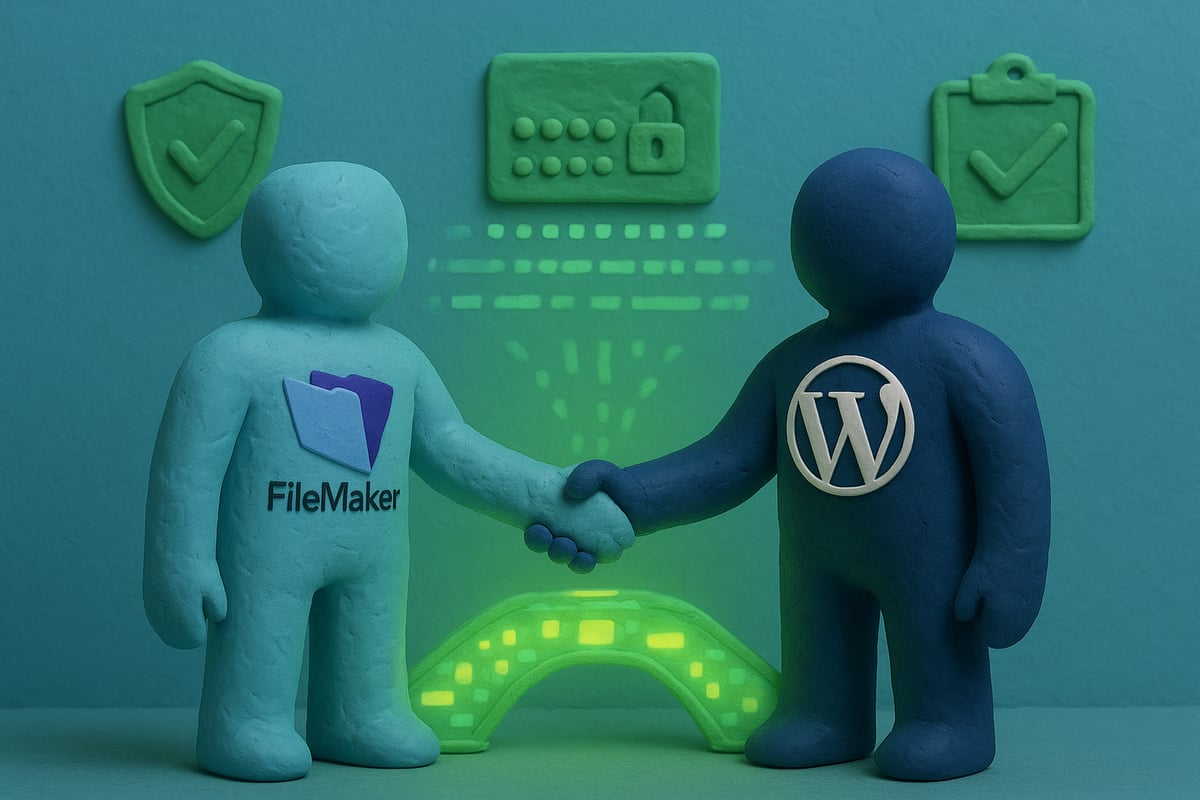
Protecting your filemaker wordpress integration is not just a technical necessity in 2026, it is a foundation for business continuity. Security, compliance, and ongoing maintenance are critical for safeguarding sensitive data and ensuring long-term success. Let us break down the essential steps your organization must take.
Security Best Practices for Data Transfer
Prioritizing security in your filemaker wordpress integration means encrypting every data transfer. Always use HTTPS and SSL/TLS for all API calls, preventing man-in-the-middle attacks. Store API credentials in secure vaults or environment variables, never in plain text. Limit access to integration users with strong, role-based permissions.
For a comprehensive checklist, review the Claris FileMaker Security Best Practices to ensure your integration meets modern standards. Regularly audit security settings, rotate credentials, and monitor for unauthorized access.
Compliance Considerations (GDPR, HIPAA, etc.)
If your filemaker wordpress integration handles personal or sensitive data, compliance is non-negotiable. Identify which regulations apply, such as GDPR for European customers or HIPAA for healthcare data. Use masking or encryption to protect customer information in transit and at rest.
Document your data flows and retention policies. Make sure your integration can handle data subject requests or audit requirements. Compliance is an ongoing process, so involve legal and IT teams early to avoid costly mistakes.
Ongoing Maintenance and Monitoring
Maintaining a healthy filemaker wordpress integration requires vigilance. Regularly update APIs, plugins, and middleware to patch vulnerabilities. Set up automated monitoring to track integration health, with alerts for any failures or anomalies.
Keep detailed logs for all syncs and transactions. Review error reports monthly to identify trends. Proactive maintenance reduces downtime, prevents data loss, and ensures smooth user experiences for both staff and customers.
Disaster Recovery and Data Integrity
Prepare for the unexpected by implementing robust disaster recovery plans. Schedule regular backups of both FileMaker and WordPress data. Test rollback procedures so you can restore critical information quickly if something goes wrong with your filemaker wordpress integration.
Create an incident response plan. Train your team on recovery steps and document all processes. Data integrity checks, such as record validation and duplicate detection, should be built into every workflow to avoid costly errors.
Future-Proofing Your Integration
Change is constant, so design your filemaker wordpress integration with adaptability in mind. Modular workflows allow you to swap out components as APIs or platforms evolve. Stay informed about upcoming changes in FileMaker and WordPress, especially deprecations or new authentication standards.
Invest in scalable solutions and automation tools that grow with your business. Regularly review your integration for emerging security threats or compliance updates. Future-proofing today ensures your integration remains a strategic asset tomorrow.
Advanced Strategies: Automation, AI, and Business Intelligence with FileMaker and WordPress
In 2026, advanced strategies for filemaker wordpress integration unlock new levels of productivity, insight, and customer engagement. If you want to stay ahead of competitors and maximize your investment, mastering automation, AI, and business intelligence is essential. These strategies are not just about moving data, but about transforming your business into a responsive, data-driven powerhouse.
Automating Business Processes Beyond Data Sync
Automation sits at the core of modern filemaker wordpress integration. Beyond simple data sync, automation lets you orchestrate complex business processes with minimal human intervention. Imagine automatically routing leads from your WordPress site to sales teams in FileMaker, or triggering order fulfillment in FileMaker as soon as a customer checks out online.
Common use cases include automated content publishing, customer notifications, and scheduled inventory updates. By defining triggers and actions, you can ensure the right data flows to the right place at the right time. For a deeper dive into workflow design, explore workflow automation best practices.
The result is a streamlined organization where repetitive tasks are handled reliably, freeing staff to focus on high-value work. Filemaker wordpress integration is your ticket to operational excellence.
Leveraging AI and Machine Learning in Integrated Workflows
Artificial intelligence is reshaping how businesses use data. Integrating AI into your filemaker wordpress integration workflows enables smarter automation and personalization. For example, you can use AI-powered content recommendations on WordPress, fueled by customer data from FileMaker.
FileMaker’s evolving AI features provide predictive analytics and intelligent process automation. By connecting these insights with your website, you can trigger personalized emails or offers in real time. Imagine a workflow where a customer’s purchase triggers a custom follow-up tailored by AI algorithms.
AI also helps with anomaly detection, flagging potential issues before they escalate. As you design these workflows, consider partnering with custom FileMaker development solutions for tailored AI integrations that match your business needs.
Business Intelligence and Real-Time Reporting
Unified reporting is a game changer for organizations using filemaker wordpress integration. By combining data from both platforms, you can build dashboards that provide a holistic view of sales, marketing, and operations. Tools like Tableau and Power BI allow you to visualize trends, track KPIs, and make informed decisions faster.
For example, create a real-time dashboard that aggregates web transactions from WordPress with order management data from FileMaker. This ensures everyone, from executives to frontline employees, has access to actionable insights. With up-to-date reporting, you spot opportunities and risks before they impact your bottom line.
The synergy between these systems elevates your business intelligence capabilities, making your data work for you.
Scalability and Performance Optimization
As your business grows, your filemaker wordpress integration must scale seamlessly. Handling large data volumes, high web traffic, or complex workflows requires thoughtful optimization. Best practices include load balancing, caching frequently accessed data, and using asynchronous processing for heavy tasks.
Consider scheduling resource-intensive syncs during off-peak hours and monitoring system health for bottlenecks. Automation tools and robust APIs help manage spikes in activity without sacrificing performance. For high-traffic e-commerce sites, these strategies ensure your integration keeps pace with demand.
Regularly review your architecture and make incremental improvements to maintain speed and reliability as your needs evolve.
Case Studies and Success Stories
Real-world success stories highlight the power of advanced filemaker wordpress integration. Organizations report dramatic reductions in manual data entry, faster response times, and improved customer satisfaction. For instance, a service provider integrated appointment bookings, cutting administrative hours by 40 percent.
Manufacturers using automated inventory syncs have seen stock discrepancies drop by over 60 percent. E-commerce businesses leveraging AI-driven recommendations report higher conversion rates and stronger customer loyalty.
The lesson is clear: investing in advanced integration pays off with greater efficiency, happier customers, and a future-ready operation.
Evaluating and Selecting the Right Tools for FileMaker WordPress Integration
Choosing the right tools for filemaker wordpress integration is essential for long-term success. With the landscape rapidly evolving in 2026, organizations must assess solutions that offer both flexibility and reliability. Let's break down what matters most in your decision process.
Criteria for Tool Selection
Before committing to any solution, evaluate each tool based on key criteria for filemaker wordpress integration:
- Compatibility: Ensure the tool supports your versions of FileMaker and WordPress. Review the Claris FileMaker Server Release Notes for up-to-date integration capabilities.
- Features: Look for robust triggers, actions, and error handling.
- Documentation & Support: Reliable support and clear guides reduce troubleshooting time.
- Community: Active user communities signal ongoing improvements.
By focusing on these factors, you minimize future headaches and set your integration project up for success.
Comparison of Leading Integration Platforms (2026)
The top platforms for filemaker wordpress integration each offer unique strengths. Here's a quick comparison:
| Platform | Flexibility | Security | Ease of Use | Pricing Model |
|---|---|---|---|---|
| n8n.io | High | Advanced | Moderate | Open-source |
| Zapier | Moderate | Good | Very Easy | Subscription |
| Make | High | Good | Easy | Subscription |
| Custom | Customizable | Varies | Complex | Variable |
Use n8n.io for open-source flexibility, Zapier or Make for plug-and-play ease, and custom solutions when you have highly specific needs or want to future-proof complex workflows.
Budgeting and ROI Considerations
Budgeting for filemaker wordpress integration means looking beyond upfront costs. Calculate both licensing fees and ongoing maintenance. Consider:
- Upfront costs: Tool licenses, setup, and development.
- Ongoing costs: Updates, support, and scaling.
- ROI: How much time and manual work will automation save?
For example, automating lead capture can cut hours of manual entry each week, translating into significant annual savings.
Roadmap for Future Growth
As your business evolves, your filemaker wordpress integration should scale too. Choose tools that support additional connections, advanced workflows, and enterprise-grade security. For organizations planning to expand, insights from WordPress for B2B Enterprise: Balanced Assessment 2026 can guide you in selecting platforms ready for tomorrow's demands.
Plan for integrations with CRM, ERP, and marketing platforms. This forward-thinking approach helps you build a foundation for digital transformation.
FAQs and Troubleshooting Common Issues
Common filemaker wordpress integration issues include:
- API authentication errors
- Data mismatches between systems
- Plugin conflicts
Solutions often lie in official documentation, user forums, or vendor support. Stay proactive by updating connectors and monitoring logs.