Imagine resolving every customer request seamlessly, with full transparency and zero delays. What if you could guarantee this with your ticketing system by 2026?
Businesses today face mounting pressure to deliver faster, smarter, and more adaptable service. The right filemaker ticketing system empowers your team to meet these challenges, driving operational efficiency, customer satisfaction, and scalable growth.
This guide shows you how to harness FileMaker to build or upgrade a ticketing system that truly future-proofs your business.
You’ll discover the core benefits, essential features, step-by-step implementation, integration strategies, and expert insights that will set your organization up for success in 2026.
Why Choose FileMaker for Your Ticketing System?
Choosing the right platform for your ticket management isn’t just about handling requests—it’s about driving efficiency, growth, and customer loyalty. The filemaker ticketing system stands out by offering unmatched flexibility, scalability, and future-ready features that empower your business to thrive in 2026 and beyond.

Flexibility and Customization
Every business is unique, and your ticketing system should reflect that. The filemaker ticketing system delivers a low-code environment, letting you customize fields, layouts, and scripts without complex programming. This adaptability means you can shape workflows that truly fit your operations.
Unlike rigid out-of-the-box alternatives, FileMaker lets you tweak ticket forms for each department or process. For instance, a service company can create tailored forms for IT, HR, and facilities, each with unique inputs and workflows. This level of customization ensures your solution grows with you.
If you're interested in how custom development can transform your operations, see the Custom FileMaker solutions overview for real-world examples and best practices.
Scalability and Performance
Growth is a sign of success—but not every system can keep up. The filemaker ticketing system is designed to handle thousands of users and tickets, supporting your business as it scales. According to Claris case studies, FileMaker solutions are proven to support large user bases and significant data volumes reliably.
Cloud deployment options open the door for remote and hybrid teams. Whether you’re expanding to new locations or adding remote agents, your ticketing system adapts seamlessly to changes in scale and performance needs.
Security and Compliance
Protecting sensitive data is critical, especially in regulated industries. The filemaker ticketing system incorporates robust security features like user authentication, privilege sets, and SSL encryption. These tools help you safeguard information and control user access.
Meeting industry standards is easier with FileMaker. For example, you can implement GDPR-compliant workflows to ensure privacy and transparency, making the platform ideal for healthcare, finance, and other sectors with strict compliance requirements.
Rapid Development and ROI
Speed matters when responding to business demands. The filemaker ticketing system leverages drag-and-drop development tools for fast prototyping and deployment. You can launch new features or workflows in days, not months, reducing time-to-value.
Compared to traditional coding, FileMaker cuts development costs significantly. In fact, Claris reports show that FileMaker solutions can be deployed 60% faster than conventional software projects. This efficiency boosts your return on investment and keeps you ahead of the competition.
Integration Capabilities
No system operates in isolation. The filemaker ticketing system offers native API support, making it easy to connect with your CRM, ERP, or communication platforms. For example, you can set up automatic ticket creation from emails or chat apps, streamlining your support pipeline.
This seamless integration ensures your team has all the information they need in one place, reducing manual entry and minimizing errors.
Future-Proofing with AI and Automation
Looking ahead, automation and AI are reshaping customer support. The filemaker ticketing system is ready for this future, supporting features like auto-tagging, smart ticket routing, and predictive analytics.
By embracing these tools now, you prepare your business for emerging trends in 2026. Stay competitive and efficient as customer expectations and technology evolve.
Community and Support
A strong network makes all the difference. The filemaker ticketing system is backed by a vibrant developer community and certified partners. You gain access to forums, resources, and ready-made templates, ensuring ongoing support and innovation.
Whether you need troubleshooting tips or want to expand your solution, help is always within reach.
Core Features of a 2026-Ready FileMaker Ticketing System
A future-ready filemaker ticketing system is more than a digital help desk. It is your command center for support, efficiency, and customer delight. Let’s break down the must-have features that will set your team apart in 2026.

Unified Ticket Dashboard
A unified dashboard is the beating heart of any filemaker ticketing system. It gives you a single pane of glass for every ticket—whether open, pending, or resolved.
- Centralized ticket view for all agents and managers
- Customizable filters by status, priority, or department
- Visual cues, like color-coded status indicators, for quick prioritization
Here’s a quick feature comparison table:
| Feature | Benefit | Example Use |
|---|---|---|
| Custom Filters | Faster ticket sorting | Filter by SLA |
| Color Indicators | Prioritize at a glance | Red = urgent |
| Search Bar | Find tickets instantly | By ID or name |
With this dashboard, your team can focus on what matters—solving issues fast.
Automated Workflows and Escalations
An advanced filemaker ticketing system eliminates bottlenecks by automating repetitive tasks. Tickets get assigned to the right person based on skills, workload, or issue type, so nothing slips through the cracks.
- Auto-assignment of tickets using predefined rules
- Time-based escalations to prevent SLA breaches
- Automated notifications for overdue or high-priority tickets
For example, set a script to trigger an escalation email if a ticket is unresolved after two hours:
If [ Get ( CurrentTime ) - Ticket::CreatedTime > 2*60*60 ]
  Send Mail [To: Supervisor; Subject: "Ticket Escalation"]
End If
Let automation do the heavy lifting, so your agents can focus on delivering value.
Multi-Channel Ticket Capture
Customers expect support everywhere. A filemaker ticketing system in 2026 must capture tickets from email, chatbots, web forms, and even phone calls, creating a seamless omnichannel experience.
- Integrate with email servers and messaging apps
- Allow web form and chatbot ticket submissions
- Connect phone systems for voice-to-ticket conversion
Did you know 75% of customers expect multi-channel support? Meeting them where they are builds trust and loyalty.
No matter how a ticket arrives, it lands in one unified workflow—no more scattered requests or missed messages.
Knowledge Base and Self-Service
Empower both agents and customers with an embedded knowledge base. A filemaker ticketing system can host FAQs, solution articles, and AI-powered suggestions that slash ticket volume and boost first-contact resolution.
- In-app FAQ and solution articles
- AI-driven suggestions for common issues
- Self-service options to reduce ticket load
Companies have reduced ticket volumes by 30% using self-service features. For more on how AI transforms this process, check out AI and automation in FileMaker.
With intelligent self-help, customers solve problems faster, and your team’s workload drops.
Analytics and Reporting
Data is power. The right filemaker ticketing system tracks every interaction and outcome, turning raw data into actionable insights.
- Real-time dashboards for KPIs like response time and customer satisfaction
- Custom report builder for deep management insights
- Track trends to optimize staffing and processes
Statistics show that companies leveraging analytics improve resolution time by 35%. Use these insights to identify bottlenecks and celebrate top performers.
Visual dashboards and scheduled reports keep your leadership looped in, driving continuous improvement.
Mobile Access and Remote Support
Support teams are mobile, and your filemaker ticketing system should be too. With FileMaker Go, agents update tickets, capture signatures, and resolve issues from anywhere.
- Native app for iOS and Android devices
- Field agents can access and update tickets on-site
- Capture customer signatures and photos in real time
Remote access means your support team is always connected, whether in the office or the field.
Security and Audit Trails
Security is non-negotiable. A robust filemaker ticketing system includes built-in audit trails and granular role-based access, ensuring only authorized users can view or edit sensitive data.
- Logs every ticket change and user action
- Define roles for agents, managers, and admins
- Meet compliance requirements with detailed records
This level of transparency protects your business and builds customer confidence. Security and accountability are at the core of every modern ticketing operation.
Step-by-Step Guide: Building Your FileMaker Ticketing System
Building a robust filemaker ticketing system is a strategic investment in your business’s future. Whether you are starting from scratch or upgrading an existing platform, this step-by-step guide will help you navigate the process with clarity and confidence.
Each stage below is designed to maximize efficiency, promote scalability, and deliver a superior customer experience. Let’s dive into the essential steps for creating a future-proof filemaker ticketing system.

Step 1: Define Your Ticketing Workflow
Start by mapping out the entire lifecycle of a ticket within your filemaker ticketing system. Clear workflows are the backbone of efficient support and service operations.
Identify the key stages: ticket creation, assignment, resolution, and closure. Pinpoint every user role involved, such as agents, managers, and admins. Assign permissions for each role to ensure accountability and security.
A practical way to visualize this is with a simple flowchart. For example, an IT support process might look like this:
| Stage | Action | Role |
|---|---|---|
| Creation | User submits ticket | Agent |
| Assignment | Manager assigns ticket | Manager |
| Resolution | Agent resolves issue | Agent |
| Closure | Ticket closed, archived | Admin |
By setting these foundations, your filemaker ticketing system will support seamless operations, reduce confusion, and align with your business goals.
Step 2: Design the Database Structure
The next step is to create a solid database backbone for your filemaker ticketing system. Start by defining tables for tickets, users, customers, assets, and all interactions related to support.
Design relationships between these tables using primary and foreign keys. For example, each ticket should have a unique ticket ID, status, timestamps, and links to the relevant customer and agent.
Visualize your structure with an entity-relationship diagram (ERD):
[Customer]---< [Ticket] >---[Agent]
         \                  /
         [Asset]---------[Interaction]
A well-structured database ensures your filemaker ticketing system can grow, adapt, and deliver accurate reporting as your needs evolve.
Step 3: Build User Interfaces
User interfaces are where your team interacts with the filemaker ticketing system daily. Design intuitive layouts for ticket entry, dashboards, and reporting.
Use FileMaker’s layout tools to create responsive, visually appealing screens. Implement features like drag-and-drop ticket assignment panels, color-coded status indicators, and quick search filters.
For example, a dashboard might display all open tickets, grouped by priority or department, with clickable links for details. Responsive design ensures your system works seamlessly on desktops, tablets, and mobile devices.
A well-designed interface improves productivity, reduces training time, and encourages team adoption of your filemaker ticketing system.
Step 4: Automate Processes with Scripts and Triggers
Automation is the secret to efficiency in any filemaker ticketing system. Use scripts to handle repetitive tasks, such as ticket assignment, escalation, and notifications.
Set up triggers to automate actions based on ticket status or time-based rules. For example, if a ticket remains unresolved for 48 hours, a script can automatically escalate it or send an email reminder.
Sample script logic:
If [Ticket.Status = "Resolved" and Ticket.ResolutionDate > 48 hours ago]
    Then [Close Ticket]
    Send Notification to Manager
End If
With automation, your filemaker ticketing system minimizes manual work, speeds up response times, and helps maintain high service standards.
Step 5: Integrate with External Tools
Integration extends the power of your filemaker ticketing system by connecting it with email servers, CRM platforms, ERP solutions, and communication tools like Slack or Microsoft Teams.
Set up automated ticket creation from emails or website forms. Sync customer and asset data from your CRM or ERP, ensuring that agents always have the latest information at their fingertips.
For example, use a webhook to send real-time ticket alerts to a dedicated support channel in your messaging app. Integration streamlines workflows and helps your filemaker ticketing system become the central hub for all support activity.
Step 6: Implement Security and Compliance Measures
Security is non-negotiable when building a filemaker ticketing system. Configure user authentication, set up role-based access controls, and enable encryption for all sensitive data.
Implement audit logging to track every change made to tickets and user actions. For industries with heightened compliance needs, such as healthcare or finance, add custom login workflows and enhanced privacy controls.
Regularly review security settings to ensure ongoing compliance with regulations like GDPR. By prioritizing security, your filemaker ticketing system safeguards customer data and protects your business reputation.
Step 7: Test, Deploy, and Iterate
Before going live, thoroughly test every aspect of your filemaker ticketing system. Conduct user acceptance tests, gather feedback from real users, and fine-tune your workflows and interfaces.
Deploy the system in stages, starting with a pilot group. Monitor performance, collect analytics, and use insights to drive continuous improvement. Schedule regular updates and backups to keep your system reliable.
If you need expert guidance or want to ensure best practices, consider consulting resources like FileMaker consulting best practices. Their insights can help you avoid pitfalls and maximize your return on investment.
Iterative refinement ensures your filemaker ticketing system continues to meet the evolving needs of your business and customers.
Integrating FileMaker Ticketing with Your Business Ecosystem
Connecting your filemaker ticketing system with your broader business ecosystem is essential for delivering seamless service and maximizing efficiency. By breaking down data silos and automating information flow, you empower your team to act faster and smarter.
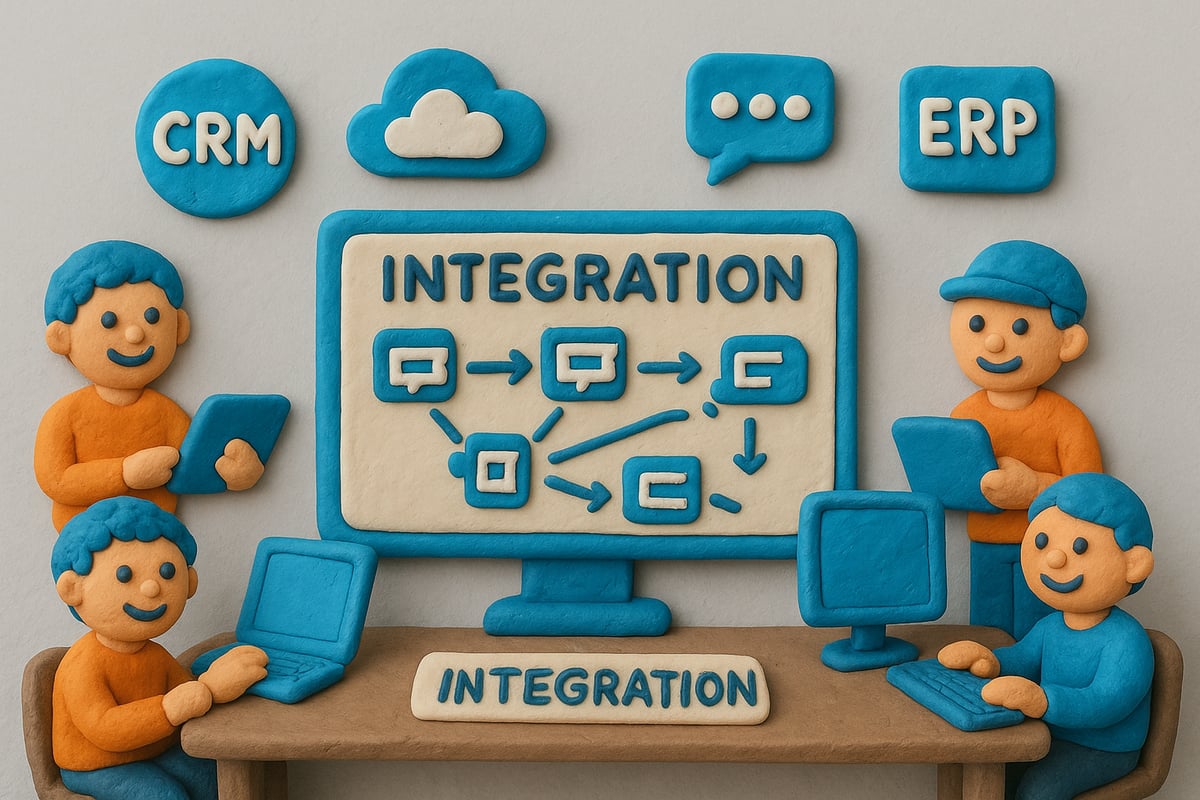
Connecting with CRM, ERP, and Communication Platforms
Integrating a filemaker ticketing system with your CRM, ERP, and communication tools ensures every customer interaction is tracked and actionable. For example, automatically linking tickets with customer purchase history enables agents to personalize support and resolve issues faster.
Common integration points include:
- Syncing ticket data with ERP for inventory or billing
- Linking CRM records for unified customer view
- Connecting communication platforms for instant notifications
For practical strategies and technical details, explore FileMaker Integration Capabilities.
API Integrations for Automation
A filemaker ticketing system can leverage REST APIs to automate ticket creation and updates across platforms. For instance, when a customer submits an issue through a website chatbot, an API call instantly creates a new ticket within your system.
Automation possibilities include:
- Auto-generating tickets from emails or forms
- Updating ticket status based on external triggers
- Synchronizing customer data in real time
By connecting APIs, your ticketing workflow becomes smoother and more responsive.
Enhancing Customer Experience
A unified filemaker ticketing system helps create a 360-degree customer profile by merging data from multiple sources. This means every agent can access past interactions, purchase history, and open tickets at a glance.
Personalized support becomes the norm, not the exception. Customers appreciate faster, more informed responses when agents see the whole picture.
This approach transforms reactive support into proactive engagement, boosting loyalty and satisfaction.
Data Synchronization and Real-Time Updates
Keeping information consistent across all platforms is vital for a reliable filemaker ticketing system. Scheduled data syncs and instant updates ensure that ticket status, customer info, and asset details remain accurate everywhere.
Consider these synchronization best practices:
- Use scheduled imports for large data sets
- Enable real-time updates for urgent changes
- Implement error handling to catch sync issues
Real-time ticket status updates in customer portals keep everyone informed and reduce unnecessary follow-ups.
Addressing Common Integration Challenges
Integrating a filemaker ticketing system with other business tools comes with obstacles. Data mapping and field matching are crucial to avoid duplication or loss of information.
Security is another key concern. Always ensure encryption and proper access controls when sharing sensitive data externally.
Tackle challenges by:
- Documenting all data fields and mapping relationships
- Testing integrations in a sandbox environment
- Reviewing security protocols regularly
With the right strategies, you can overcome integration hurdles and unlock the full power of your filemaker ticketing system.
Best Practices and Expert Tips for FileMaker Ticketing Success
Achieving long-term results with your filemaker ticketing system requires more than just a robust setup. Success comes from a blend of smart strategies, technical best practices, and ongoing team engagement. Let’s explore proven steps to maximize your ticketing system’s impact.
User Training and Adoption
Smooth adoption of your filemaker ticketing system starts with clear onboarding. Create interactive training modules tailored to different roles. Pair these with detailed, step-by-step documentation.
- Host live Q&A sessions for new users
- Offer quick-start guides and video walkthroughs
- Set up a buddy system for peer learning
Empowering your team early leads to higher usage rates and fewer support issues down the road.
Performance Optimization
A high-performing filemaker ticketing system can process tickets faster, leading to happier customers. Focus on these optimizations:
| Area | Best Practice |
|---|---|
| Indexing | Index key fields for speed |
| Scripts | Streamline and batch processes |
| Server Config | Allocate resources efficiently |
According to Claris Partner reports, optimized FileMaker systems handle twice as many tickets per hour compared to unoptimized ones.
Regular Maintenance and Updates
Consistency is key for system reliability. Schedule weekly backups and monthly health checks. Stay current with FileMaker platform updates to benefit from the latest features and security patches.
- Automate backup routines to prevent data loss
- Review system logs for any anomalies
- Test updates in a sandbox before live deployment
This proactive approach keeps your filemaker ticketing system running smoothly.
Leveraging AI and Analytics
Use AI-driven analytics to elevate your filemaker ticketing system. Predictive tools can spot trends and automate ticket categorization, reducing manual work. Discover more about FileMaker and AI-Driven Automation to future-proof your support processes.
- Implement AI-powered routing for faster resolutions
- Track KPIs with custom dashboards
- Use analytics to anticipate peak times
Harnessing AI helps you deliver smarter, more proactive support.
Security Audits and Compliance Reviews
Security should never be an afterthought. Conduct regular audits to ensure your filemaker ticketing system complies with industry standards. Review user privileges, update protocols, and monitor for suspicious activity.
For a deeper dive, explore the FileMaker Security Features Overview. Staying compliant not only protects your business but also builds customer trust.
Community Resources and Ongoing Support
Tap into the global FileMaker community for inspiration and troubleshooting. Participate in forums, attend webinars, and connect with certified partners.
- Share best practices with peers
- Access ready-made templates and plugins
- Stay updated on the latest trends
Continuous learning ensures your filemaker ticketing system evolves with your business needs.
Future Trends: The Evolution of FileMaker Ticketing Systems by 2026
The future of the filemaker ticketing system is rapidly approaching, and the innovations on the horizon will transform the way businesses support their customers. As 2026 nears, expect smarter automation, deeper integrations, and more intuitive user experiences that empower your team and delight your clients. Let’s explore what’s next for your filemaker ticketing system and how you can stay ahead.
AI-Driven Automation and Smart Routing
AI is set to become the backbone of every filemaker ticketing system. Automated ticket assignment will leverage machine learning to match requests with the best-suited agents, ensuring faster resolutions. Imagine AI analyzing ticket histories and instantly suggesting solutions, reducing manual workload and boosting first-contact resolution rates.
- Predictive ticket assignment
- Instant solution recommendations
- Reduced human error
These advancements will transform support teams into proactive problem-solvers, not just responders.
Advanced Analytics and Predictive Insights
The next generation of filemaker ticketing system dashboards will do more than display data. Predictive analytics will forecast support demand and resource allocation, letting managers anticipate surges and optimize staffing. Expect dashboards that alert you to trends before they become issues, ensuring your business is always prepared.
A quick comparison:
| Metric | 2023 Approach | 2026 Evolution |
|---|---|---|
| Ticket Volume | Reactive Reporting | Predictive Forecasting |
| Staff Scheduling | Manual | AI-Driven Optimization |
With these insights, decision-making becomes faster and more data-driven.
Omnichannel and Conversational Interfaces
By 2026, the filemaker ticketing system will seamlessly link with messaging apps, voice assistants, and chatbots. This means customers can reach you on their preferred platform—be it social media, chat, or voice—without losing context. In fact, according to Gartner, 60% of support interactions are expected via messaging apps by 2026.
Key benefits:
- Unified customer conversations
- Consistent support across every channel
- Effortless escalation from bot to human agent
This omnichannel approach will set new standards in customer engagement.
Deeper Integration with IoT and Edge Devices
The filemaker ticketing system will connect directly to IoT sensors, enabling automatic ticket creation when equipment fails. Imagine a factory where machines signal issues instantly, triggering support tickets without human intervention. This real-time, data-driven workflow requires a platform capable of handling scale, such as FileMaker’s Scalability and Performance, which is proven in demanding environments.
- Faster response to critical incidents
- Less downtime for essential equipment
- Seamless data flow from device to agent
This integration will redefine operational efficiency.
Enhanced Security and Privacy Features
Security will be paramount as data privacy regulations evolve. The filemaker ticketing system of 2026 will include biometric authentication, advanced encryption, and granular privacy controls. These features will help businesses maintain compliance with global standards and protect sensitive customer information.
Key enhancements:
- Biometric login options
- End-to-end encryption
- Automated compliance checks
Staying ahead of regulations will be easier than ever.
Low-Code/No-Code Expansion
By 2026, the filemaker ticketing system will empower business users to tailor workflows without IT assistance. Drag-and-drop editors will let teams adapt processes on the fly, responding quickly to changing needs. This democratization of development boosts agility and ensures your ticketing platform evolves alongside your business.
- Rapid customization by non-technical users
- Reduced dependency on developers
- Continuous process improvement
The future is about flexibility, and your team will have the tools to lead.
If you’re excited by the idea of a ticketing system that truly adapts to your business—one that’s flexible, future-ready, and totally under your control—you’re not alone. As we’ve explored, the right FileMaker solution can streamline your processes, boost customer satisfaction, and grow with you year after year. But why settle for rigid, off-the-shelf tools when you can have something custom-built around your unique needs? If you’re ready to stop compromising and start designing a smarter way to work, let’s make it happen together. Build a System That Actually Works Talk to Lolli Group Stop adapting your business to rigid software. Design a custom, automated solution built around your real workflows.