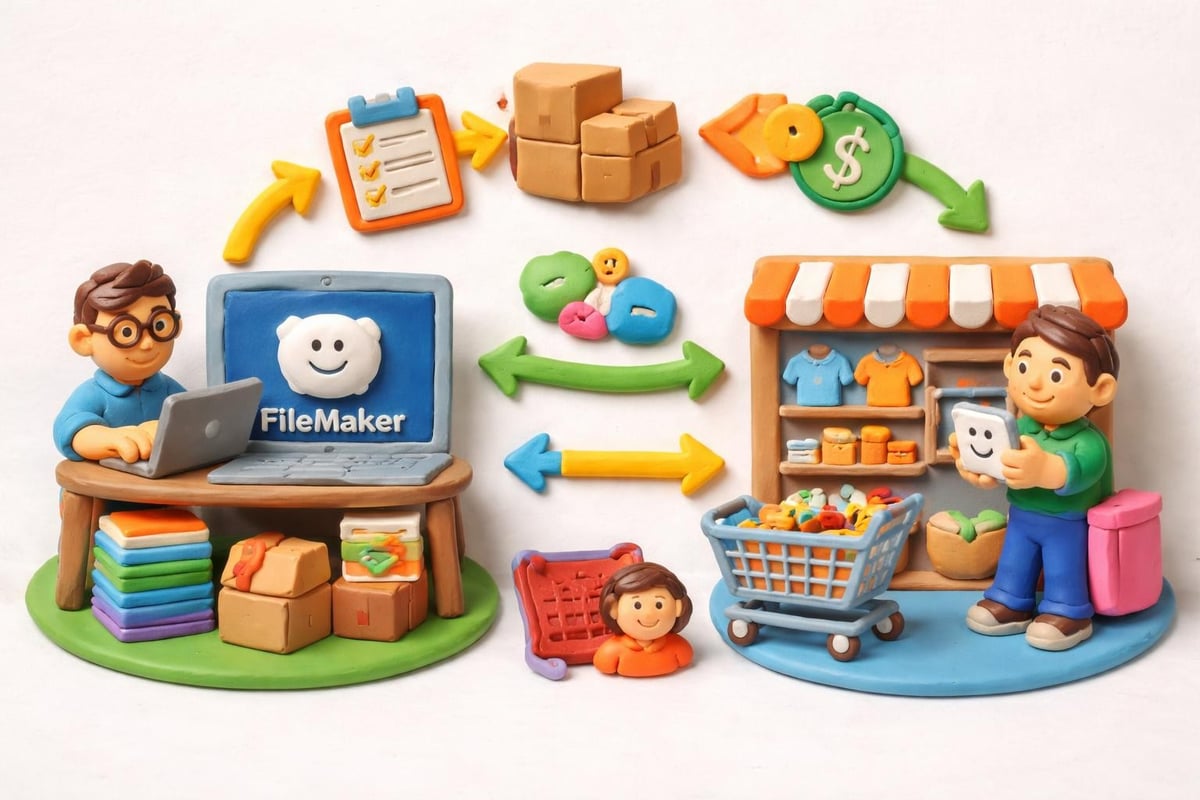
The eCommerce landscape demands precision, speed, and flawless synchronization between your backend operations and your online storefront. For businesses running on FileMaker's powerful database platform while selling through Shopify, disconnected systems create double data entry, inventory mismatches, and missed opportunities. A properly implemented filemaker shopify integration transforms these challenges into competitive advantages by creating a unified ecosystem where your custom ERP seamlessly communicates with your eCommerce platform.
Why FileMaker and Shopify Integration Matters in 2026
Your FileMaker database represents years of customized business logic, workflows, and processes tailored specifically to your organization's needs. Shopify powers your customer-facing sales channel with robust eCommerce functionality. When these systems operate in silos, your team wastes countless hours manually transferring data, reconciling discrepancies, and fighting fires caused by synchronization delays.
The business impact of disconnected systems includes:
- Inventory overselling due to lag between platforms
- Customer service delays from incomplete order information
- Revenue leakage from pricing inconsistencies
- Staff burnout from repetitive manual data entry
- Inability to scale operations efficiently
A filemaker shopify integration eliminates these pain points by establishing real-time or near-real-time data flows between your systems. Your FileMaker solution becomes the single source of truth while Shopify handles what it does best: providing customers with exceptional online shopping experiences.
Core Integration Methods and Technologies
Multiple approaches exist for connecting FileMaker to Shopify, each offering distinct advantages depending on your technical requirements, budget constraints, and operational complexity. Understanding these options empowers you to choose the solution that aligns with your business needs.
API-Based Direct Integration
Shopify provides comprehensive REST and GraphQL APIs that enable direct communication with your FileMaker platform. This approach gives you maximum control and flexibility over data mapping, transformation logic, and synchronization timing. FileMaker's built-in web services capabilities, combined with custom scripting, allow developers to construct sophisticated integration workflows.
Direct API integration requires development expertise but delivers unmatched customization potential. Your development team can implement precisely the business rules your organization requires, handle complex data transformations, and build error-handling mechanisms tailored to your workflows.
Middleware Solutions Using Claris Connect
Claris Connect (formerly FileMaker Cloud Integration) provides a low-code integration platform specifically designed for FileMaker users. This middleware approach simplifies connecting FileMaker databases to hundreds of cloud services, including Shopify. You can leverage Shopify webhooks using Claris Connect to receive real-time notifications when events occur in your Shopify store.
The platform offers pre-built connectors that reduce development time while maintaining flexibility for custom workflows. Teams without extensive API development experience find this approach particularly valuable because it abstracts much of the technical complexity behind visual workflow builders.
Specialized Integration Tools
Purpose-built solutions like fmEcommerce Link (Shopify Edition) provide turn-key filemaker shopify integration capabilities designed specifically for this use case. These tools come pre-configured with common data mappings, tested synchronization logic, and industry best practices built in.
Organizations seeking faster implementation timelines often choose specialized tools because they eliminate the need to build integration infrastructure from scratch. The trade-off involves less customization flexibility compared to custom API development, but for many businesses, the out-of-box functionality meets 80-90% of requirements.
| Integration Method | Development Time | Customization | Ongoing Maintenance | Best For |
|---|---|---|---|---|
| Direct API | High | Maximum | Moderate-High | Complex custom workflows |
| Claris Connect | Low-Moderate | Good | Low | Standard integrations |
| Specialized Tools | Low | Moderate | Very Low | Quick deployment |
| ODBC Drivers | Moderate | Good | Moderate | Direct database queries |
Critical Data Flows to Implement
A comprehensive filemaker shopify integration encompasses multiple data entities moving bidirectionally between systems. Prioritizing these flows based on your business impact ensures you address the most valuable use cases first.
Order Management Synchronization
New orders from Shopify must flow into your FileMaker ERP immediately to trigger fulfillment processes, inventory updates, and accounting entries. Your integration should capture complete order details including line items, customer information, shipping addresses, payment status, and any custom fields your business requires.
Essential order data includes:
- Order numbers and timestamps
- Customer contact information
- Product SKUs and quantities
- Pricing, discounts, and tax calculations
- Shipping methods and tracking information
- Order status updates and fulfillment confirmations
Bidirectional synchronization allows your FileMaker system to update order statuses in Shopify, marking items as fulfilled, shipped, or cancelled based on your warehouse operations. This keeps customers informed through Shopify's automated notifications while your team works within FileMaker.
Product and Inventory Management
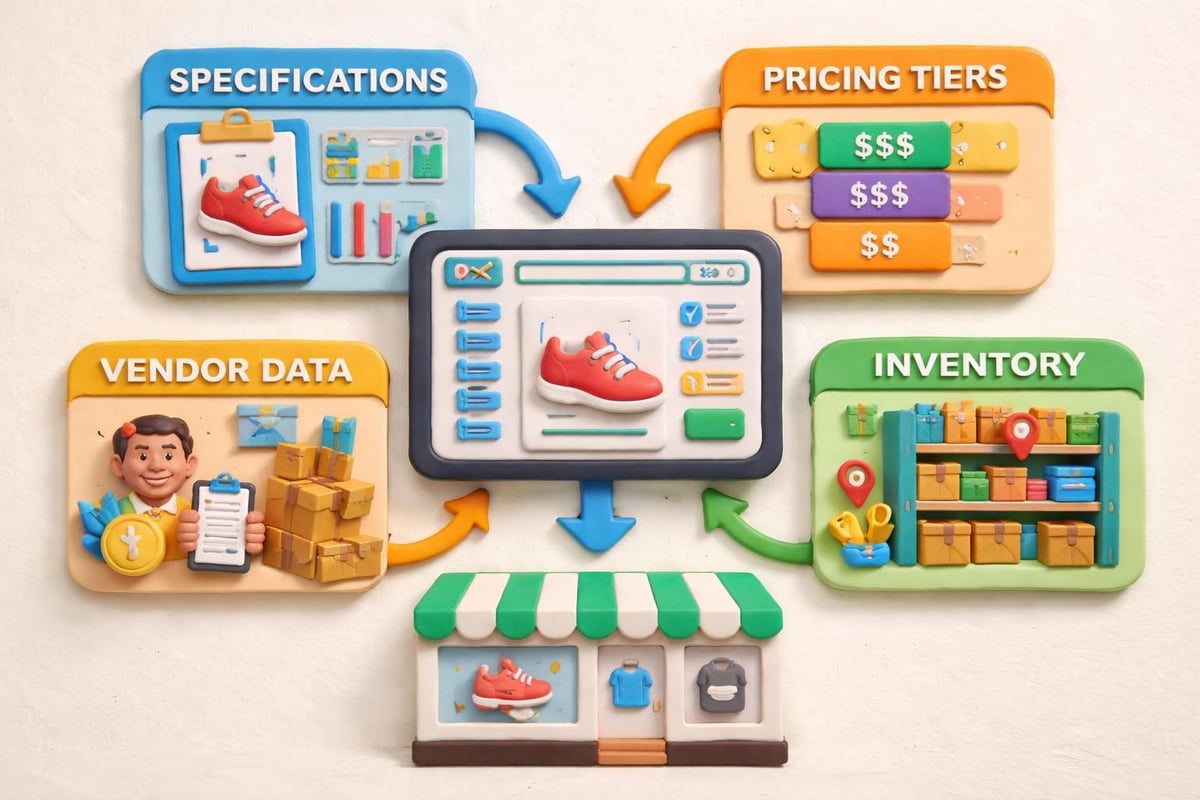
Your FileMaker database likely serves as the master product catalog, containing detailed specifications, supplier information, cost data, and inventory levels across multiple locations. Pushing this information to Shopify ensures your online store displays accurate product details, current pricing, and real inventory availability.
Implementing FileMaker-Shopify data connections enables real-time inventory updates that prevent overselling and disappointed customers. When a sale occurs through any channel tracked in FileMaker, that inventory deduction automatically reflects in Shopify within seconds or minutes depending on your synchronization frequency.
Customer Data Unification
Customer records created through Shopify purchases should merge seamlessly with your existing FileMaker customer database. This unified customer view enables your sales and service teams to access complete purchase history, support tickets, account receivables, and relationship notes regardless of whether transactions occurred online or through other channels.
Privacy regulations require careful handling of customer data. Your integration architecture must respect data retention policies, consent management, and regional requirements like GDPR or CCPA. Building these safeguards into your filemaker shopify integration from the beginning prevents compliance headaches later.
Implementation Best Practices and Strategies
Successfully deploying a filemaker shopify integration requires more than just connecting APIs. Strategic planning around data architecture, error handling, and operational workflows determines whether your integration becomes a business asset or a maintenance burden.
Start with Data Mapping and Normalization
Before writing a single line of code, document exactly how data fields in Shopify correspond to fields in your FileMaker solution. Shopify's data structure may not align perfectly with your existing database schema, requiring transformation logic to reconcile differences.
Common mapping challenges include:
- Variant handling – Shopify's product variant system versus FileMaker's product structure
- Address formatting – Different field layouts and validation rules
- Tax calculation – Mapping Shopify's tax engine outputs to your accounting codes
- Custom fields – Utilizing metafields in Shopify to store FileMaker-specific data
Creating detailed mapping specifications prevents confusion during development and provides documentation for future maintenance. This upfront investment saves substantial time debugging mysterious data issues months after launch.
Implement Robust Error Handling
Network failures, API rate limits, and data validation errors will occur. Your integration must gracefully handle these situations without corrupting data or creating silent failures that go unnoticed until customers complain.
Build in these error management features:
- Automatic retry logic with exponential backoff for transient failures
- Detailed logging of all integration activities and errors
- Alert mechanisms that notify administrators of critical failures
- Quarantine systems for records that fail validation
- Manual override capabilities for exceptional situations
FileMaker's scripting engine provides excellent tools for implementing these patterns. Creating dedicated error-handling subscripts that all integration scripts call ensures consistent behavior across your entire integration.
Design for Scalability and Performance
Your integration architecture must accommodate business growth without requiring complete redesigns. A filemaker shopify integration handling 50 orders daily needs different architecture than one processing 500 orders per hour during peak seasons.
Performance optimization techniques include batching API calls to respect rate limits, implementing caching strategies for relatively static data like product catalogs, and using webhooks rather than constant polling to detect Shopify changes. FileMaker Shopify integration specialists often recommend asynchronous processing architectures that queue work during high-volume periods.
Security and Authentication Considerations
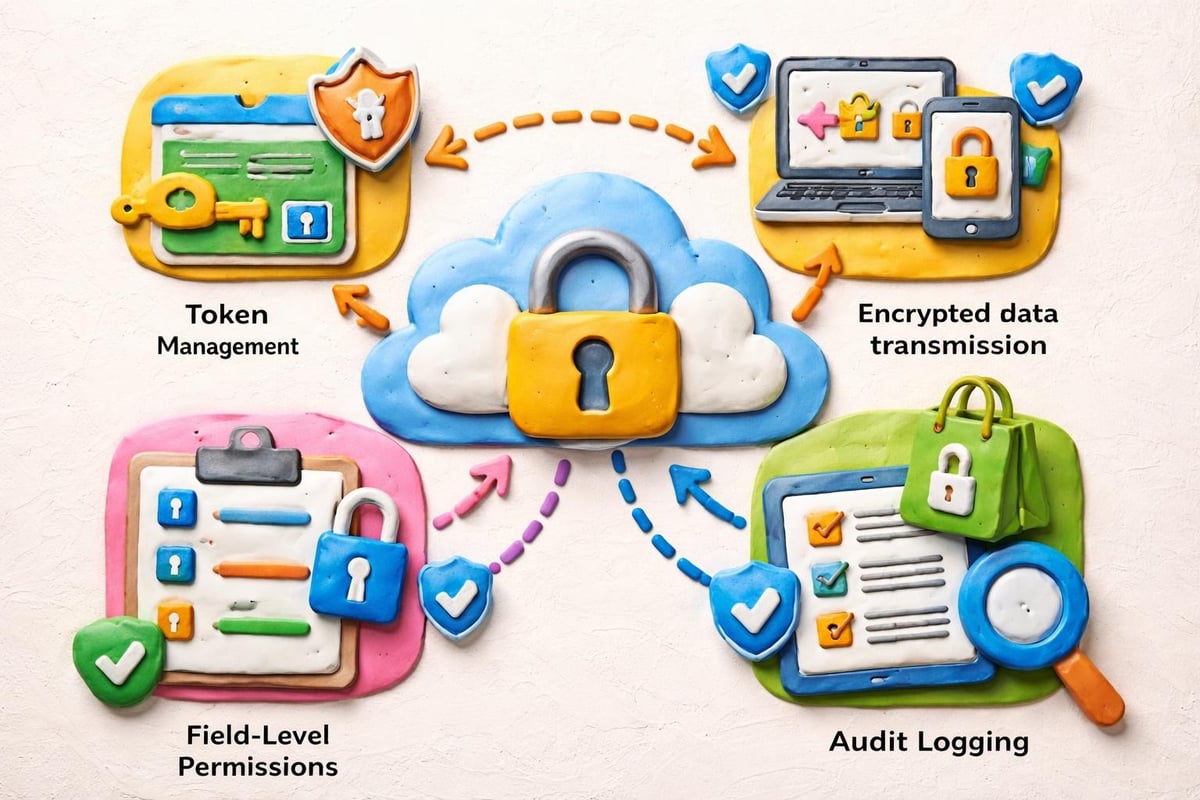
Protecting sensitive business data flowing between FileMaker and Shopify requires multiple security layers. Shopify uses OAuth 2.0 for API authentication, requiring you to securely store access tokens within your FileMaker solution.
Token Management Best Practices
Never hardcode API credentials directly in FileMaker scripts where they might be exposed. Instead, store tokens in encrypted fields with restricted access privileges. Implement token rotation policies that refresh credentials periodically and revoke tokens immediately when team members with access leave your organization.
Your FileMaker hosting environment should use SSL/TLS encryption for all data transmission. Whether you host on Claris FileMaker Server, AWS, or other infrastructure, verify that encryption protocols meet current security standards. In 2026, TLS 1.3 represents the baseline for protecting data in transit.
Audit Trails and Compliance
Financial and customer data flowing through your integration requires comprehensive audit logging. Track who initiated data changes, when modifications occurred, and what values changed. This audit trail proves invaluable for troubleshooting integration issues and demonstrating compliance with regulations.
Advanced Integration Capabilities
Once basic data synchronization runs smoothly, consider these advanced capabilities that unlock additional business value from your filemaker shopify integration.
Multi-Channel Inventory Management
If you sell through Shopify plus brick-and-mortar locations, wholesale channels, or marketplaces like Amazon, your FileMaker ERP can orchestrate inventory allocation across all channels. The integration ensures each sales channel sees appropriate available quantities based on fulfillment rules, reserve policies, and channel priorities you define.
This sophisticated inventory orchestration prevents the classic problem of having stock but showing "out of stock" on profitable channels because inventory sits allocated to slower-moving channels. Your business rules encoded in FileMaker govern the entire inventory ecosystem.
Automated Pricing and Promotion Management
FileMaker excels at complex business logic. Leverage this strength to implement dynamic pricing strategies that automatically adjust Shopify prices based on cost changes, competitor monitoring, demand patterns, or seasonal strategies. Your integration pushes these calculated prices to Shopify on schedules you define.
Similarly, promotional campaigns configured in FileMaker can automatically create Shopify discount codes, schedule promotion start and end dates, and apply tiered pricing rules that reflect your marketing calendar. This centralized promotion management eliminates the risk of conflicting offers or forgotten expiration dates.
Customer Segmentation and Marketing Automation
Enriching Shopify customer records with FileMaker's deeper business intelligence enables sophisticated segmentation. Tag Shopify customers based on lifetime value calculations, purchase patterns, or account standing maintained in FileMaker. These tags trigger targeted email campaigns, personalized product recommendations, or VIP treatment in Shopify's marketing tools.
The integration becomes a competitive advantage when it enables personalization impossible with standalone eCommerce platforms. Your comprehensive customer knowledge drives superior shopping experiences that increase conversion rates and customer lifetime value.
Mobile Considerations and FileMaker Go
Many businesses require mobile access to integrated data for warehouse staff, field sales teams, or remote customer service representatives. FileMaker Go’s integration support varies depending on your chosen integration method.
Direct API integrations generally work well on FileMaker Go since the mobile client supports the same scripting capabilities as desktop FileMaker Pro. However, network connectivity becomes more critical. Design mobile workflows to cache essential data locally and sync changes when connectivity allows.
Tools available through the Claris Marketplace should be evaluated specifically for mobile compatibility if your teams require iPad or iPhone access to integrated eCommerce data. Some solutions optimize mobile performance better than others.
Measuring Integration Success
Quantifying the business impact of your filemaker shopify integration justifies the investment and identifies opportunities for refinement. Track these key performance indicators before and after implementation:
| Metric | Pre-Integration Baseline | Post-Integration Target | Business Impact |
|---|---|---|---|
| Order processing time | Average time to fulfill | 50% reduction | Faster shipping |
| Inventory accuracy | Error rate percentage | 99%+ accuracy | Fewer stockouts |
| Data entry hours | Weekly staff hours | 80% reduction | Cost savings |
| Order value errors | Dollar amount monthly | Near zero | Revenue protection |
Beyond quantitative metrics, gather qualitative feedback from staff using the integrated system daily. Their insights reveal workflow friction points and enhancement opportunities that raw numbers miss. Regular surveys or feedback sessions keep your integration aligned with evolving business needs.
Planning Your Integration Project
Successful filemaker shopify integration projects follow structured implementation approaches rather than ad-hoc development. Whether you build internally or partner with specialists, these project phases ensure thorough execution.
Discovery and Requirements Gathering
Document your current state workflows, pain points, and integration objectives. Map all data entities that need synchronization and define the business rules governing each. Identify stakeholders across departments who will interact with the integrated system and capture their requirements.
This discovery phase typically reveals opportunities beyond your initial integration vision. Budget time for this research because comprehensive requirements prevent expensive mid-project scope changes.
Architecture Design and Prototyping
Design your integration architecture based on requirements gathered. Select technologies, define data flows, establish security protocols, and create technical specifications. Building a prototype or proof-of-concept for the most complex integration aspects reduces risk before full-scale development.
Resources like High Power Data’s FileMaker-Shopify analysis provide valuable perspectives on architecture patterns that work well for this integration scenario.
Iterative Development and Testing
Implement integration functionality in phases rather than attempting everything simultaneously. Start with the highest-value, lowest-risk capabilities and progressively add complexity. Rigorous testing at each phase catches issues early when they're cheaper and easier to fix.
Testing should cover happy path scenarios, error conditions, edge cases, and performance under realistic data volumes. Don't test with 10 sample products when your production catalog contains 10,000 SKUs.
Training and Change Management
Technical success means nothing if users don't adopt the new integrated workflows. Invest in comprehensive training that shows staff how the integration makes their jobs easier. Create documentation, quick-reference guides, and support resources people can access when questions arise.
Change management addresses the human side of technology projects. Communicate benefits clearly, address concerns transparently, and celebrate quick wins that demonstrate value. For more insights on comprehensive business process improvements, explore custom ERP solutions at Lolli Group.
Common Pitfalls to Avoid
Learning from others' mistakes accelerates your success. These common filemaker shopify integration pitfalls catch even experienced teams:
Over-engineering the initial implementation. Start simple and add complexity as business needs demand. An 80% solution deployed quickly often delivers more value than a perfect solution delivered months late.
Underestimating ongoing maintenance. Both FileMaker and Shopify evolve continuously. API changes, new features, and security updates require ongoing attention. Budget for maintenance or risk your integration breaking unexpectedly.
Ignoring data quality issues. Integration magnifies existing data problems. Product descriptions with inconsistent formatting, duplicate customer records, or inventory discrepancies multiply across systems when connected. Clean your data before integrating.
Failing to plan for exceptions. Standard workflows handle 90% of transactions, but the 10% of edge cases cause operational headaches. Design exception-handling processes for returns, backorders, custom orders, and other non-standard situations.
Neglecting disaster recovery. What happens if Shopify goes down? If your FileMaker server crashes? If network connectivity fails? Document fallback procedures and test them periodically so staff know how to operate during outages.
Future-Proofing Your Integration
Technology landscapes shift rapidly. Building adaptability into your filemaker shopify integration today prevents costly rewrites tomorrow. Use modular architecture patterns that isolate integration logic from core business logic. When Shopify changes an API endpoint, you modify integration modules without touching your fundamental FileMaker solution.
Stay informed about developments in both ecosystems. Shopify regularly announces new APIs, webhooks, and platform capabilities. The FileMaker community shares innovations and best practices that might enhance your integration. Participating in forums and following platform updates keeps your competitive edge sharp.
Consider artificial intelligence opportunities emerging in 2026. AI-powered demand forecasting could automatically adjust inventory allocations across channels. Natural language processing might analyze customer support tickets to identify product quality issues. Machine learning algorithms could optimize pricing strategies based on competitive intelligence. Your flexible integration architecture positions you to adopt these innovations as they mature.
A well-executed filemaker shopify integration transforms disconnected systems into a unified operational powerhouse that scales with your business growth. The strategies, technologies, and best practices outlined here provide the roadmap for implementation success, whether you're just beginning to explore integration possibilities or refining an existing connection. Lolli Group specializes in designing and developing custom ERP and CRM solutions using Claris FileMaker with sophisticated API integrations tailored to your unique business processes. When you're ready to build a FileMaker Shopify integration that drives measurable business results, our team brings the expertise and experience to deliver solutions that give you complete control over your eCommerce operations.