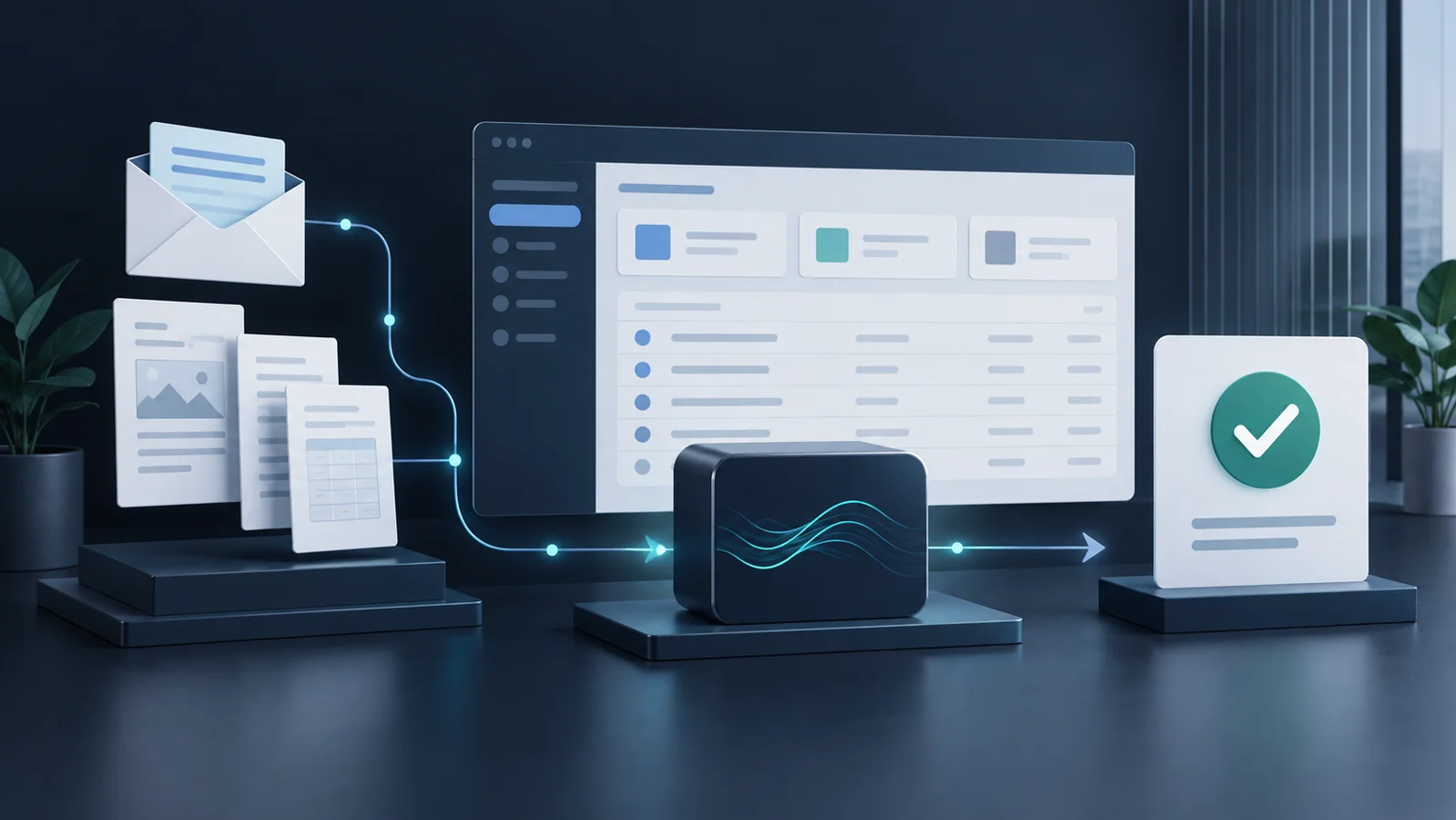
FileMaker AI integration can reduce the manual work involved in managing emails, documents and cases. Start with one repetitive task, and define what the system may propose and what a person must approve.
Your business application already holds customers, companies and case records. Yet someone still has to read incoming messages, open attachments, find the right record and copy information across. As requests increase, backlogs grow and it becomes harder to track who recorded what.
You can assess AI integration within your existing FileMaker system, starting with its version, architecture and workflows. LolliGroup integrates artificial intelligence into existing FileMaker applications and business processes, beginning with a concrete task and keeping controls and human oversight in place.
Four practical uses for FileMaker AI integration
The possibilities depend on your application and the services connected to it. Claris documents AI script steps for working with configured models and services. These building blocks do not automatically give every FileMaker application a complete email-to-case workflow. Connections, interfaces and validation still need to be designed.
1. Classify emails and suggest record matches
A shared inbox may contain support requests, sales enquiries and administrative documents. AI can suggest a category and a link to a customer or case using the available references. Staff review ambiguous matches. The expected benefit is more consistent routing, with fewer repeated searches between the inbox and the business application.
2. Extract information from documents and attachments
A PDF may contain references, dates and descriptions that need to be recorded in FileMaker. A dedicated workflow can extract content and propose values for the relevant fields. Scans, tables and document quality need specific checks; text recognition may be necessary. Important values should be compared with the original before they are saved.
3. Prepare summaries and draft replies
Understanding a long conversation often means reading several messages and consulting the case history. AI can prepare a summary and a draft using relevant information provided by the integration. A person checks the content, recipients and commitments before sending. This reduces preparation work while keeping responsibility for the communication clear.
4. Help staff search business documents
For larger archives, a project can include search by meaning and assistance that retrieves relevant passages with source references. This requires content processing, indexing, updates and access controls. Connecting an external database alone does not provide semantic search: FileMaker document management needs an implementation appropriate to the archive and its permissions.
From email to case: a workflow with human approval
This is an illustrative workflow that can be implemented, not a case study of a delivered customer solution. Imagine a service request with a PDF attachment referring to the fictional case DEMO-042.
- A request arrives. An integration retrieves the message and attachment through an authorised email service.
- FileMaker supplies relevant context. The system looks for matching customers and cases, respecting access permissions.
- AI prepares a proposal. It suggests a classification, summary and information to record, flagging missing details for review.
- An operator checks the sources. They see the email, document and proposal together, then confirm or correct the customer, case and extracted content.
- FileMaker updates the case. After validation, it saves approved information and triggers the operations allowed by business rules, recording the outcome.
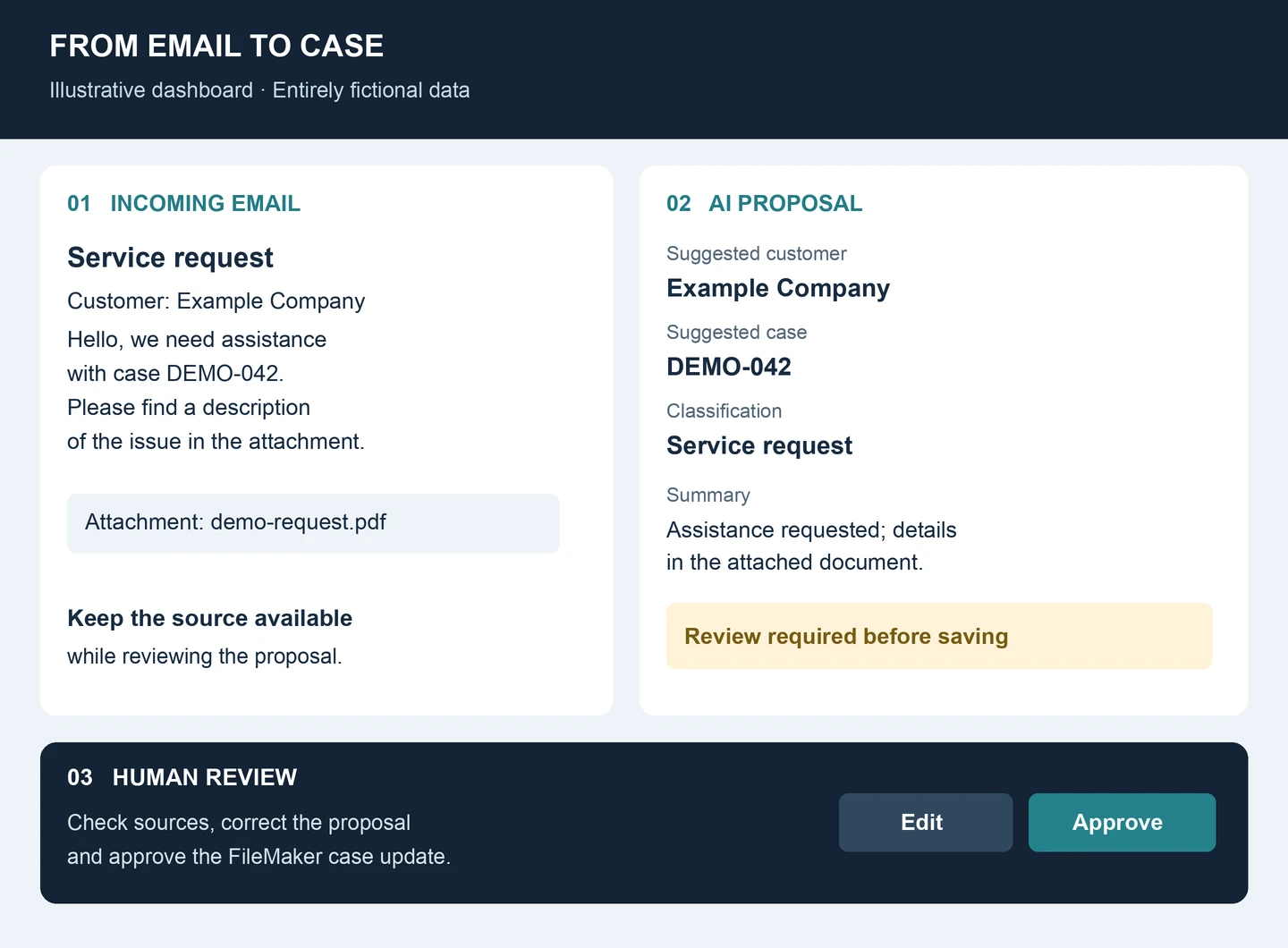
In the manual process, staff switch between email, documents and FileMaker, rebuilding context each time. In the assisted process, they review a proposal in one place, with the sources available. The measurable question is how much reading, searching and rekeying it actually removes, after allowing for corrections.
Do incoming emails still require manual data entry in your FileMaker application?
Reliable data, integrations and controls come first
Duplicate customer records or incomplete references undermine even a useful AI proposal. Before automating, establish which data is reliable, how records are connected and who may change them. FileMaker remains the system of record for business data and operations. AI supports the steps where interpretation and summarisation are appropriate.
Business rules must govern updates: required fields, permitted status changes, authorisation and checks on record associations. An uncertain proposal should remain pending. A failed service call should produce a manageable error, and retrying it should not create a second case for the same message.
Logging should connect the source, proposal, corrections, approval and final outcome. Email and attachments are content to analyse: instructions embedded in a document must not become permission to perform operations.
Where useful, APIs and external integrations connect email, archives and databases. Claris documentation for generating a response from a model explains the role of configuration, supplied information and available tools. A dependable business workflow still needs application controls and testing across the complete process.
What information is shared, and what does processing cost?
These decisions come before processing real business documents. Define which information is necessary, what to exclude and where processing happens. Depending on the architecture, the workflow may use external services or components hosted in the chosen infrastructure. Do not assume that everything stays on the company server.
- Information sent: specify which messages, attachments and application data the workflow may use.
- Access to results: decide who can see proposals, sources and operational logs.
- Required approvals: distinguish preparation from data changes and outgoing communications.
- Spending: monitor volume, document size, retries and the cost of each completed operation.
Processing limits and spending thresholds help contain unexpected usage. Data handling, retention, provider terms and responsibilities must be assessed within the project. Technical integration does not automatically guarantee regulatory compliance.
Start with a focused, verifiable improvement
Choose a frequent task with available data and an outcome that staff can check. Preparing a proposed service-request record is one candidate, with approval and the final update remaining under the operator’s control.
- Select the process. Document the current steps and common exceptions.
- Review the existing FileMaker application. Check its version, deployment, scripts, permissions, integrations and data quality.
- Build a verifiable first workflow. Test representative examples, including incomplete documents and ambiguous matches.
- Measure the results. Compare handling time, corrections, field accuracy and cost per completed operation.
- Expand progressively. Add further automation when the evidence supports it.
Testing also covers service outages: staff need to recognise a failed operation and continue using a defined fallback process.
Why work with LolliGroup?
LolliGroup combines FileMaker development, databases, APIs, infrastructure and AI to improve real business applications. Recent work includes email dashboards linked to contacts, companies and opportunities, bulk imports, data-quality checks and the organisation of document archives.
Related work spans AI agents and workflows, authenticated integrations with external databases, and attention to operating costs. These are complementary capabilities: an email dashboard does not automatically include AI classification, and an archive migration is not itself a completed semantic-search system.
The aim is to evolve your application around the selected process, with ongoing development support available for maintenance, integration checks and changing requirements. Explore our approach to FileMaker solutions with artificial intelligence.
FileMaker AI integration: frequently asked questions
Can I add AI to the FileMaker application I already use?
Often, yes. First, review its structure, access controls, version and intended workflow. The implementation may use platform capabilities, APIs or dedicated services, depending on the requirements.
Will I need to upgrade FileMaker?
That depends on the required features and environment compatibility. Some AI capabilities require specific versions. Any upgrade should be assessed alongside existing clients, server deployment and integrations.
Can the workflow process emails and PDFs?
Yes, with authorised email access and suitable attachment processing. Text-based PDFs and scans have different requirements. Readability, formats and accuracy need testing with representative documents.
Will information be sent to external services?
That depends on the architecture. The project should specify destinations, transmitted information, retention and access, avoiding content that is unnecessary for the task.
Which process should we start with?
Choose a repetitive, bounded task with reliable sources and straightforward human review. Routing requests or preparing case information are practical candidates to assess.
Which task takes too much time in your FileMaker system?
Tell us how you currently handle emails, documents or cases. We can assess where to begin with AI integration.
Let’s assess your FileMaker workflow
Mention “FileMaker AI integration” in your message and briefly describe the process you would like to improve.
By LolliGroup · 19 September 2026