Are manual processes dragging down your team's productivity? In today's fast-paced digital landscape, unlocking the full potential of your business demands smarter solutions. With filemaker api integration, you can automate, connect, and streamline workflows, setting your organization up for success in 2026. This guide will walk you through the essentials, from core API concepts and security to step-by-step implementation, real-world use cases, and future trends. Get ready to discover proven strategies, maximize efficiency, and supercharge your business transformation—starting now.
Understanding FileMaker APIs: Types, Capabilities, and Core Concepts
Unlocking the potential of filemaker api integration starts with a clear understanding of what APIs are, how they work within FileMaker, and why they matter for your business. Let’s break down the essentials so you can confidently plan your next move.

What is a FileMaker API?
A FileMaker API is an Application Programming Interface that allows FileMaker to communicate with external systems. Imagine an API as a waiter in a restaurant, taking your order from the table (FileMaker) to the kitchen (external system) and back. FileMaker APIs use RESTful architecture, meaning they rely on HTTP requests to send and receive data in a structured way.
FileMaker can act as both a provider and a consumer of APIs through the Data API and Admin API. Real-world examples include integrating with FedEx for package tracking, Google Maps for location data, Salesforce for CRM, QuickBooks for finance, and Mailchimp for marketing. For a deeper dive into the basics and architecture, check out the Claris FileMaker API Overview.
Types of FileMaker APIs
There are several key types of APIs that power filemaker api integration:
- FileMaker Data API: Enables CRUD (Create, Read, Update, Delete) operations on hosted records.
- FileMaker Admin API: Manages server settings and automates administrative tasks.
- ODBC/JDBC: Connects FileMaker to other SQL-based databases for advanced queries.
- WebDirect and Web Viewer: Embeds web content and displays interactive API-driven data.
- Third-party APIs and plug-ins: Expand FileMaker’s reach—connect with Stripe for payments, DocuSign for signatures, or Dropbox for file storage.
Choosing the right API type depends on your integration goals and technical environment.
Key API Concepts and Terms
To make the most of filemaker api integration, get familiar with essential API concepts:
| Term | Description |
|---|---|
| Endpoints | URLs representing resources (e.g., /records) |
| HTTP Methods | Actions: GET, POST, PUT/PATCH, DELETE |
| API Calls | Combination of URL, headers, and request body |
| Data Format | JSON is the standard for exchanging information |
| Rate Limits | Restrictions on the number of allowed requests |
| Documentation | Guides for correct usage and troubleshooting |
Understanding these terms will help you build, troubleshoot, and maintain robust integrations.
Benefits of FileMaker API Integration
The advantages of filemaker api integration are powerful and wide-reaching:
- Achieve real-time data synchronization across different platforms.
- Automate repetitive tasks to reduce manual errors.
- Enhance reporting and analytics by connecting to advanced tools.
- Deliver better customer experiences with faster, more reliable data.
- Centralize business data for easier management and decision-making.
By leveraging these benefits, organizations can streamline operations and set themselves up for future growth.
FileMaker API Security: Authentication, Authorization, and Best Practices
In today's connected business world, robust security is essential for any filemaker api integration. Protecting sensitive data and maintaining compliance is not just best practice, it is a necessity. Let's break down the key elements that keep your integrations secure and reliable.

Authentication Methods in FileMaker APIs
Authentication is the process of confirming user or system identity before granting access. In filemaker api integration, several methods are used:
- Open API: No authentication, suitable for public data only.
- HTTP Basic: Uses username and password, often seen in legacy or internal systems.
- API Keys: Unique credentials, granting system-level access.
- OAuth 2.0: Modern, token-based, ideal for integrations with major platforms like Google or QuickBooks.
Choosing the right authentication method for your filemaker api integration depends on your security needs and the sensitivity of your data. OAuth 2.0 is recommended for most modern business scenarios due to its flexibility and enhanced protection.
Authorization and Access Control
While authentication checks who you are, authorization determines what you can do. For secure filemaker api integration, it is vital to:
- Implement role-based access, giving users or groups only the permissions they need.
- Follow the principle of least privilege, reducing risk by limiting data exposure.
- Use FileMaker's privilege sets and account management features to control access.
Properly configured authorization ensures that even if someone passes authentication, they cannot exceed their allowed actions. This keeps your filemaker api integration both powerful and safe.
Secure API Communication
All data exchanged through filemaker api integration must travel over encrypted channels using SSL or TLS. Never send sensitive information in plain text. Protect API keys and tokens by storing them securely, not hardcoded in scripts.
Regularly rotate credentials and monitor access logs for suspicious activity. For a deeper dive on advanced token-based security and compliance, see Token-Based API Security in FileMaker Cloud.
Example best practices:
- Use HTTPS for every API call
- Limit exposure of credentials
- Audit and update access regularly
These steps form the backbone of a secure filemaker api integration.
Compliance and Data Privacy
Every filemaker api integration must comply with regulations like GDPR, HIPAA, or industry-specific standards. Audit and log all API activity to track data access. Practice data minimization by only collecting what you need and store information securely.
Learning from past breaches, organizations should:
- Encrypt sensitive records
- Review access logs often
- Document all processes for accountability
By prioritizing privacy and compliance, your filemaker api integration will earn trust and reduce regulatory risk.
Step-by-Step: Implementing FileMaker API Integrations in 2026
Unlocking the benefits of filemaker api integration in 2026 starts with a clear, actionable approach. Whether you want to streamline data flows, automate repetitive tasks, or connect third-party apps, following a structured process ensures long-term success. Let’s break down each step so you can confidently transform your workflows and boost your business efficiency.
Planning Your Integration Strategy
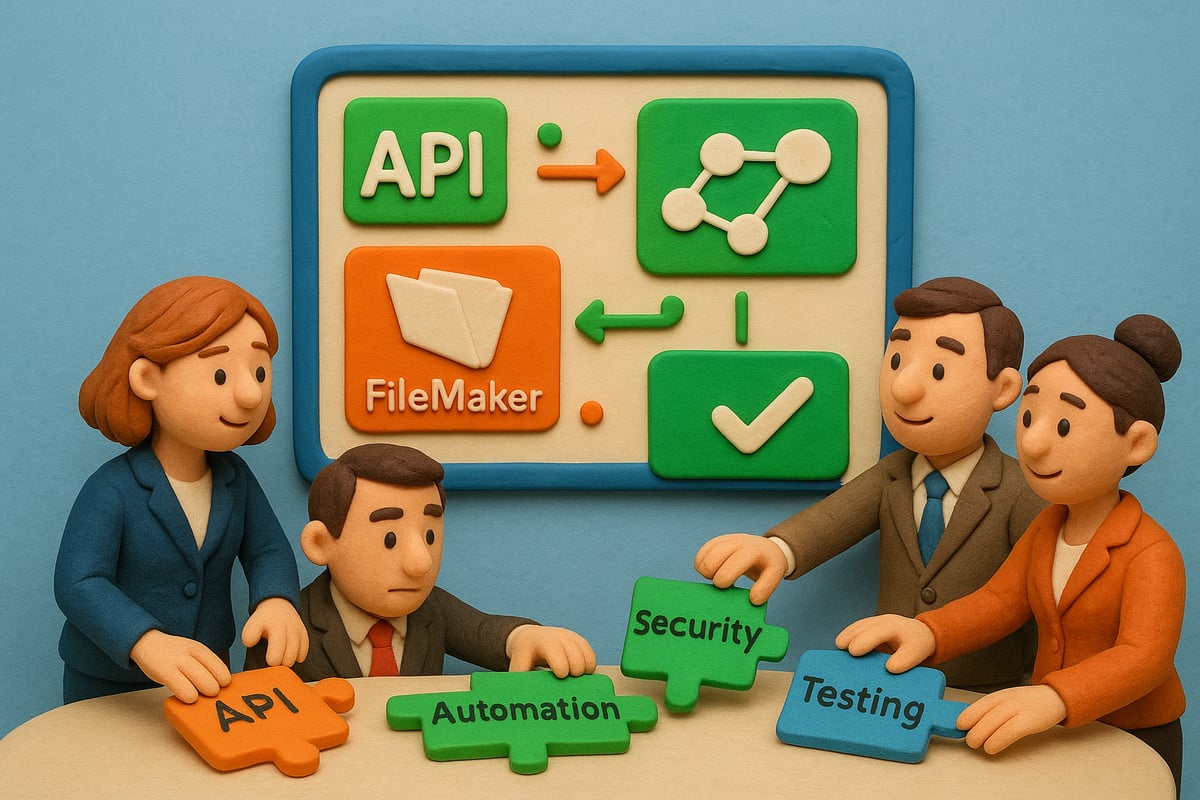
Begin your filemaker api integration journey by defining your business objectives. What pain points are you solving? Are you looking to connect your CRM with your ERP, automate invoice processing, or sync inventory data? List your integration goals and prioritize them based on impact.
Next, map your required data flows. Visualize how information should travel between systems. Identify the target APIs you need, such as payment gateways or e-commerce platforms, and examine their documentation for compatibility and support.
Assess all technical requirements. Will you use REST, ODBC, or plug-ins? Determine any limitations in your current FileMaker setup. Define clear success metrics—like reduced manual entry or faster response times—to measure the effectiveness of your filemaker api integration.
Enabling and Configuring FileMaker APIs
After planning, it’s time to prepare your environment for filemaker api integration. Start by enabling the Data API in the FileMaker Server Admin Console. This unlocks access to powerful REST endpoints for external communication.
Set up dedicated API user accounts and assign privilege sets tailored to their roles. Restrict access to sensitive data, applying the principle of least privilege. Configure endpoints and security settings, ensuring only authorized systems can interact with your FileMaker solution.
Verify that your server meets compatibility and licensing requirements for the Data API or other integration methods. Document these settings so your team can revisit and update them as your filemaker api integration evolves.
Building and Testing API Requests
With your environment ready, construct and test API requests to interact with your FileMaker data. Use FileMaker scripts for GET, POST, PUT, and DELETE operations, setting headers like Content-Type: application/json and proper Authorization.
Format your JSON payloads to match your database schema. Tools like Postman or curl are invaluable for testing and troubleshooting requests before full deployment. Always check API responses and handle error codes gracefully.
For a deeper dive into optimizing Data API usage and performance, explore the FileMaker Data API: An Underutilized Game-Changer. This resource highlights how modern API techniques can elevate your filemaker api integration and unlock new capabilities.
Handling Authentication and Tokens
Effective authentication is the backbone of secure filemaker api integration. You might use API keys, HTTP Basic, or OAuth 2.0 protocols, depending on the external system’s requirements.
Store API keys securely, never hardcoding them in scripts. For OAuth 2.0, set up token acquisition and refresh flows to maintain seamless connectivity. Handle session timeouts by automating re-authentication when necessary.
For example, integrating QuickBooks Online requires managing OAuth tokens to ensure uninterrupted access. By mastering these authentication steps, you’ll keep your filemaker api integration resilient and secure.
Error Handling, Logging, and Monitoring
Robust error handling is essential for any filemaker api integration. Capture and log all API errors, including failed requests, timeouts, or unexpected responses. These logs are crucial for troubleshooting and maintaining data integrity.
Implement retry logic for transient failures, such as temporary network issues. Monitor API usage to stay within rate limits and quotas. Set up automated alerts for repeated failures or security anomalies so you can react quickly.
Regularly review your logs to identify patterns and proactively address potential issues. This proactive approach keeps your filemaker api integration running smoothly and reliably.
Maintaining and Updating Integrations
Ongoing maintenance is vital for a sustainable filemaker api integration. Version your APIs and scripts to support backward compatibility when systems evolve. Stay updated on any changes or deprecations announced by third-party APIs and adjust your integration accordingly.
Document all integration flows, including scripts, endpoints, and authentication processes, for future reference. Schedule routine reviews and tests to verify continued performance and security.
By investing in maintenance, your filemaker api integration remains robust, adaptable, and ready for the challenges of tomorrow. This commitment ensures your workflows stay efficient, secure, and aligned with your business goals.
Lolli Group: Custom FileMaker API Integration Solutions
Looking to future-proof your business with seamless filemaker api integration? Lolli Group specializes in designing and developing custom ERP and CRM platforms, connecting FileMaker to third-party systems for highly efficient workflow automation.

Our team delivers flexible, scalable, and fully controlled solutions, tailored for unique sector needs. As a certified Claris FileMaker Partner, we ensure every integration is robust, secure, and ready for tomorrow’s challenges.
We leverage advanced strategies, including APIs and AI in FileMaker, to empower organizations with rapid deployment and ongoing support.
Ready to transform your operations? Contact Lolli Group today for a consultation and discover how our custom solutions can drive your business forward.
Real-World Use Cases: Streamlining Workflows with FileMaker API Integration
Unlocking the full value of filemaker api integration means seeing it in action. Below, discover how real organizations streamline operations, cut manual effort, and deliver better results using modern API-driven workflows.
Automating Data Synchronization Across Platforms
Imagine your FileMaker CRM and Shopify store working together seamlessly. With filemaker api integration, customer records, orders, and inventory sync automatically—no more double entry or outdated data.
For example, when a new order arrives in Shopify, the integration instantly updates FileMaker with customer details and inventory levels. This ensures every team member works with the latest information.
Data consistency leads to faster order processing and fewer mistakes. To see a practical example of this in action, check out the WooCommerce FileMaker Integration Guide, which offers a step-by-step breakdown.
Integrating FileMaker with Financial Tools
Businesses can revolutionize accounting by connecting FileMaker directly to platforms like QuickBooks Online or Stripe. Filemaker api integration automates invoice creation, tracks payments, and syncs financial data in real time.
Picture a workflow where an invoice generated in FileMaker automatically appears in QuickBooks, eliminating manual entry and reducing accounting errors. OAuth-secured connections ensure that sensitive data stays protected.
This streamlined approach means less time on admin tasks and more time focused on business growth. Real-time syncing supports accurate financial reporting and faster decision-making.
Enhancing Customer Communication
Keeping customers informed is easier than ever with filemaker api integration. By linking FileMaker to Mailchimp, Twilio, or Outlook, you can automate appointment reminders, send marketing emails, or deliver SMS notifications—directly from your CRM.
For instance, when a new appointment is scheduled, FileMaker triggers an automated message to the customer. Engagement and responses are tracked within the system, providing valuable insights for future campaigns.
This level of automation boosts customer satisfaction and increases retention rates. Communication becomes timely, personalized, and consistent across all channels.
Streamlining Document Management
Managing contracts, proposals, and key documents is simple with filemaker api integration. Connect FileMaker to Dropbox, Google Drive, or DocuSign to automate uploads, retrieval, and e-signature workflows.
A signed contract in DocuSign can be instantly stored in the right FileMaker record. Status updates flow automatically, so everyone knows when documents are completed.
This reduces paperwork, saves time, and ensures compliance. Teams can find and share files quickly, making collaboration smoother and more secure.
Workflow Automation in Healthcare and Services
Healthcare providers and service organizations benefit greatly from filemaker api integration. By connecting FileMaker to EHR systems via REST APIs, patient intake, scheduling, and billing become automated processes.
Sensitive data flows securely between systems, supporting HIPAA compliance. Staff spend less time on paperwork and more time delivering care.
Automation also reduces errors and speeds up service delivery. For forward-thinking organizations, integrating AI can further enhance efficiency—learn more about possibilities in the FileMaker and OpenAI Integration resource.
Lessons from Industry Leaders
Industry leaders across e-commerce, finance, and healthcare are embracing filemaker api integration to drive measurable results. Many report up to a 40 percent reduction in manual workload after automating data flows and communication.
Successful implementations show faster response times, improved data accuracy, and stronger customer relationships. These organizations invest in robust integration strategies, regular reviews, and ongoing optimization.
The takeaway for 2026? Prioritize integration to stay competitive, streamline workflows, and maximize your platform’s potential.
Future Trends: The Evolution of FileMaker API Integration
The future of filemaker api integration is dynamic, with new technologies rapidly transforming how organizations automate and connect their workflows. As you plan for 2026, understanding these emerging trends will help you stay ahead and maximize your investment in FileMaker platforms.
AI-Driven Automation and Smart Workflows
Artificial intelligence is redefining filemaker api integration by enabling predictive analytics, smart recommendations, and automated decision-making. Imagine your FileMaker solution using AI-powered lead scoring or sales forecasting, helping your team focus on high-value opportunities.
With machine learning, routine tasks like data entry and validation can be automated, reducing manual effort and increasing accuracy. AI also helps identify workflow bottlenecks and suggests improvements, making your business more agile. Organizations adopting these smart workflows are preparing for the next wave of digital transformation, ensuring that filemaker api integration remains a strategic asset.
API Standardization and Low-Code Integration
The push toward open standards is making filemaker api integration more accessible than ever. REST and GraphQL are becoming the norm, allowing seamless communication between FileMaker and external apps. Low-code and no-code tools are democratizing integration, empowering non-developers to create powerful automations.
Visual workflow builders and drag-and-drop connectors simplify the process, so your team can connect FileMaker to virtually any SaaS platform without heavy coding. For a deeper look at upcoming API features and WebHook support, check out the FileMaker 2025: Technical Deep Dive. These advances make filemaker api integration faster, more reliable, and scalable for businesses of all sizes.
Enhanced Security and Compliance
Security is at the forefront of every filemaker api integration strategy. With evolving protocols like OAuth 2.1 and Zero Trust architectures, your data and workflows are more protected than ever. Automated compliance checks help ensure you meet industry regulations, while detailed audit trails provide transparency.
Proactive threat detection tools now alert you to potential risks before they escalate. Recent updates to FileMaker Server, like those detailed in Claris Updates: MCP, FileMaker Server 22.0.4 & OData Webhooks, include critical security enhancements and OData improvements. Staying current with these trends keeps your filemaker api integration robust and compliant.
Expanding Ecosystem and Interoperability
The filemaker api integration landscape is expanding, with more third-party APIs and SaaS platforms available each year. FileMaker is evolving into a central data hub, connecting IoT devices, mobile apps, and cloud services for a unified workflow.
Seamless interoperability means your organization can scale operations without being limited by legacy systems. As the ecosystem grows, filemaker api integration will play a key role in driving innovation, supporting flexible business models, and positioning your company for success in a rapidly changing digital world.
Now that you’ve seen how FileMaker API integration can transform your workflows—from automating tasks to connecting every system you rely on—you might be wondering how to make it all work for your unique business. You shouldn’t have to settle for rigid, off-the-shelf solutions or spend hours fighting manual processes. Imagine a custom platform tailored to your real-world needs, letting you focus on what truly matters while your software does the heavy lifting. If you’re ready to stop adapting your business to generic tools and start building a system that fits you perfectly, let’s talk. Build a System That Actually Works Talk to Lolli Group Stop adapting your business to rigid software. Design a custom, automated solution built around your real workflows.