Your business processes are unique, and your customer relationship management system should reflect that reality. Off-the-shelf CRM solutions force you to adapt your workflow to their limitations, creating inefficiencies and frustration. A filemaker custom crm breaks those constraints, giving you complete control over how you manage customer relationships, track sales opportunities, and automate business processes. When you build with Claris FileMaker, you're not just buying software – you're investing in a platform that grows with your business and adapts to your exact requirements.
Why FileMaker Stands Out for Custom CRM Development
FileMaker has earned its reputation as the premier low-code platform for building business applications. Unlike rigid SaaS solutions, FileMaker provides the flexibility to design exactly what your team needs without compromising on functionality.
The platform's rapid development environment means you can have a working prototype in days, not months. This speed matters when your business needs change faster than traditional development cycles can accommodate.
Key advantages that set FileMaker apart:
- Native cross-platform compatibility (Windows, Mac, iOS, web)
- Visual development interface that reduces coding complexity
- Built-in security features with granular permission controls
- Seamless integration capabilities with existing business systems
- Scalability from small teams to enterprise deployments
FileMaker proves ideal for small business CRMs because it balances power with accessibility. Your team can request features and see them implemented quickly, creating a true partnership between users and developers.
Building Your FileMaker Custom CRM Foundation
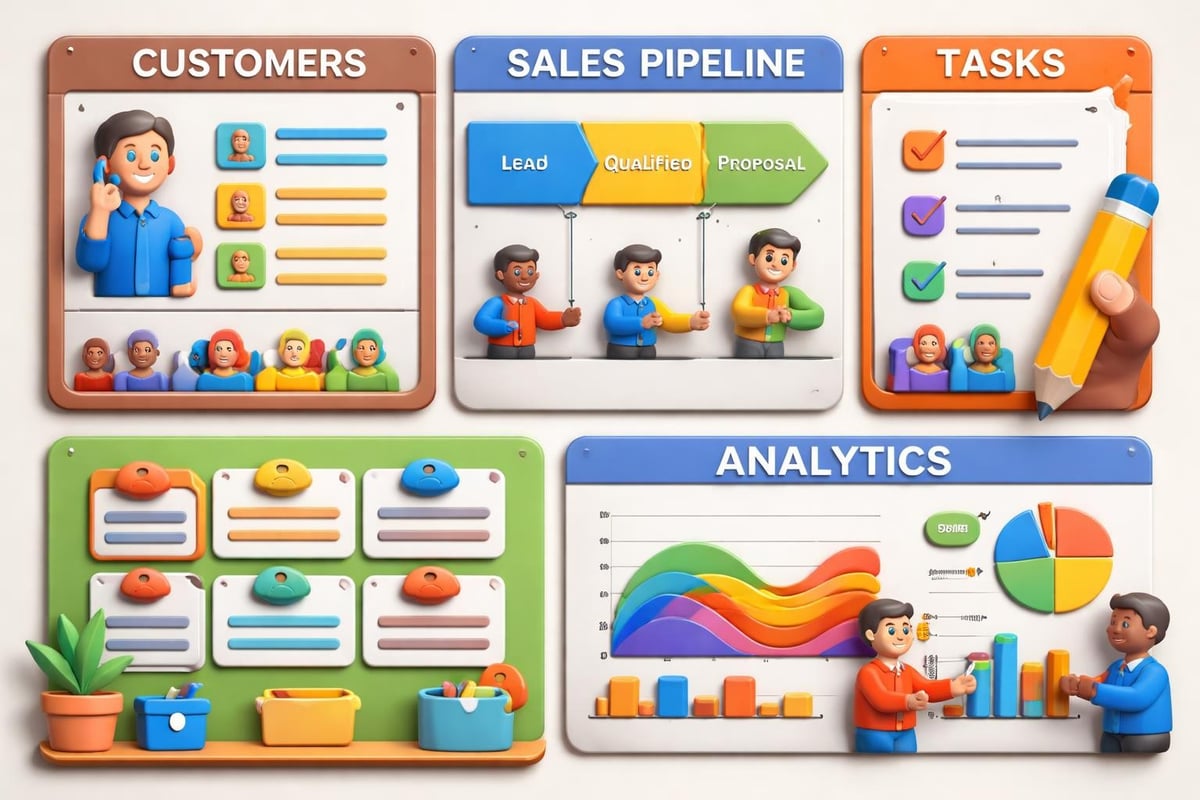
The foundation of any effective filemaker custom crm starts with understanding your business workflows. Before writing a single script or designing a layout, you need to map how information flows through your organization.
Data Architecture That Supports Growth
Your database structure determines everything that follows. Poor planning here creates technical debt that becomes expensive to fix later.
Start by identifying your core entities: customers, contacts, companies, opportunities, products, and interactions. Define how these elements relate to each other. A customer might have multiple contacts, each contact can be associated with several opportunities, and each opportunity connects to specific products or services.
| Entity Type | Key Relationships | Critical Fields |
|---|---|---|
| Companies | Contacts, Opportunities, Projects | Name, Industry, Size, Territory |
| Contacts | Companies, Activities, Communications | Name, Role, Email, Phone, Preferences |
| Opportunities | Companies, Contacts, Products | Stage, Value, Close Date, Probability |
| Activities | Contacts, Opportunities | Type, Date, Outcome, Next Steps |
Creating a custom CRM in FileMaker Pro requires careful attention to security and user permissions from the beginning. Design your privilege sets to reflect actual job roles, ensuring sales representatives see different information than executives.
Interface Design That Users Actually Adopt
The most powerful CRM fails if your team won't use it. Interface design directly impacts adoption rates and user satisfaction.
Design layouts that match natural workflows. When a salesperson opens a customer record, they should immediately see recent interactions, upcoming tasks, and current opportunities without clicking through multiple screens.
Essential interface elements for CRM success:
- Quick search functionality that finds records across multiple fields
- Dashboard views showing personalized metrics and action items
- Mobile-optimized layouts for field sales teams
- One-click communication tools (email, phone, text)
- Context-aware navigation that anticipates next steps
Modern FileMaker layouts support responsive design, automatically adjusting to screen sizes. This flexibility ensures your filemaker custom crm works equally well on desktop computers and iPads in the field.
Advanced Features That Transform Business Operations
Moving beyond basic contact management, a truly custom CRM becomes your competitive advantage. Integration and automation separate adequate systems from exceptional ones.
API Integration Expands Functionality
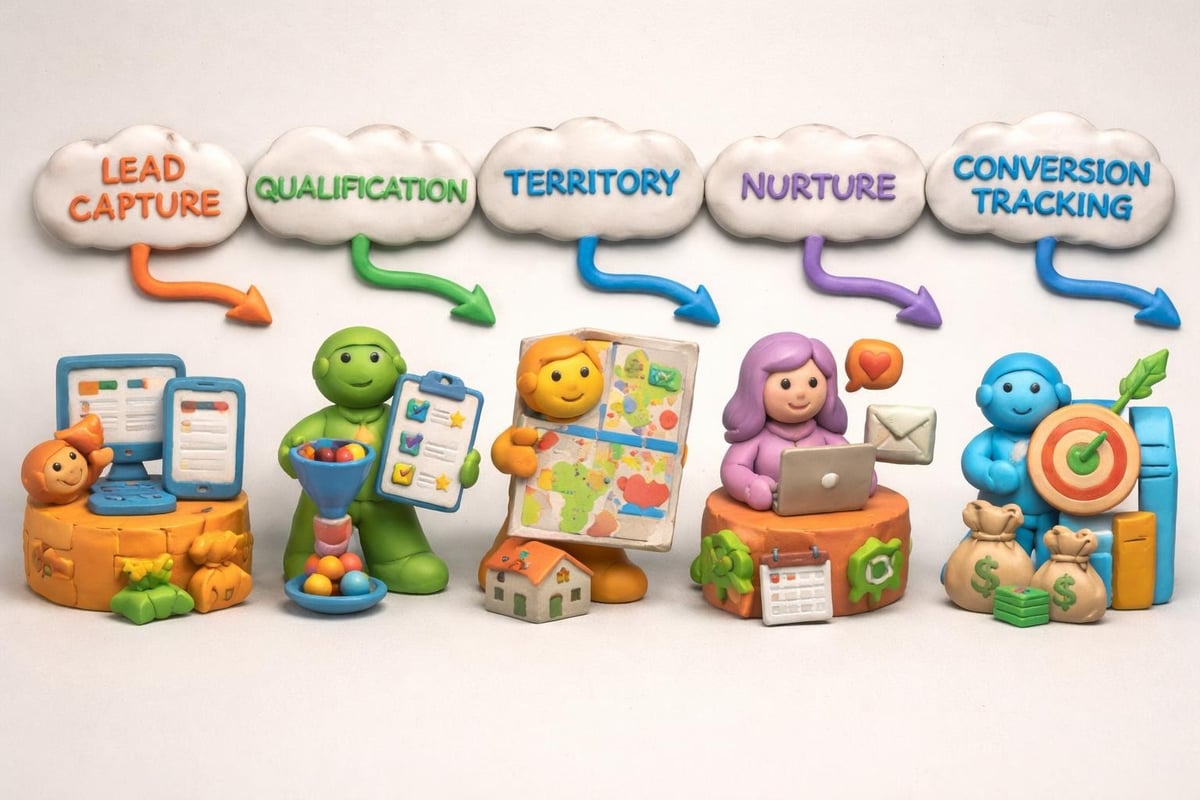
Your CRM shouldn't exist in isolation. The real power emerges when it communicates with other business systems, creating a unified technology ecosystem.
FileMaker's built-in cURL functions enable connections to virtually any web service. Connect your CRM to accounting software, marketing automation platforms, shipping systems, or industry-specific tools.
Common integration scenarios:
- Accounting systems: Sync customer records, invoices, and payment status
- Email marketing: Push segmented contact lists and track campaign engagement
- E-commerce platforms: Pull order history and customer behavior data
- Communication tools: Automate text messages and email sequences
- Document management: Link contracts, proposals, and signed agreements
Centralized data management through FileMaker eliminates duplicate data entry and reduces errors. When customer information updates in one system, it automatically syncs across all connected platforms.
Artificial Intelligence Enhances Decision-Making
Integrating AI capabilities into your filemaker custom crm transforms raw data into actionable insights. Modern businesses demand predictive analytics and intelligent automation.
Machine learning models can analyze historical deal data to predict close probability with remarkable accuracy. Natural language processing extracts sentiment from customer communications, flagging potential issues before they escalate.
AI-powered features you can implement:
- Lead scoring algorithms that prioritize sales efforts
- Churn prediction models identifying at-risk customers
- Recommendation engines suggesting next-best actions
- Automated data enrichment from public sources
- Intelligent email classification and routing
The Lolli Group specializes in enhancing FileMaker solutions with these advanced AI integrations, creating systems that actively help your team make better decisions faster.
Automation That Saves Time and Increases Accuracy
Manual processes create bottlenecks and introduce errors. Strategic automation through FileMaker scripting eliminates repetitive tasks while ensuring consistency.
Workflow Automation Examples
Consider the typical sales pipeline. When an opportunity moves to "Proposal Sent," your filemaker custom crm can automatically create a follow-up task for three days later, send a notification to the sales manager, and update forecasting reports.
FileMaker automation delivered impressive results for Stuckey & Company, saving over 200 employee hours monthly through process optimization and intelligent scripting.
High-impact automation opportunities:
- Lead routing: Automatically assign new leads based on territory, product line, or representative workload
- Task creation: Generate follow-up activities when opportunities reach specific stages
- Notification triggers: Alert team members about important events or required actions
- Report generation: Schedule automatic delivery of performance metrics to stakeholders
- Data validation: Check information completeness and accuracy in real-time
Your automation strategy should evolve with your business. Start with the most time-consuming manual processes, then expand to more sophisticated workflows as your team becomes comfortable with the system.
Script Optimization for Performance
Poorly written scripts create frustrating delays. Optimizing FileMaker performance requires attention to script efficiency, especially as your database grows.
Commit records in batches rather than one at a time. Use appropriate find modes instead of looping through all records. Minimize layout changes during script execution to reduce screen redraw overhead.
| Performance Issue | Solution | Impact |
|---|---|---|
| Slow searches | Proper field indexing | 10-100x faster finds |
| Script delays | Batch commits | 5-20x processing speed |
| Layout lag | Minimize layout switches | Smoother user experience |
| Network bottlenecks | Server-side scripts | Reduced data transfer |
Customization for Industry-Specific Requirements
Generic CRM systems force industries with specialized needs to work around limitations. A filemaker custom crm adapts to your sector's unique requirements.
Healthcare and Medical Services
Healthcare organizations need HIPAA-compliant systems with detailed patient interaction tracking. FileMaker custom applications transformed ALS research by expanding tracked data points from 240 to over 116,000, demonstrating the platform's capacity for complex medical data management.
Your medical CRM might track:
- Patient demographics and medical history
- Treatment protocols and outcomes
- Appointment scheduling with provider availability
- Insurance verification and billing status
- Compliance documentation and audit trails
Professional Services and Consulting
Service-based businesses require time tracking, project management, and resource allocation alongside traditional CRM functions. Integration with billing systems ensures accurate invoicing based on tracked hours and project milestones.
Your consulting CRM connects:
- Client engagement history and contract terms
- Project timelines and deliverable tracking
- Team member availability and skill sets
- Time entry with billing rate calculations
- Document libraries for proposals and reports
Manufacturing and Distribution
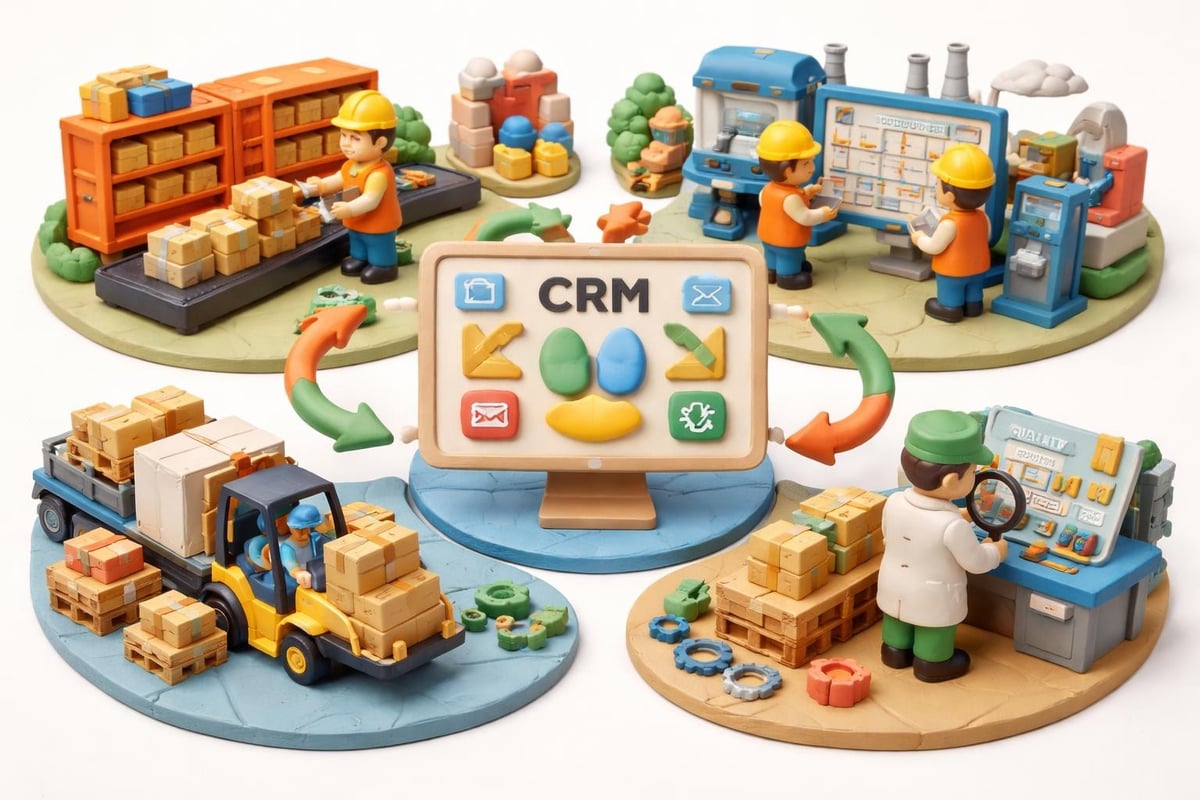
Manufacturers need CRM systems that connect with inventory, production scheduling, and supply chain management. Your filemaker custom crm becomes the central hub connecting customers to operations.
Mobile Access for Field Teams
Modern sales teams work everywhere except the office. Your CRM must deliver full functionality on mobile devices without compromising features or security.
FileMaker Go provides native iOS apps that run your custom solutions on iPhones and iPads. Unlike web-based mobile interfaces, FileMaker Go offers offline functionality, allowing field teams to access and update records without internet connectivity.
Mobile capabilities that drive adoption:
- Offline record access with automatic sync when connected
- Camera integration for capturing photos and documents
- GPS location tracking for check-ins and territory management
- Barcode and QR code scanning for inventory or asset tracking
- Electronic signature capture for contracts and delivery confirmation
Design mobile layouts specifically for touch interaction. Larger buttons, simplified navigation, and focused information density make mobile work efficient rather than frustrating.
Security and Compliance Considerations
Customer data represents both an asset and a liability. Your filemaker custom crm must protect sensitive information while enabling appropriate access.
Multi-Layered Security Architecture
FileMaker provides enterprise-grade security features that surpass many commercial CRM offerings. Encryption protects data at rest and in transit, while granular permissions control who sees what information.
Implement security at multiple levels:
- File-level encryption: AES 256-bit encryption protects your entire database
- User authentication: Password requirements, two-factor authentication, and external authentication providers
- Privilege sets: Role-based access controlling record viewing, editing, and deletion
- Field-level security: Hide sensitive fields from specific user groups
- Audit logging: Track all data access and modifications for compliance
Compliance Framework Support
Depending on your industry, you may need to demonstrate GDPR, HIPAA, SOC 2, or other regulatory compliance. Your CRM architecture should support these requirements from the foundation.
| Compliance Standard | FileMaker Implementation | Key Features |
|---|---|---|
| GDPR | Data access controls, deletion workflows | Right to access, right to be forgotten |
| HIPAA | Encryption, audit trails, user accountability | Protected health information security |
| SOC 2 | Access logging, change management | Security, availability, confidentiality |
Maintenance and Continuous Improvement
Your filemaker custom crm represents a living system that evolves with your business. Plan for ongoing maintenance, performance optimization, and feature enhancement.
Regular Performance Monitoring
Advanced FileMaker optimization techniques help maintain responsiveness as your database grows. Monitor query performance, script execution times, and user experience metrics.
Schedule quarterly reviews examining:
- Database size and growth patterns
- Script performance under load
- User feedback and feature requests
- Integration reliability and error rates
- Security audit results
Modernization Strategies
Technology evolves rapidly. Modernizing your FileMaker database ensures it remains competitive and takes advantage of new platform capabilities.
Consider updates like:
- Converting to FileMaker Cloud for improved accessibility
- Implementing modern authentication methods
- Adding AI-powered features and predictive analytics
- Redesigning interfaces with contemporary design patterns
- Expanding API integrations with emerging business tools
Scaling Your Solution as Business Grows
A properly designed filemaker custom crm scales from startup operations to enterprise deployments without requiring complete rebuilds. Plan for growth from day one.
Performance Under Load
As your customer base expands from hundreds to thousands or even millions of records, performance optimization becomes critical. Server hardware, indexing strategies, and query optimization all impact user experience.
Scaling strategies for growing databases:
- Implement proper indexing on frequently searched fields
- Use server-side scripts for heavy processing tasks
- Separate transaction processing from reporting databases
- Archive historical data following retention policies
- Load balance across multiple FileMaker servers for large deployments
Diverse use cases across industries demonstrate FileMaker's capability to handle everything from small business needs to complex enterprise requirements.
Adding Users and Locations
Your CRM should accommodate new team members and office locations without architectural changes. User licensing through concurrent connections or named users provides flexibility as staff size fluctuates.
Geographic expansion requires consideration of data residency requirements, network latency, and local regulations. FileMaker's deployment options support both centralized and distributed architectures depending on your needs.
Cost-Effectiveness of Custom Development
Building a filemaker custom crm requires upfront investment but delivers superior ROI compared to ongoing SaaS subscriptions that never fully meet your needs.
Total Cost of Ownership Analysis
Calculate the five-year cost of your current CRM solution including licensing, per-user fees, integration costs, workaround inefficiencies, and lost opportunities from missing features.
Compare that against custom development costs:
| Cost Component | SaaS CRM (5 years) | FileMaker Custom CRM (5 years) |
|---|---|---|
| Licensing | $150,000 – $300,000 | $50,000 – $100,000 |
| Development | Minimal | $75,000 – $200,000 |
| Customization | Limited options | Unlimited |
| Integrations | $20,000 – $50,000 | Included in development |
| Per-user scaling | Unlimited growth | Flat or concurrent pricing |
The custom ERP and CRM solutions approach delivers complete control over your technology investment while eliminating vendor lock-in and subscription fatigue.
Return on Investment Metrics
Measure CRM success through tangible business outcomes rather than feature checklists. Track metrics like sales cycle reduction, customer retention improvement, and administrative time savings.
Organizations implementing custom FileMaker CRM solutions typically report:
- 25-40% reduction in sales administrative time
- 15-30% increase in sales team productivity
- 20-35% improvement in customer response times
- 40-60% decrease in data entry errors
- 10-25% increase in customer satisfaction scores
Template Starting Points and Customization
You don't need to start from scratch. FileMaker CRM templates like Core CRM Pro provide foundations you can customize to your specific requirements, accelerating development while reducing costs.
Starting with a template offers several advantages:
- Proven database architecture and relationship structures
- Pre-built common features requiring only refinement
- Lower initial development costs and faster deployment
- Professional design patterns and best practices
- Integration frameworks ready for customization
Customize templates by adding your industry-specific fields, modifying workflows to match your processes, designing branded layouts, and integrating with your existing business systems.
The key is selecting a template aligned with your business model, then working with experienced developers to transform it into your perfect filemaker custom crm solution.
Building a filemaker custom crm gives you the competitive advantage of technology that works exactly how your business needs it to work, not how a vendor decided to design it. The flexibility, integration capabilities, and AI enhancement potential of FileMaker create systems that drive revenue growth while reducing operational costs. When you're ready to stop adapting your business to fit your software and start making software that fits your business, Lolli Group delivers custom FileMaker solutions enhanced with API integrations and artificial intelligence to give you complete control over your business processes.