The demand for specialized FileMaker ERP developers has surged dramatically as businesses recognize the limitations of one-size-fits-all enterprise solutions. Companies across manufacturing, distribution, healthcare, and professional services now understand that their unique processes require tailored systems that adapt to their operations, not the other way around. A skilled filemaker erp developer brings the technical expertise and business acumen necessary to transform complex requirements into streamlined, efficient systems that grow alongside your organization.
What Makes a FileMaker ERP Developer Different
FileMaker ERP developers occupy a unique position in the software development landscape. Unlike traditional ERP consultants who configure predefined modules, these specialists build custom solutions from the ground up using the Claris FileMaker platform.
The Core Competencies Required
A competent filemaker erp developer masters multiple disciplines simultaneously. They understand database architecture, user interface design, business process optimization, and system integration at a sophisticated level.
Essential technical skills include:
- Advanced FileMaker scripting and calculation engines
- SQL database management and optimization
- RESTful API integration and development
- Custom function creation and plugin development
- Security protocols and privilege set configuration
- Web publishing and mobile deployment strategies
Beyond technical prowess, these developers must translate business requirements into functional specifications. They interview stakeholders, map workflows, identify bottlenecks, and design solutions that address real operational challenges rather than theoretical problems.
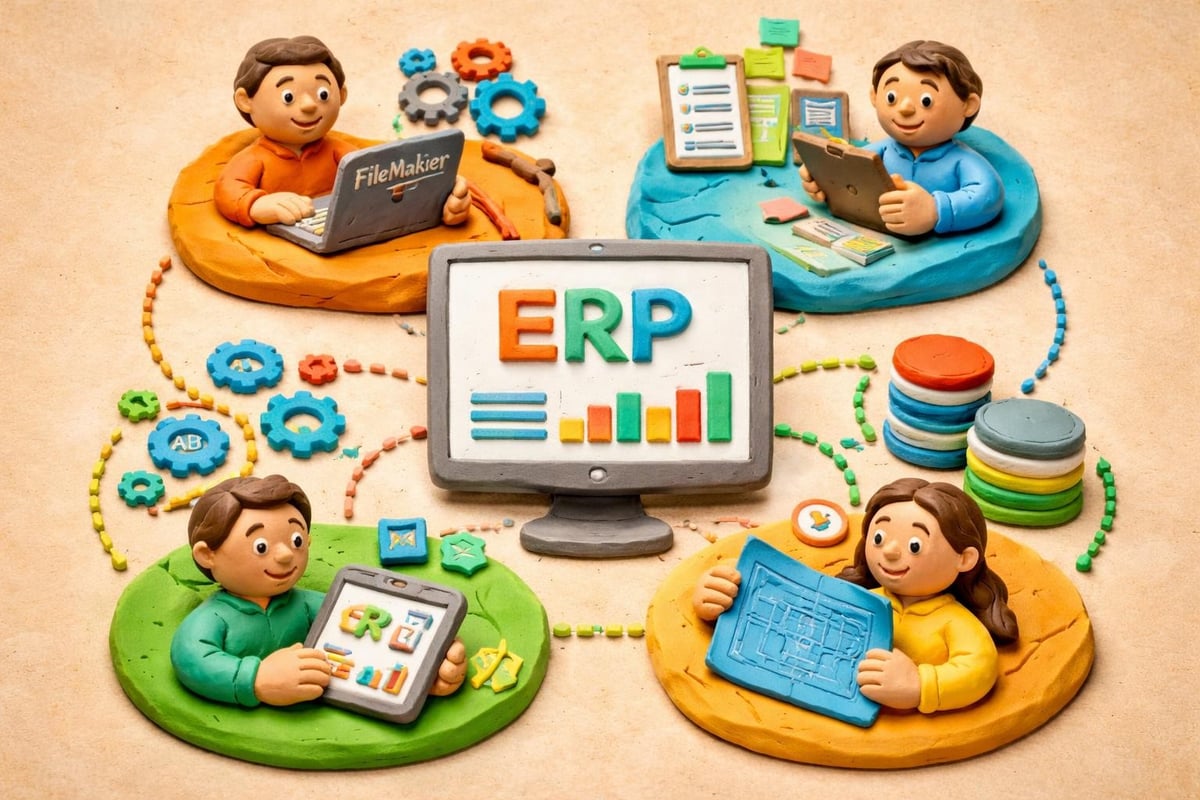
Industry-Specific Knowledge That Matters
The most valuable filemaker erp developer brings domain expertise to the table. Manufacturing companies need developers who understand production scheduling, inventory management, and supply chain complexities. Service organizations require developers familiar with project tracking, resource allocation, and billing workflows.
This specialized knowledge dramatically accelerates development timelines and improves solution quality. When developers understand industry terminology and common pain points, they anticipate requirements, suggest proven approaches, and avoid common pitfalls that plague generic implementations.
The Development Process for Custom ERP Systems
Building a custom ERP system using FileMaker requires a methodical approach that balances functionality with performance. The development lifecycle follows distinct phases, each critical to long-term success.
Discovery and Requirements Gathering
Every successful project begins with thorough discovery. A filemaker erp developer conducts stakeholder interviews, shadows users performing daily tasks, and documents current workflows in detail. This phase reveals hidden requirements and integration needs that surface questionnaires often miss.
Key discovery activities:
- Mapping current business processes and data flows
- Identifying pain points and inefficiencies
- Documenting integration requirements with existing systems
- Defining user roles and access requirements
- Establishing performance benchmarks and scalability needs
The discovery phase typically reveals that businesses need more than software. They need process optimization, data standardization, and sometimes organizational change management to support new systems effectively.
Database Architecture and Design
Proper database design forms the foundation of every successful ERP implementation. Following essential steps in ERP software development, a skilled developer creates normalized table structures that eliminate redundancy while maintaining query performance.
| Design Consideration | Impact on Performance | Long-term Maintenance |
|---|---|---|
| Proper indexing strategy | 40-60% faster searches | Minimal ongoing optimization |
| Normalized relationships | Reduced data redundancy | Easier updates and scaling |
| Calculated vs. stored fields | Real-time vs. static data | Balance between accuracy and speed |
| Portal filtering techniques | User experience quality | Script complexity |
The architecture must accommodate future growth. A filemaker erp developer designs systems that scale from ten users to hundreds without requiring complete rebuilds. This foresight involves strategic decisions about hosting infrastructure, field definitions, and relationship structures.
Interface Design That Drives Adoption
User adoption determines ERP success more than any other factor. Even technically perfect systems fail when users find them confusing or cumbersome. FileMaker's flexibility allows developers to create interfaces tailored to specific user needs rather than forcing everyone into identical experiences.
Dashboard layouts should present role-specific information immediately. Sales representatives need different views than warehouse managers or accounting staff. The best filemaker erp developer creates multiple entry points into the same data, each optimized for particular workflows.
Integration Capabilities That Extend Functionality
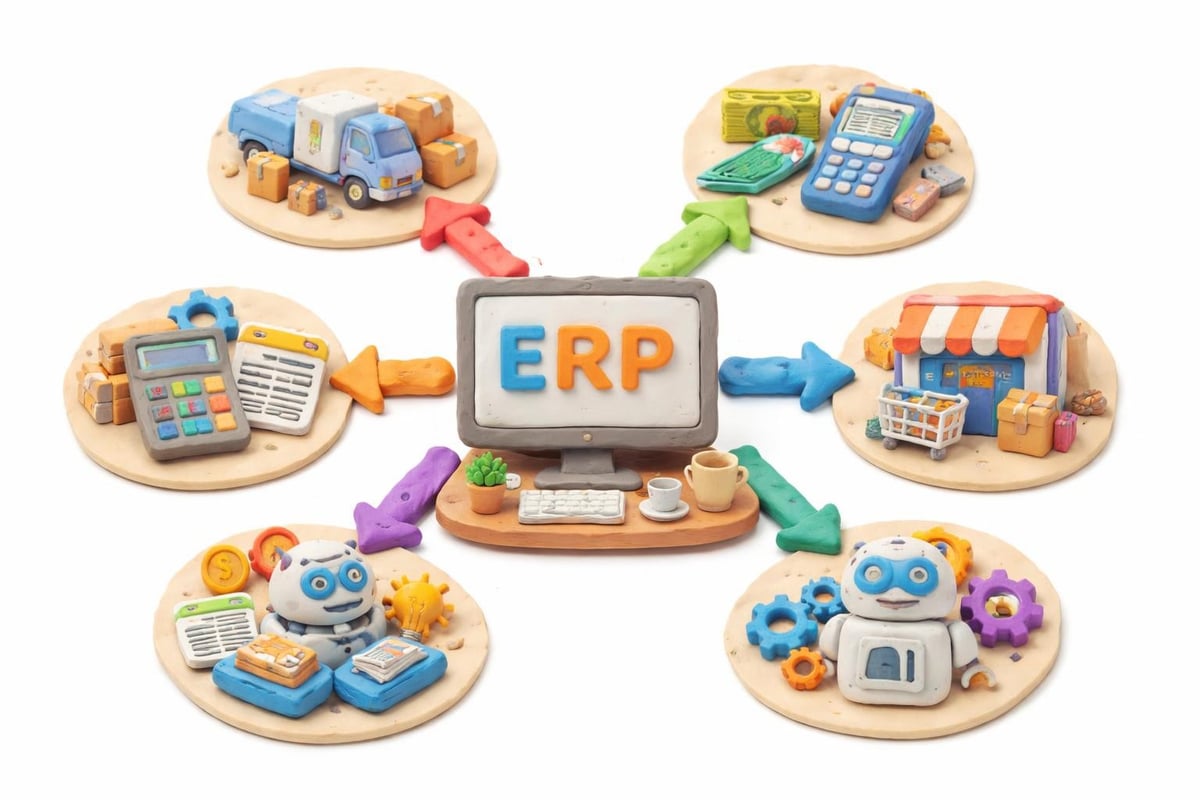
Modern ERP systems never operate in isolation. They must exchange data with e-commerce platforms, shipping carriers, payment processors, and countless other services. FileMaker's robust API capabilities make these integrations possible when implemented correctly.
API Integration Strategies
A competent filemaker erp developer leverages multiple integration approaches depending on the use case. Direct API calls using FileMaker's cURL functions provide real-time data synchronization. Middleware platforms bridge systems that don't communicate directly. Scheduled imports handle batch processes efficiently.
Real-world integration scenarios include:
- Synchronizing customer data between ERP and CRM systems
- Pulling inventory levels from multiple warehouses
- Automating shipping label generation through carrier APIs
- Processing credit card payments through payment gateways
- Importing financial transactions into accounting software
Each integration requires careful error handling and logging. When external systems fail or change their APIs, your ERP must respond gracefully without corrupting data or stopping critical operations.
Artificial Intelligence Enhancement
The most forward-thinking developers now incorporate AI capabilities into FileMaker ERP systems. Machine learning models predict inventory requirements, identify pricing optimization opportunities, and flag suspicious transactions for review. Custom solutions that blend FileMaker's reliability with AI's analytical power deliver competitive advantages that generic systems cannot match.
Performance Optimization Techniques
Speed matters profoundly in enterprise systems. Users abandon slow applications, and inefficient systems waste staff time daily. Implementing FileMaker performance optimization strategies ensures responsive user experiences even as databases grow.
Server Configuration and Hosting
A filemaker erp developer must understand server architecture deeply. FileMaker Server settings dramatically impact performance, yet many developers accept default configurations without optimization.
Critical server optimizations include:
- Cache size allocation based on concurrent users
- Backup scheduling during low-usage periods
- Progressive backup strategies for large databases
- SSL certificate configuration for secure connections
- Server-side scripting for resource-intensive operations
Hosting decisions matter equally. Cloud hosting provides scalability and disaster recovery benefits. On-premises servers offer maximum control and potentially lower long-term costs. Hybrid approaches balance both considerations for geographically distributed teams.
Script and Layout Efficiency
Poorly written scripts create bottlenecks that frustrate users and waste server resources. Following tips for intermediate FileMaker Pro users, developers minimize found sets, reduce layout object counts, and eliminate unnecessary script steps.
Layout optimization yields immediate user experience improvements. Conditional formatting that evaluates on every keystroke slows data entry. Portals loading hundreds of records when users need only recent entries waste bandwidth. A skilled developer identifies and eliminates these inefficiencies systematically.
Security and Compliance Considerations
Enterprise systems handle sensitive business data, financial information, and sometimes personal customer details. Robust security protects against external threats and insider risks while maintaining compliance with industry regulations.
Multi-Layered Security Architecture
The best filemaker erp developer implements defense-in-depth strategies. Encryption protects data in transit and at rest. Privilege sets restrict access based on roles and responsibilities. Audit trails track who accessed what information and when.
FileMaker's security features, when properly configured following the FileMaker security guide, provide enterprise-grade protection:
- Account-based authentication with password complexity requirements
- Extended privilege controls for features like web access
- Record-level security through calculated permissions
- Field-level encryption for sensitive data
- Integration with Active Directory and LDAP systems
Regular security audits identify vulnerabilities before they become breaches. Penetration testing reveals weaknesses in authentication mechanisms, data validation, and access controls.
Compliance Documentation
Industries like healthcare, finance, and government contracting impose specific compliance requirements. HIPAA, SOX, GDPR, and similar regulations mandate particular security controls, audit capabilities, and data handling procedures.
A filemaker erp developer experienced in regulated industries builds compliance features directly into system architecture. Automated audit logs track every data access. Retention policies automatically archive or delete records according to legal requirements. Access controls enforce separation of duties to prevent conflicts of interest.
Leveraging Templates and Accelerators
Building ERP systems entirely from scratch wastes time recreating solved problems. Smart developers leverage proven frameworks as starting points, then customize them to meet specific requirements. The FM Quickstart ERP template provides a solid foundation that demonstrates best practices.
When Templates Accelerate Development
Templates shine for common business functions that follow standard patterns. Contact management, order processing, and inventory tracking work similarly across industries. Starting with proven table structures and relationships reduces development time while minimizing bugs.
Template benefits include:
- Pre-built relationships following normalization principles
- Tested workflows for common processes
- Security models following best practices
- Mobile-responsive layouts ready for deployment
- Documentation that accelerates team onboarding
However, templates never replace developer expertise. A filemaker erp developer must evaluate whether template assumptions match business reality, then modify structures appropriately.
Customization vs. Configuration
The key skill involves knowing when to customize versus when to accept template limitations. Changing core table structures requires extensive testing to ensure dependent scripts and relationships still function correctly. Adding new modules or extending existing ones often proves safer and faster.
Real-World Applications and Use Cases
Understanding how businesses apply custom FileMaker ERP solutions provides context for development decisions. The 50 real-world FileMaker use cases showcase the platform's versatility across industries.
Manufacturing Operations
Manufacturing companies use custom ERP systems to manage bill of materials, production scheduling, quality control, and shop floor data collection. A filemaker erp developer creates systems that track work orders from quotation through production to delivery, integrating with machinery through IoT sensors and automated data collection.
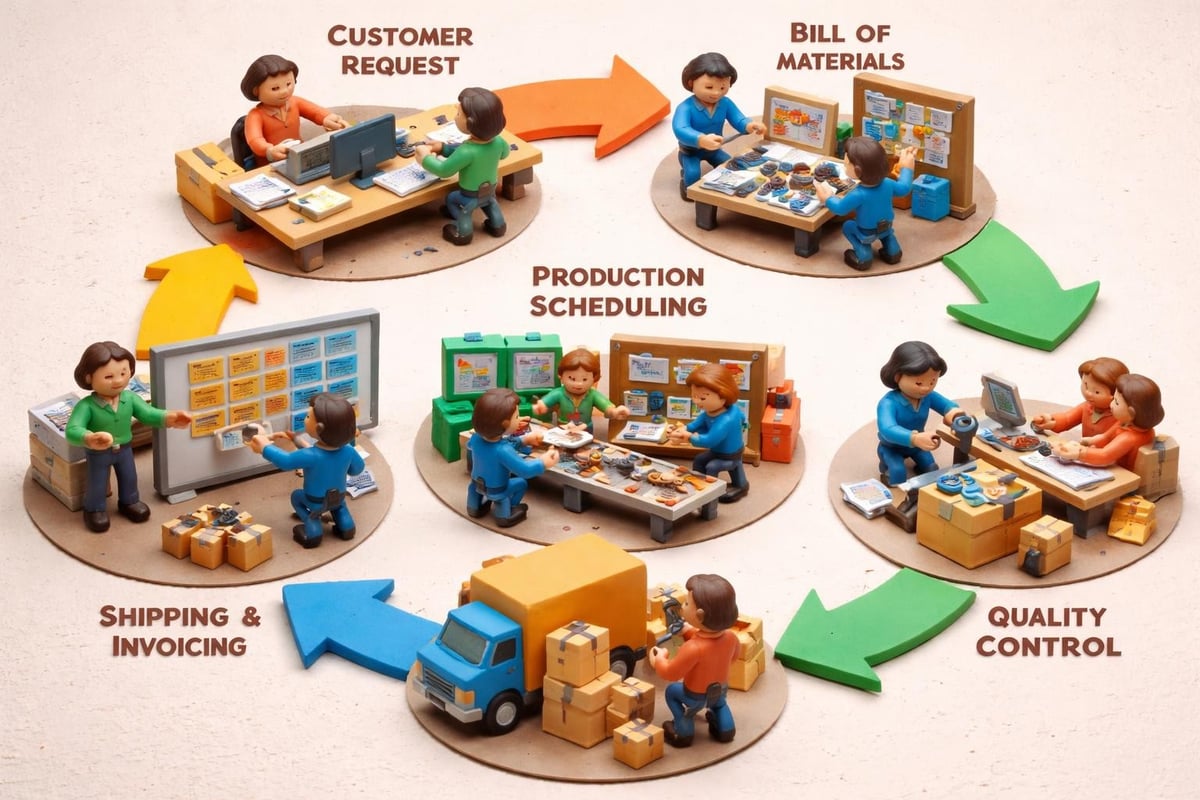
These systems often require unique features like lot tracking, serialization, and complex pricing calculations based on material costs, labor rates, and overhead allocation. Generic ERP packages struggle with company-specific manufacturing processes, making custom development essential.
Distribution and Logistics
Distributors need sophisticated inventory management across multiple warehouses, integrated purchasing workflows, and automated reordering based on sales velocity. Custom systems track inventory at bin-level granularity, manage vendor relationships, and optimize purchasing decisions through data analysis.
Integration with shipping carriers automates label generation, tracking number capture, and delivery confirmation. Real-time inventory updates prevent overselling while maintaining lean stock levels that minimize carrying costs.
Professional Services
Service organizations track projects, allocate resources, manage client relationships, and handle complex billing arrangements. A skilled developer creates time tracking systems that capture billable hours, expense reimbursements, and project milestones while generating invoices automatically.
These systems often integrate with accounting platforms, calendar applications, and document management systems. The filemaker erp developer ensures seamless data flow between all components while maintaining a unified user experience.
Ongoing Maintenance and Evolution
ERP systems require continuous attention to remain effective. Business processes evolve, regulations change, and user needs shift over time. A development relationship shouldn't end at deployment.
Update Strategies and Version Control
Professional developers implement version control for FileMaker solutions, tracking changes and enabling rollbacks when updates cause unexpected issues. Following data sources best practices ensures stable foundations as systems grow.
Regular update cycles address bug fixes, add requested features, and optimize performance based on usage patterns. A filemaker erp developer monitors system logs, user feedback, and performance metrics to identify improvement opportunities proactively.
Training and Knowledge Transfer
The most sophisticated system fails without proper user training. Developers should create documentation, video tutorials, and hands-on training sessions that empower users to leverage system capabilities fully. Advanced users who understand system architecture can often solve minor issues independently, reducing support burden.
Knowledge transfer proves especially critical for internal IT staff who maintain systems after initial development. Clear documentation of table relationships, script logic, and integration points enables future developers to understand and modify systems confidently.
Choosing the Right Development Partner
Selecting a filemaker erp developer or development firm represents a significant business decision. The wrong choice leads to cost overruns, missed deadlines, and systems that fail to meet requirements. The right partner becomes a trusted advisor who understands your business and technology equally well.
Evaluating Developer Expertise
Review portfolios that demonstrate relevant industry experience. A developer who has built systems for similar businesses understands your challenges immediately. Ask for references and speak with previous clients about communication quality, deadline adherence, and post-deployment support.
Technical certifications validate FileMaker expertise, but real-world experience matters more. A developer who has built, deployed, and maintained multiple ERP systems has encountered edge cases and solved problems that theoretical knowledge never addresses.
| Evaluation Criteria | Questions to Ask | Red Flags |
|---|---|---|
| Industry Experience | What similar projects have you completed? | Vague answers or irrelevant examples |
| Development Process | How do you handle changing requirements? | Rigid methodology without flexibility |
| Support Model | What happens after deployment? | No maintenance plans or support options |
| Communication Style | How often will we receive updates? | Poor responsiveness during sales process |
Understanding Total Cost of Ownership
Initial development costs represent only part of total investment. Consider hosting fees, annual FileMaker licensing, ongoing maintenance, and future enhancement budgets. A filemaker erp developer should provide transparent estimates that account for all components.
Cheaper developers often deliver inferior architecture that requires expensive rebuilds as businesses grow. Investing in quality development from the start typically costs less over five years than repeatedly fixing poorly built systems.
Modernization Strategies for Legacy Systems
Many businesses operate FileMaker systems built years or decades ago. These legacy solutions contain valuable data and embedded business logic but suffer from outdated interfaces, performance issues, and security vulnerabilities. Modernizing FileMaker databases breathes new life into aging systems.
Migration vs. Rebuild Decisions
A skilled filemaker erp developer evaluates whether migration or complete rebuilds serve businesses better. Migration preserves existing data structures and workflows while updating interfaces and adding modern features. Rebuilds start fresh, eliminating accumulated technical debt but requiring more extensive testing and user retraining.
Factors influencing this decision include current system documentation quality, degree of customization, and business timeline constraints. Well-documented systems with sound underlying architecture often benefit from migration. Poorly structured databases with minimal documentation may warrant rebuilds despite higher initial costs.
Companies requiring FileMaker data migration services need developers who understand both legacy and modern FileMaker versions, ensuring smooth transitions without data loss or extended downtime.
Phased Rollout Approaches
Major system updates risk disrupting business operations if deployed carelessly. Smart developers implement phased rollouts that minimize risk while delivering incremental value. Initial phases might update reporting dashboards and user interfaces while maintaining existing data entry workflows. Subsequent phases introduce new modules and enhanced automation as users adapt to changes.
This approach allows businesses to realize benefits quickly while spreading costs and reducing change management challenges. Users appreciate gradual improvements over sudden, disruptive overhauls that require learning entirely new systems overnight.
The Business Value of Custom Development
Generic ERP packages force businesses to adapt processes to software limitations. Custom FileMaker development does the opposite, building software that matches how your business actually operates. This fundamental difference drives measurable ROI through multiple channels.
Productivity Gains and Efficiency
Custom systems eliminate unnecessary steps, automate repetitive tasks, and surface critical information exactly when users need it. Sales representatives close deals faster when systems provide instant access to inventory, pricing, and customer history. Warehouse staff process orders more quickly with barcode scanning and mobile interfaces optimized for their workflows.
These productivity improvements compound over time. A system saving each user thirty minutes daily delivers 125 hours monthly for a ten-person team, equivalent to nearly one full-time employee's worth of productive capacity.
Competitive Advantages Through Differentiation
Businesses competing on operational efficiency gain advantages through superior systems. Faster order processing, better inventory accuracy, and improved customer service create tangible market differentiation that competitors using standard software struggle to match.
The most innovative companies use custom ERP capabilities to enable entirely new business models. Subscription services, usage-based pricing, and complex multi-tier channel programs become possible when systems support them natively rather than through workarounds and manual processes.
Building effective ERP systems requires specialized expertise that combines FileMaker platform mastery with deep business process understanding and integration capabilities. The right filemaker erp developer transforms operational challenges into competitive advantages through custom solutions that adapt to your unique requirements rather than forcing your business into predefined templates. When you're ready to explore how tailored ERP solutions can streamline your operations and position your company for sustainable growth, Lolli Group brings the technical expertise and business insight necessary to design systems that evolve alongside your organization while maintaining the flexibility and control your business demands.