Did you know that nearly 43% of businesses struggle with inventory errors that cost them time and revenue each year? In today's fast-paced markets, getting inventory management right is critical for staying competitive.
This guide explores how filemaker inventory management can transform your business in 2026, making your processes faster, smarter, and more adaptable to any challenge.
You’ll discover how FileMaker’s powerful features, step-by-step setup, automation options, integrations, and future-focused trends can help you streamline operations. Ready to take control? Let’s unlock expert strategies for your success.
Why Choose FileMaker for Inventory Management?
Struggling to keep up with inventory demands? You are not alone. Many businesses face constant challenges with tracking, accuracy, and adapting to rapid market changes. That is where filemaker inventory management steps in, offering a smarter, more agile way to handle inventory for companies ready to thrive in 2026.
FileMaker’s Unique Architecture and Custom Interface
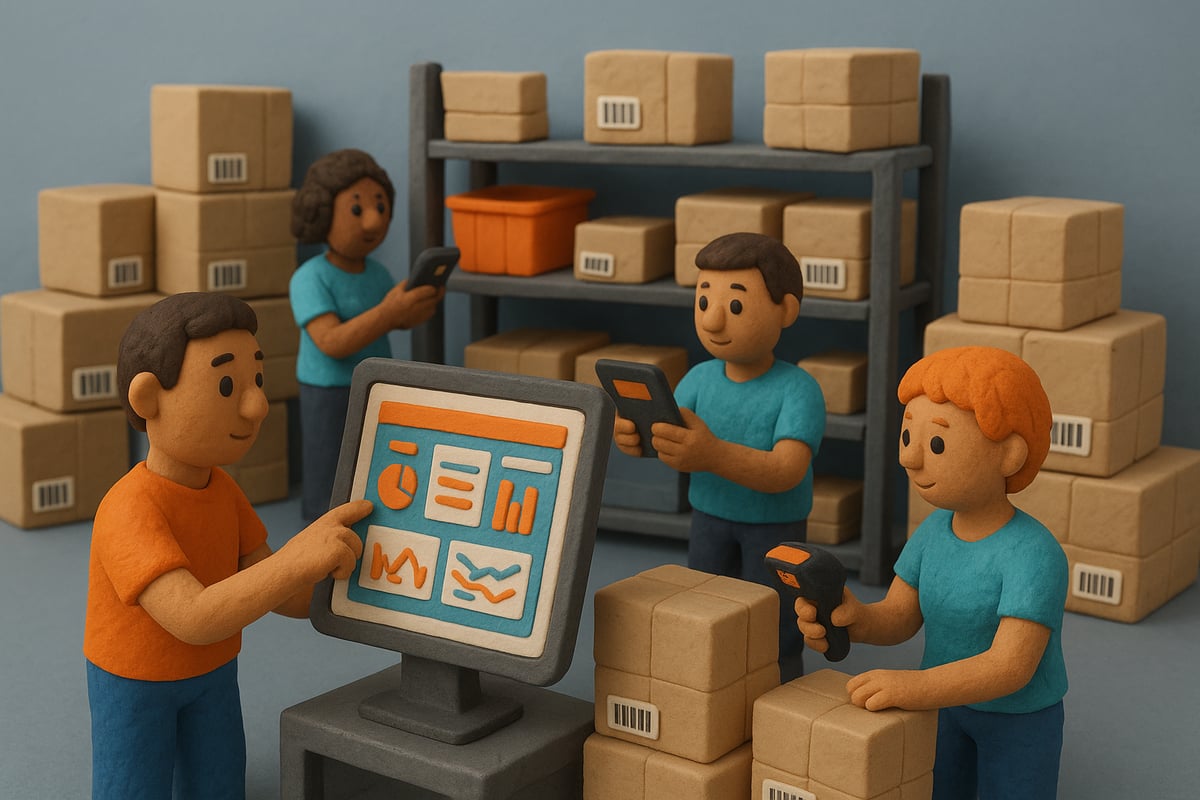
At the core of filemaker inventory management is a powerful, flexible database engine. Unlike rigid off-the-shelf software, FileMaker lets you design custom tables, fields, and workflows tailored precisely to your business. The drag-and-drop interface makes it easy to build dashboards and forms that match your team’s needs, whether you are tracking thousands of SKUs or managing a small, specialized catalog.
You can set up logical relationships between products, suppliers, locations, and transactions. This ensures real-time updates and accurate reporting. FileMaker’s support for barcodes, serial numbers, and custom identifiers keeps your inventory organized and searchable.
Traditional Tools vs. FileMaker: A Clear Advantage
Many companies still rely on spreadsheets or generic inventory apps. But these tools often fall short when your business evolves or scales up. Let us compare:
| Feature | Spreadsheets | Off-the-Shelf Software | FileMaker Inventory Management |
|---|---|---|---|
| Customization | Limited | Moderate | High |
| Real-Time Updates | Manual | Some | Automatic |
| User Roles & Permissions | Weak | Standard | Fully Customizable |
| Integration Capabilities | Basic | Varies | Extensive (APIs, ERP, CRM) |
| Scalability | Poor | Moderate | Excellent |
| Automation | None | Some | Advanced (Scripts, AI) |
With filemaker inventory management, you are not boxed into someone else’s workflow. You get a solution built for your processes, not the other way around.
Flexibility for Unique and Growing Businesses
No two companies manage inventory the same way. FileMaker shines when your needs are unique or change over time. You can start simple and add features as you grow—think multi-warehouse tracking, automated reorder points, or custom mobile apps for your staff.
A 2023 survey found that over 60 percent of custom inventory solutions are now built on low-code platforms like FileMaker. This flexibility is crucial when you need to pivot quickly or respond to new business models, regulations, or supply chain disruptions.
Real-World Results: Efficiency, Accuracy, and Scale
Many businesses have transformed their operations with filemaker inventory management. For example, Reynolds Services, Inc. streamlined their inventory processes, cutting the time required for inventory from eight hours per employee to no more than three. That is a dramatic boost in productivity and accuracy, and it is repeatable in any industry.
Companies report fewer errors, faster order fulfillment, and smoother audits. Whether you are a retailer dealing with seasonal surges or a manufacturer managing complex parts, FileMaker adapts to your workflow.
Cost-Effectiveness, Security, and Enterprise-Ready Features
Why pay for bloated enterprise suites if you do not need them? Filemaker inventory management delivers a lower total cost of ownership, since you only build and pay for the features you need. Security is built in, with user authentication, encryption, and audit trails to protect sensitive inventory data and meet compliance standards.
As your business scales, FileMaker grows with you. Start as a small team and expand to hundreds of users, on-premises or in the cloud. From startups to global enterprises, filemaker inventory management is a proven path to efficiency, accuracy, and growth.
Step-by-Step: Building Your FileMaker Inventory Management System
Building a robust filemaker inventory management system is a game-changer for any business aiming to streamline operations for 2026. This step-by-step guide will help you plan, design, and launch a custom solution tailored to your unique needs. Let’s dive into the process, from initial workflow mapping to final deployment.

Planning Your Inventory Management Workflow
Every successful filemaker inventory management system starts with a clear understanding of your business’s unique challenges and goals. Begin by identifying pain points such as inaccurate stock counts, delayed shipments, or manual data entry bottlenecks.
Map out your core inventory processes. This should include receiving goods, tracking inventory levels, processing shipments, and generating reports. Involve stakeholders from procurement, sales, and operations to capture every critical step and ensure buy-in from all departments.
For example, a retailer might diagram the entire SKU lifecycle, from supplier delivery to customer checkout. This mapping helps visualize dependencies and reveal opportunities for automation. Consider future-proofing your workflow by anticipating business growth, new sales channels, or expanding warehouse locations.
By investing time in this planning stage, your filemaker inventory management project will have a solid foundation. For more practical advice and case studies, check out these Inventory and Coupon Management Tips.
Designing Your FileMaker Database Structure
With your workflow mapped, it’s time to design the backbone of your filemaker inventory management solution: the database structure. Start by creating tables for products, suppliers, warehouse locations, and inventory transactions. Each table should capture essential attributes, such as product descriptions, supplier contact information, and transaction dates.
Define relationships between tables to enable real-time inventory updates across your business. For example, connecting products to locations lets you monitor stock levels at each warehouse. Use unique identifiers like barcodes, SKUs, or serial numbers to track items accurately and streamline lookups.
Here’s a quick comparison of table essentials:
| Table | Key Fields | Example Use |
|---|---|---|
| Products | SKU, Name, Category | Track inventory |
| Suppliers | Supplier ID, Name, Email | Order management |
| Locations | Location ID, Address | Multi-warehouse ops |
| Transactions | Date, SKU, Qty, Type | Stock movement logs |
A multi-warehouse business can easily track stock across locations by structuring these tables and relationships well. Ensure your filemaker inventory management system is normalized to maintain data integrity and support powerful reporting.
Creating User Interfaces and Dashboards
A user-friendly interface is essential for adoption and efficiency in filemaker inventory management. Use FileMaker’s intuitive drag-and-drop tools to build layouts for inventory entry, stock lookup, and transaction processing. Tailor dashboards for different roles, such as warehouse staff and managers, to ensure each user has access to the most relevant information.
Visual indicators, like color-coded stock levels or graphical trend lines, empower users to make quick decisions. For instance, a dashboard might highlight low-stock items in red, signaling the need for immediate action.
Consider these best practices for UI design:
- Simplify forms to reduce data entry errors.
- Group related information for clarity.
- Add quick search and filter options.
- Use icons and colors for instant recognition.
By focusing on usability, your filemaker inventory management solution will drive higher productivity and minimize training time.
Automating Inventory Processes with Scripts
Automation is the secret ingredient that elevates filemaker inventory management from good to great. Leverage FileMaker scripts to handle repetitive tasks, such as sending alerts when stock drops below reorder points or auto-generating purchase orders for fast-moving items.
You can streamline purchase order and receiving workflows by scripting status updates and notifications. Schedule routine inventory audits and reconciliations to catch discrepancies early and keep your data accurate.
Here’s an example of a simple stock alert script in FileMaker:
If [ Inventory::StockLevel < Inventory::ReorderPoint ]
  Send Mail [ To: PurchasingDept; Subject: "Reorder Needed"; Body: "Stock is below threshold." ]
End If
Automated notifications ensure no item slips through the cracks. By embedding these scripts, your filemaker inventory management system stays efficient, responsive, and reliable.
Testing, Deployment, and Training
Before launching your filemaker inventory management solution, rigorous testing is vital. Simulate real-world scenarios and edge cases, such as receiving damaged goods or handling returns, to ensure your system performs flawlessly.
User training is the next step. Provide hands-on sessions, clear documentation, and ongoing support to encourage adoption and accuracy. Gather user feedback to identify pain points and iterate on your system design.
Decide whether to deploy on-premises or in the cloud, based on your business’s remote access needs. Cloud deployment offers flexibility for distributed teams, while on-premises may suit businesses with strict data policies. With careful preparation, your filemaker inventory management system will deliver reliable, scalable performance from day one.
Advanced Features: Automation, Reporting, and AI in FileMaker
Modern filemaker inventory management isn’t just about tracking stock. It’s about harnessing advanced technology to unlock speed, accuracy, and insights that keep your business ahead. Let’s dive into how automation, reporting, and AI can transform your inventory experience.

Automation for Inventory Accuracy and Efficiency
Automation is the heartbeat of filemaker inventory management. By automating repetitive tasks, you reduce manual errors and free up your team’s time for higher-value work.
- Scripts auto-generate purchase orders when stock dips below set thresholds.
- Automated restock notifications keep your shelves full without constant oversight.
- Integration with barcode and RFID scanners updates inventory in real time, ensuring every transaction is recorded instantly.
Cycle counts are often a pain point, but automated scheduling in filemaker inventory management means you never miss critical checks. Retailers using these features report a significant drop in stock discrepancies and faster order processing. If you want to build a resilient supply chain, automation is non-negotiable.
Custom Reporting and Analytics
Data is power, but only if you can see it clearly. With filemaker inventory management, custom dashboards and real-time analytics are at your fingertips.
- Create dashboards to track key metrics like turnover rates, shrinkage, and order fulfillment speed.
- Build stock aging reports to identify slow movers and optimize purchasing.
- Export inventory data for financial forecasting and demand planning.
Imagine your finance team receiving a monthly inventory valuation report, tailored to their needs, directly from your filemaker inventory management system. This kind of transparency drives smarter decisions and supports rapid scaling.
AI-Powered Inventory Optimization
Artificial intelligence takes filemaker inventory management to the next level. AI-driven forecasting analyzes historical sales, seasonal trends, and market signals to recommend optimal reorder quantities and timing.
- Predictive analytics minimize overstock and stockouts, cutting costs and boosting customer satisfaction.
- The latest industry benchmarks show that AI-powered inventory solutions can reduce excess stock by up to 30 percent.
- AI engines in filemaker inventory management continuously learn, improving accuracy with every transaction.
Wondering how this works in practice? AI can suggest which products to reorder and when, based on real-time data. For a deep dive into how these technologies are shaping the future, check out FileMaker Automation and AI Innovations.
Integration with Third-Party Tools and APIs
To maximize value, filemaker inventory management must connect with your broader business ecosystem.
- Seamlessly synchronize inventory with ERP, e-commerce, and shipping platforms.
- Real-time connections with accounting and CRM systems eliminate manual data entry.
- Automatic imports from platforms like Shopify or WooCommerce keep stock levels up to date.
These integrations streamline workflows, reduce bottlenecks, and ensure your entire team works from a single source of truth. As your business grows, filemaker inventory management scales with you, adapting to new tools and processes.
Integrating FileMaker Inventory with Your Business Ecosystem
Seamless integration is the backbone of efficient operations in today's digital-first landscape. Businesses leveraging filemaker inventory management are unlocking new levels of agility by connecting their inventory systems with the broader business ecosystem. This approach breaks down silos, accelerates decision-making, and ensures every stakeholder has access to accurate, real-time data.
Connecting FileMaker to ERP and CRM Platforms
Integrating filemaker inventory management with ERP and CRM platforms delivers a unified view of your operations. When inventory data flows directly into sales and customer management systems, teams gain instant insight into stock availability, order status, and fulfillment timelines.
For example, syncing inventory levels with sales pipelines ensures that sales reps can promise accurate delivery dates, while finance teams receive up-to-date inventory valuations. According to recent research, 45% of businesses identify integration as the top reason for upgrading their inventory software, highlighting its critical role in operational strategy.
The flexibility of filemaker inventory management allows businesses to adapt quickly as their needs evolve. Whether you are a small business or a growing enterprise, custom integration ensures your data remains consistent and actionable across all departments. For a closer look at how custom integrations can be implemented, explore these Custom ERP and CRM Solutions tailored for FileMaker.
Real-Time Data Sharing with Suppliers and Partners
Modern supply chains demand transparency and collaboration. Filemaker inventory management supports secure portals where suppliers can view live stock levels and access purchase orders. This reduces bottlenecks and eliminates manual communication delays.
Automated notifications keep suppliers updated, so replenishment can occur proactively. For instance, a manufacturer can enable distributors to see inventory changes in real time, strengthening partnerships and improving service levels. This real-time sharing ensures everyone in the network responds faster to market changes.
Mobile and Remote Access for Distributed Teams
In a world where teams are often distributed, mobile access is essential. Filemaker inventory management, through tools like FileMaker Go, empowers staff to manage inventory directly from the warehouse floor or while on the move.
Field staff can approve orders, update stock levels, and check inventory status in real time from their smartphones or tablets. Service companies, for example, benefit by tracking parts usage on-site, which improves responsiveness and accuracy. This mobility ensures that inventory data is always current, regardless of location.
How Lolli Group Customizes FileMaker Inventory Solutions
No two businesses are alike, which is why expert customization is vital. Lolli Group specializes in designing filemaker inventory management systems that align with each client's unique workflows and growth goals.

Their team excels at integrating FileMaker with APIs and advanced tools like AI, enabling automation and smarter decision-making. Custom dashboards offer role-specific insights, while mobile interfaces extend inventory control to every corner of your operation.
Lolli Group’s support goes beyond implementation. They guide clients through digital transformation, optimizing processes and ensuring long-term success. From healthcare to manufacturing, their real-world solutions drive efficiency and scalability. To see how integration expertise can transform your operations, learn more about FileMaker and Claris Integration and discover the power of a connected business ecosystem.
Preparing for the Future: Trends in FileMaker Inventory Management for 2026
The future of filemaker inventory management is poised for rapid transformation as businesses face mounting pressure to boost efficiency, reduce waste, and anticipate demand. As we look toward 2026, several groundbreaking trends are reshaping how organizations track, analyze, and optimize their inventory processes. Staying ahead of these changes will set your business apart.
AI and Predictive Analytics
AI-driven optimization is revolutionizing filemaker inventory management. Artificial intelligence now enables predictive analytics that anticipate demand spikes, optimize stock levels, and automate replenishment. By leveraging machine learning, companies can minimize costly stockouts and overstock situations. According to recent industry data, AI-powered inventory systems can reduce stockouts by 35% and improve turnover rates by 18% (AI Impact on Inventory Accuracy). This shift allows businesses to respond faster to market changes and meet customer expectations with greater precision.
Cloud-Based Access and IoT Integration
Cloud technology is rapidly becoming a non-negotiable feature for filemaker inventory management. The ability to access real-time data from any location empowers teams to collaborate, make quick decisions, and scale operations without traditional IT barriers. Meanwhile, IoT integration—like smart shelves and automated tracking—offers instant visibility into stock movements and conditions. These advancements enable businesses to catch discrepancies early and streamline their supply chains for maximum efficiency.
Sustainability and Traceability
Sustainability is no longer optional in filemaker inventory management. Companies are under growing scrutiny to track the environmental impact of their inventory and ensure transparent supply chains. Technologies like blockchain are emerging as powerful tools for traceability, letting businesses verify product origins and lifecycle. This level of transparency not only builds trust with consumers but also meets regulatory requirements and supports eco-friendly initiatives.
Industry Forecasts and FileMaker’s Roadmap
The demand for smart, connected inventory solutions is only accelerating. By 2025, 70% of inventory software buyers will require cloud and AI integration, reflecting the mainstream adoption of these technologies (AI Adoption in Retail Inventory). FileMaker is keeping pace with this evolution, introducing enhanced automation, robust security features, and broader integration capabilities. If you want your business to thrive in 2026 and beyond, now is the time to future-proof your filemaker inventory management system and seize the competitive edge.
| Trend | Impact on FileMaker Inventory Management |
|---|---|
| AI & Predictive Analytics | Smarter forecasting, automated replenishment |
| Cloud & IoT Integration | Real-time access, automated tracking |
| Sustainability & Traceability | Transparent, eco-friendly supply chains |
| Industry Demand & Roadmap | Advanced features, scalable and secure systems |