The digital revolution is rapidly changing healthcare, yet many hospitals still face obstacles from outdated systems. Inefficiency, slow processes, and fragmented data can hinder patient care and compliance. That’s why filemaker hospital management is becoming a strategic choice for forward-thinking leaders. This guide provides a clear roadmap to help healthcare administrators, IT professionals, and hospital managers unlock new levels of efficiency and patient satisfaction. We’ll break down the biggest challenges, showcase FileMaker’s key strengths, and outline practical steps to future-proof your hospital by 2026. Ready to transform your hospital’s future? Let’s get started.
The State of Hospital Management in 2026: Challenges and Opportunities
The landscape of hospital management in 2026 is more complex and demanding than ever before. As hospitals strive to deliver high-quality care, they face mounting operational challenges that demand innovative solutions. Efficient filemaker hospital management is now essential for organizations aiming to stay ahead in this competitive environment.
Rising Complexity in Healthcare Operations
Healthcare institutions are under immense pressure to integrate care across departments while making data-driven decisions. The administrative workload is growing, driven by regulatory frameworks like GDPR and HIPAA. Hospitals risk losing up to 10 percent of their revenue due to inefficient processes, highlighting the need for advanced filemaker hospital management strategies.
Increasingly, administrators must juggle patient care quality with operational efficiency. Digital transformation is no longer optional, but a critical requirement for modern hospitals.
Common Pain Points in Hospital Management
Hospital management teams often struggle with fragmented data. Patient records, billing, and inventory information are scattered across disconnected systems. Manual processes create bottlenecks, leading to errors and delays that can compromise patient outcomes.
Key pain points include:
- Incomplete patient journeys and poor outcome tracking
- Slow billing cycles and revenue leakage
- Inefficient inventory management and supply shortages
These challenges make it clear that filemaker hospital management solutions must address both data integration and process automation.
The Need for Digital Transformation
With the healthcare sector rapidly evolving, hospitals are under pressure to adopt interoperable, scalable digital solutions. Real-time data access is no longer a luxury—it is vital for both clinical and administrative staff. According to Digital Transformation in Healthcare Market Growth, the healthcare digital transformation market is projected to reach $258.22 billion by 2033, underscoring the urgency for hospitals to modernize.
Filemaker hospital management can play a pivotal role in this shift, enabling seamless integration and process optimization.
Regulatory and Security Considerations
Data privacy and security have become top priorities for hospital management. With 78 percent of hospitals experiencing at least one data breach in the last three years, robust compliance measures are essential. Hospitals must ensure that their systems meet stringent regulatory requirements, including role-based access, encryption, and comprehensive audit trails.
This environment makes it crucial for filemaker hospital management platforms to offer advanced security features and regular compliance updates.
Opportunities for Process Optimization
Modern hospitals have significant opportunities to enhance efficiency and patient satisfaction through automation. Integrated workflows can reduce manual tasks, cut costs, and minimize human error.
| Opportunity | Potential Impact |
|---|---|
| Automation of admissions | Faster patient throughput |
| Integrated billing | Improved cash flow |
| Real-time inventory alerts | Fewer stock shortages |
Adopting filemaker hospital management solutions allows for these improvements, supporting both operational and clinical excellence.
Case Example: Hospitals Achieving 30% Faster Admissions with Modern Systems
Real-world data shows that hospitals implementing modern management platforms have achieved up to 30 percent faster admissions. These improvements stem from digitized workflows, better data integration, and streamlined communication between teams.
By prioritizing filemaker hospital management, organizations can drive measurable results in patient care efficiency and administrative productivity.
The Role of Customization and Flexibility
Every hospital is unique—one-size-fits-all systems rarely meet the diverse needs of complex healthcare environments. Customization and flexibility are now recognized as critical success factors. Hospitals are seeking solutions that adapt to their specific workflows, integrate with existing systems, and scale as their needs evolve.
Filemaker hospital management provides the adaptability required to thrive in a rapidly changing healthcare landscape.
Why FileMaker for Hospital Management? Core Advantages
Hospitals searching for a modern, flexible solution to streamline operations are increasingly turning to filemaker hospital management. Unlike traditional, rigid systems, FileMaker offers a powerful suite of features designed to tackle the unique challenges of today’s healthcare environments.
Customization for Unique Hospital Workflows
Every hospital has its own set of processes, workflows, and requirements. Filemaker hospital management empowers administrators to design custom modules for admissions, scheduling, and medical records—no coding expertise required.
For example, hospitals can build tailored dashboards for outpatient and inpatient tracking, automate discharge planning, and develop unique forms for specialized departments. This flexibility means you can continuously refine operations without waiting for vendor updates.
Curious about real-world applications? Explore how FileMaker ERP for Healthcare delivers tailor-made solutions that adapt to diverse hospital needs.
Scalability and Integration Capabilities
As your hospital grows—whether expanding departments or adding new sites—filemaker hospital management scales with you. The platform supports everything from small clinics to multi-location hospital systems, ensuring you never outgrow your digital infrastructure.
One of the standout advantages is seamless integration. FileMaker connects with EHRs, billing, laboratory, and pharmacy systems through modern APIs. This interoperability, including support for HL7 and FHIR standards, ensures data flows smoothly across your entire organization, eliminating silos and reducing manual entry.
A recent industry survey found that 60% of hospitals plan to expand digital platforms by 2026, making integration and scalability top priorities. FileMaker positions your hospital for future growth and innovation.
Security, Compliance, and Usability
In healthcare, protecting patient data is non-negotiable. Filemaker hospital management comes equipped with robust security features like role-based access control, end-to-end encryption, and detailed audit trails, helping you maintain compliance with GDPR, HIPAA, and local regulations.
But security is only half the story. FileMaker’s user-friendly interface means clinicians and staff can get up to speed quickly. Hospitals report up to 40% faster onboarding compared to legacy systems, which translates into more time focused on patient care and less on technology training.
Cost-Effectiveness and Community Support
Budget constraints are a reality for most hospitals. Filemaker hospital management offers a cost-effective alternative to traditional ERP solutions, with lower upfront investment and reduced ongoing maintenance costs. Rapid deployment cycles mean you see ROI faster, while avoiding lengthy, disruptive implementations.
Another key advantage is the vibrant FileMaker community. Certified partners and an active developer ecosystem provide ongoing support, best practices, and innovation. This ensures your hospital remains agile and can adapt to emerging healthcare trends without being locked into a one-size-fits-all system.
In summary, filemaker hospital management delivers unmatched customization, scalability, integration, security, and value—all backed by a supportive community. The result? A future-ready hospital equipped to deliver exceptional patient care and operational excellence.
Step-by-Step Guide: Implementing FileMaker for Hospital Management
Implementing filemaker hospital management is a transformative process that requires structured planning, collaboration, and a focus on real hospital needs. This step-by-step guide will help you unlock the full potential of filemaker hospital management, ensuring a smooth transition and measurable improvements.
Step 1: Assess Hospital Needs and Define Objectives
Begin by evaluating your current workflows and identifying the specific challenges facing your hospital. A thorough audit of clinical, administrative, and IT processes sets the foundation for successful filemaker hospital management.
Engage stakeholders from all departments. Ask questions like, “Where do bottlenecks occur?” and “Which manual tasks cause delays?” Document pain points and set measurable objectives, such as reducing patient wait times or improving billing accuracy.
A clear understanding of your hospital’s unique requirements ensures that filemaker hospital management solutions are tailored for maximum effectiveness.
Step 2: Design Custom FileMaker Modules
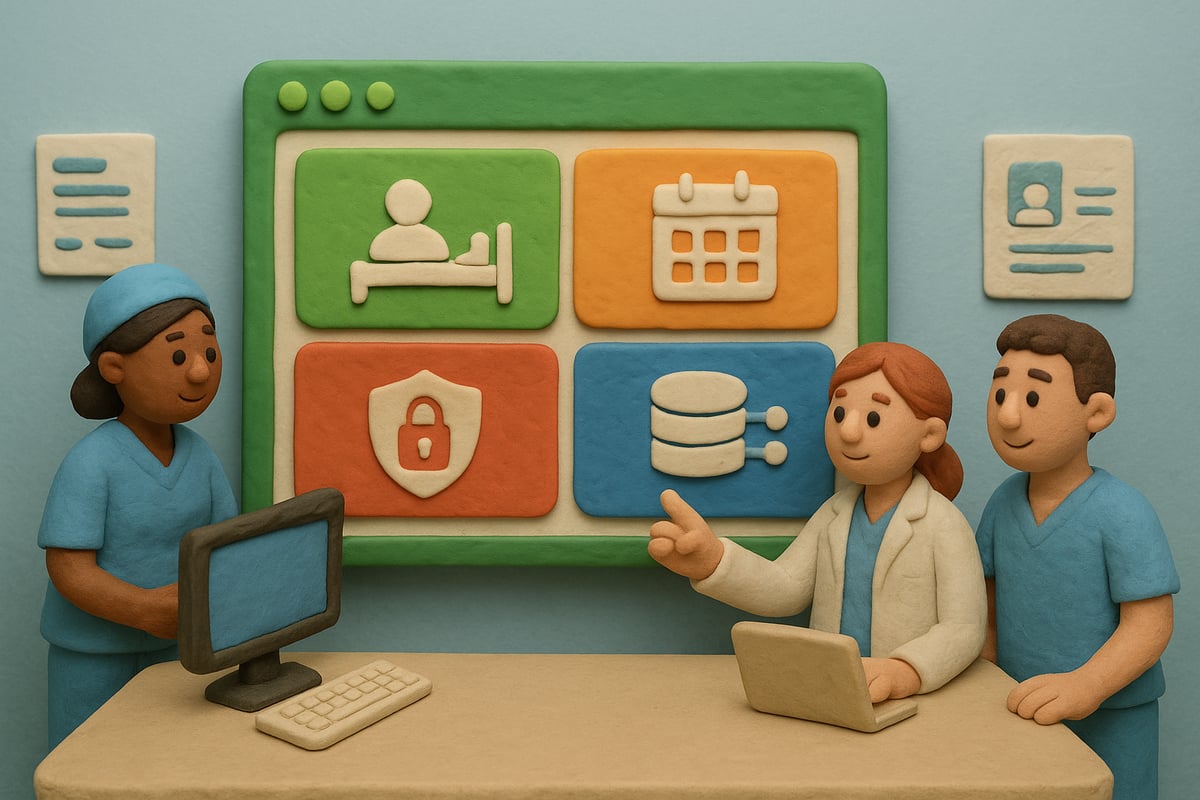
With your objectives in place, map out the essential modules needed for filemaker hospital management. Prioritize areas such as patient registration, appointment scheduling, inventory management, and discharge planning.
Collaborate with end-users to design intuitive dashboards and workflows. For example, a custom bed management dashboard can streamline patient flow, while specialized modules for outpatient and inpatient care address distinct needs.
Keep flexibility in mind. Filemaker hospital management thrives when modules can adapt as hospital processes evolve.
Step 3: Data Migration and Integration
Transitioning to filemaker hospital management means ensuring all legacy data is accurately imported. Use strategies like exporting data from EHRs or billing systems as CSV or SQL files. Carefully map fields to prevent errors.
Leverage FileMaker’s robust API capabilities to integrate with existing hospital systems, such as EHR, billing, and pharmacy platforms. Ensure compliance with HL7 and FHIR standards for seamless data exchange.
A well-executed integration supports the interoperability that modern filemaker hospital management demands.
Step 4: Configure Security and Compliance Settings
Security is non-negotiable in filemaker hospital management. Set up role-based access controls to ensure only authorized personnel can view or edit sensitive information.
Enable encryption for data at rest and in transit. Regularly back up your data and maintain detailed audit logs to track system access. Review compliance requirements like GDPR and HIPAA, adjusting settings as regulations evolve.
Proactive security measures in filemaker hospital management protect both patient data and your hospital’s reputation.
Step 5: User Training and Change Management
Successful filemaker hospital management depends on staff adoption. Develop tailored training programs for each user group—nurses, doctors, administrators, and IT staff.
Use role-based tutorials and hands-on workshops to address real-world scenarios. Encourage feedback and create a support channel for questions and troubleshooting.
By investing in training, you accelerate adoption and empower your team to maximize the benefits of filemaker hospital management.
Step 6: Go-Live and Support
Launch filemaker hospital management in phases, starting with pilot departments. Monitor performance, gather user feedback, and resolve issues quickly.
Establish a dedicated helpdesk for ongoing support. Foster a culture of continuous improvement by regularly soliciting input from staff.
For real-world inspiration, review the Providence Health Care FileMaker Case Study to see how other hospitals have successfully transformed patient information management and collaboration.
Step 7: Performance Monitoring and Optimization
After deployment, closely monitor key performance indicators (KPIs). Use filemaker hospital management analytics to track metrics such as admission times, billing accuracy, and user satisfaction.
Schedule regular system reviews to identify new optimization opportunities. Update modules and workflows as hospital needs change, ensuring filemaker hospital management continues to deliver value.
Continuous monitoring keeps your hospital agile and responsive to evolving healthcare demands.
Example Timeline: 6-Month Implementation Roadmap
A well-structured timeline ensures a smooth rollout of filemaker hospital management. Below is a sample roadmap:
| Month | Milestone | Key Actions |
|---|---|---|
| 1 | Planning & Needs Assessment | Workflow audit, stakeholder engagement |
| 2 | Module Design & Prototyping | Design custom dashboards, get user feedback |
| 3 | Data Migration & Integration | Import legacy data, set up API connections |
| 4 | Security & Compliance Setup | Configure roles, encryption, audit logs |
| 5 | Training & Pilot Launch | User training, pilot in select departments |
| 6 | Go-Live & Optimization | Full rollout, monitor KPIs, refine modules |
This timeline offers a clear path to adopting filemaker hospital management, ensuring each phase receives the attention it deserves.
Integrating FileMaker with Hospital Systems: Best Practices and Pitfalls
Seamless integration is the backbone of successful filemaker hospital management. As hospitals transform digitally, connecting FileMaker with existing systems unlocks efficiency, accuracy, and improved patient care.
Key Systems to Integrate
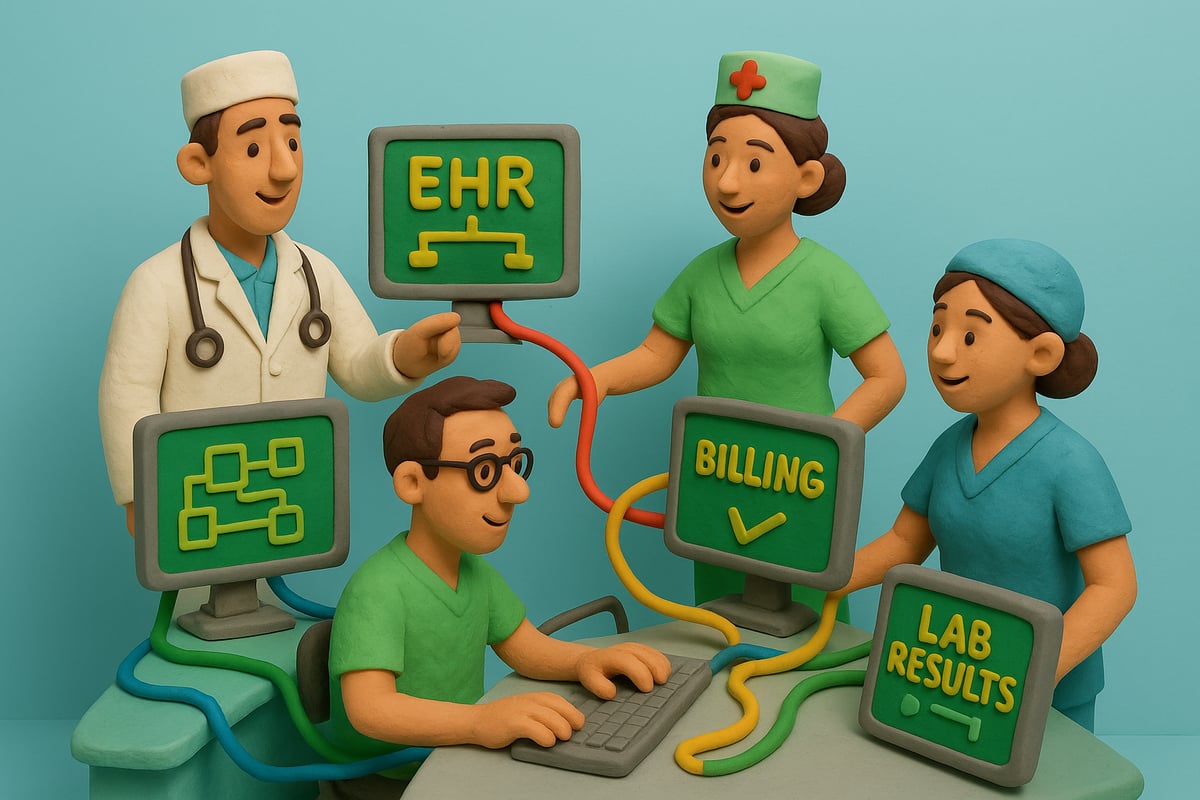
Effective filemaker hospital management starts by identifying core systems to connect. Top priorities include:
- Electronic Health Records (EHR) and Electronic Medical Records (EMR)
- Laboratory Information Systems
- Billing and Insurance Platforms
- Pharmacy Management Tools
Customizing EMR integration is critical. Hospitals aiming for tailored workflows can explore Electronic Medical Records Customization to enhance their filemaker hospital management ecosystem.
API Integration Strategies
RESTful APIs are essential for real-time data exchange in filemaker hospital management. By leveraging FileMaker’s built-in API capabilities, you can automate workflows such as importing lab results directly into patient files.
Best practices include:
- Using standardized protocols like HL7 or FHIR
- Creating robust error handling for data transfer
- Scheduling regular API audits
Automation reduces manual data entry and streamlines processes across departments.
Data Mapping and Synchronization
Accurate data mapping is a cornerstone of filemaker hospital management. Aligning patient IDs, medical codes, and other key data fields ensures consistency.
Consider these steps:
- Map all critical data points between systems
- Implement synchronization schedules to avoid duplication
- Test data flows thoroughly before going live
Proper mapping prevents silos and guarantees that every department accesses up-to-date information.
Security Considerations in Integration
Security is non-negotiable in filemaker hospital management. Secure API authentication, encrypted data transfers, and regular penetration testing are essential.
Best practices include:
- Enforcing role-based access control
- Encrypting all sensitive data in transit and at rest
- Scheduling vulnerability assessments
Prioritizing security builds trust and ensures regulatory compliance.
Common Integration Challenges
Even the best-planned filemaker hospital management projects face hurdles. Legacy systems often lack documentation, making integration tricky.
Prepare for these pitfalls:
- Allocate extra time for legacy system review
- Develop contingency plans for unexpected downtime
- Test data migrations in a sandbox environment
Anticipating challenges helps minimize disruption during deployment.
Success Stories: Hospitals Achieving Seamless Interoperability
Industry case studies show that hospitals using filemaker hospital management solutions enjoy tangible improvements. Many report faster access to patient data, reduced administrative errors, and enhanced patient safety.
Hospitals that prioritize integration often see measurable gains in workflow efficiency and care quality.
Ongoing Maintenance and Support
Integration is not a one-time event. Filemaker hospital management requires regular audits, updates, and support to maintain peak performance.
Key practices:
- Schedule periodic integration reviews
- Provide ongoing staff training
- Monitor system health and respond rapidly to issues
Proactive maintenance ensures your hospital stays agile and future-ready.
Harnessing AI and Automation in FileMaker Hospital Management
Artificial intelligence is revolutionizing filemaker hospital management, enabling hospitals to make smarter, faster decisions while keeping patient care at the center. As healthcare leaders seek ways to improve efficiency, AI-driven tools and automation are quickly becoming essential components of modern hospital workflows.
AI-Driven Decision Support
AI-powered decision support is transforming how hospitals use filemaker hospital management platforms. With predictive analytics, hospitals can identify patients at risk of readmission, automate triage, and optimize resource allocation. For example, AI modules can analyze patient data to recommend personalized care pathways, reducing manual guesswork for clinicians.
The integration of AI with FileMaker enables advanced automation, streamlining complex workflows and freeing up staff for higher-value tasks. To learn more about practical implementations, visit FileMaker and AI Integration.
Workflow Automation
Automation is at the heart of next-generation filemaker hospital management. By automating repetitive processes, hospitals can reduce errors and accelerate routine tasks, such as:
- Billing and claims processing
- Generating discharge summaries
- Scheduling appointments and reminders
Automated inventory alerts, for instance, help ensure medical supplies are always available. This minimizes delays and supports a seamless patient experience, making staff workloads more manageable.
Intelligent Reporting and Analytics
Real-time dashboards in filemaker hospital management solutions empower administrators to track KPIs, compliance, and resource utilization with ease. AI-driven analytics can surface actionable insights, such as trends in admission times or bottlenecks in patient flow.
By leveraging these tools, hospitals gain a clearer picture of operational performance and patient outcomes, allowing for more informed, data-driven decisions across departments.
Enhancing Patient Engagement
Patient engagement is rapidly evolving within filemaker hospital management. Hospitals are deploying chatbots and self-service portals to answer common questions, schedule appointments, and provide test results securely.
These AI-powered tools not only improve satisfaction but also reduce administrative burden. By enabling patients to interact with their care teams digitally, hospitals strengthen trust and streamline the patient journey.
Data Privacy and Ethical Considerations
With the adoption of AI in filemaker hospital management, privacy and ethics become paramount. Hospitals must ensure compliance with medical AI guidelines and robust data protection laws.
Best practices include:
- Strict role-based access controls
- End-to-end data encryption
- Transparent AI model usage
Regular audits and staff training help maintain the highest standards of data security and ethical care delivery.
ROI and Staff Preparation
Implementing AI within filemaker hospital management delivers measurable ROI. According to industry data, 45 percent of hospitals report greater operational efficiency after adopting AI solutions. The AI in Hospital Operations Market Forecast highlights explosive growth, underscoring the urgency for hospitals to act now.
Preparing staff is crucial. Invest in comprehensive training and change management to empower teams, ensuring a smooth transition to AI-enhanced workflows and maximizing the benefits of filemaker hospital management.
Future-Proofing Hospital Management with FileMaker: Trends to Watch
The healthcare landscape is changing rapidly, and staying ahead means anticipating tomorrow’s challenges today. For hospitals committed to excellence, embracing the latest trends in filemaker hospital management is crucial for sustained success and resilience.
Evolving Regulatory Standards
Regulatory frameworks in healthcare are becoming increasingly complex. Hospitals must proactively adapt to new privacy and data security laws. A robust filemaker hospital management system allows organizations to implement quick updates and maintain compliance. Integrating a specialized Workplace Safety ERP for Hospitals can further streamline regulatory training, documentation, and audit readiness.
Mobile and Remote Access
With the rise of telehealth and remote care, mobile access is now a necessity. Filemaker hospital management platforms support clinicians and administrators on the go, providing secure access to patient data and workflows. Solutions like FileMaker Go enable mobile patient check-in, telemedicine sessions, and real-time updates, empowering teams to deliver care anywhere.
Cloud Adoption and Scalability
Moving to the cloud is no longer optional for hospitals seeking agility. Filemaker hospital management solutions leverage cloud infrastructure for disaster recovery, multi-site coordination, and seamless updates. Cloud adoption makes it easier to scale operations, enhance collaboration, and protect data with robust backup and security features.
Personalized Patient Care
Today’s patients expect care tailored to their unique needs. Filemaker hospital management systems allow hospitals to harness data for personalized treatment plans and outcome tracking. By integrating clinical insights, hospitals can improve patient satisfaction and drive better health outcomes through precision medicine initiatives.
Sustainability and Green IT
Eco-conscious operations are a growing priority. Digital filemaker hospital management reduces reliance on paper, cutting costs and environmental impact. Hospitals embracing green IT strategies can streamline documentation, automate reporting, and contribute to a more sustainable healthcare ecosystem.
Continuous Innovation in Healthcare IT
The pace of change in healthcare IT is relentless. Filemaker hospital management platforms are updated regularly, supporting new features and integrations. Staying on top of these innovations ensures hospitals remain competitive and can rapidly adopt the latest best practices, from AI-driven analytics to workflow automation.
Benchmarking Against Industry Leaders
Learning from top performers is essential for ongoing improvement. Hospitals can use filemaker hospital management to measure progress, compare outcomes, and identify gaps. According to a recent Hospital Information Systems Market Analysis, digital transformation leaders are achieving measurable gains in efficiency and patient care. Benchmarking against these leaders provides a clear roadmap for hospitals aiming to future-proof their operations.
If you’re ready to leave behind rigid, outdated hospital systems and finally take control of your operations, you’re not alone—more hospitals are embracing flexible, custom solutions every year. We’ve seen firsthand how a tailored approach with FileMaker can simplify workflows, boost compliance, and actually make life easier for your team and your patients. Imagine a system that adapts to you, not the other way around. Let’s make it happen together. Build a System That Actually Works Talk to Lolli Group Stop adapting your business to rigid software. Design a custom, automated solution built around your real workflows.